
INSIGHTS
Fed 3h ago — usually about every 3–4h
Feeds, sleep, nappies and more — logged with a tap and a swipe, barely any typing. Made for parenting in Australia, with milestones built on Australian standards. Free, with cloud sync for your whole care team.
Twelve log types purpose-built for daily baby care — your complete baby routine tracker, free.
Feed
Breast, bottle, or formula — left side, right side, volume, and duration.
Sleep
Start and end times with one tap. See total sleep at a glance.
Nappy
Wet, dirty, or both — quick log at any hour, one-handed.
Solids
Track first foods, reactions, and how much your baby ate.
Pumping
Log expressed milk by session, side, and volume.
Bath
Note bath time so carers always know when the last one was.
Growth
Weight, height, and head circumference — track every check-up.
Play
Log tummy time, sensory play, and outdoor activities.
Temperature
Record temperature readings when your baby is unwell.
Medication
Track doses and timing so you never miss or double up.
Symptoms
Note fever, cough, rash and more — spot trends when your baby is unwell.
Notes
Capture anything else — doctor observations, milestone moments.
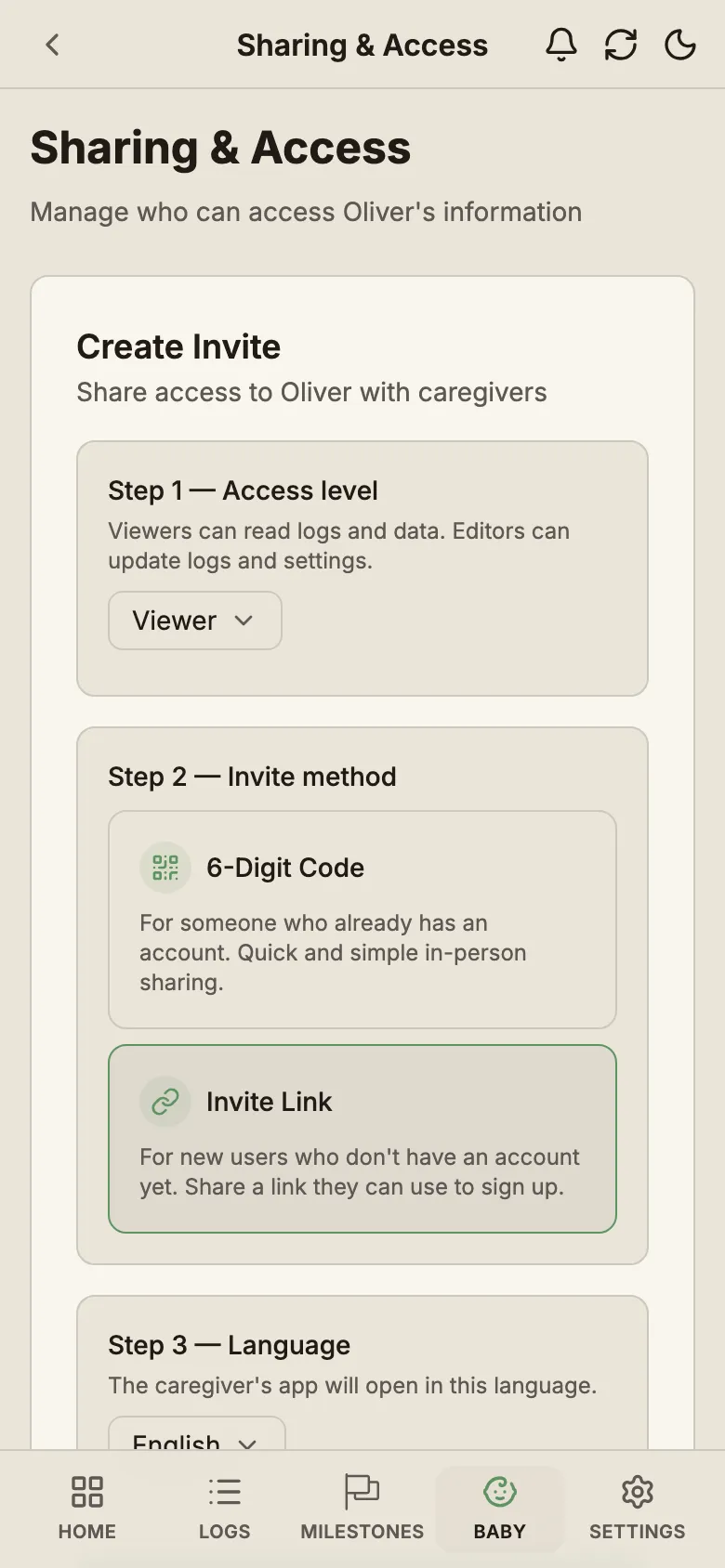
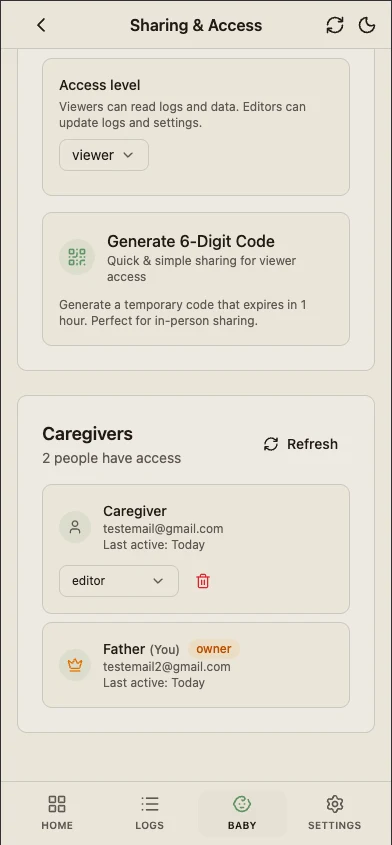
Generate a 6-digit code and your partner, grandparent or nanny joins in seconds. Everyone sees the same logs, in their own language — even at 3am when one of you is on baby duty.
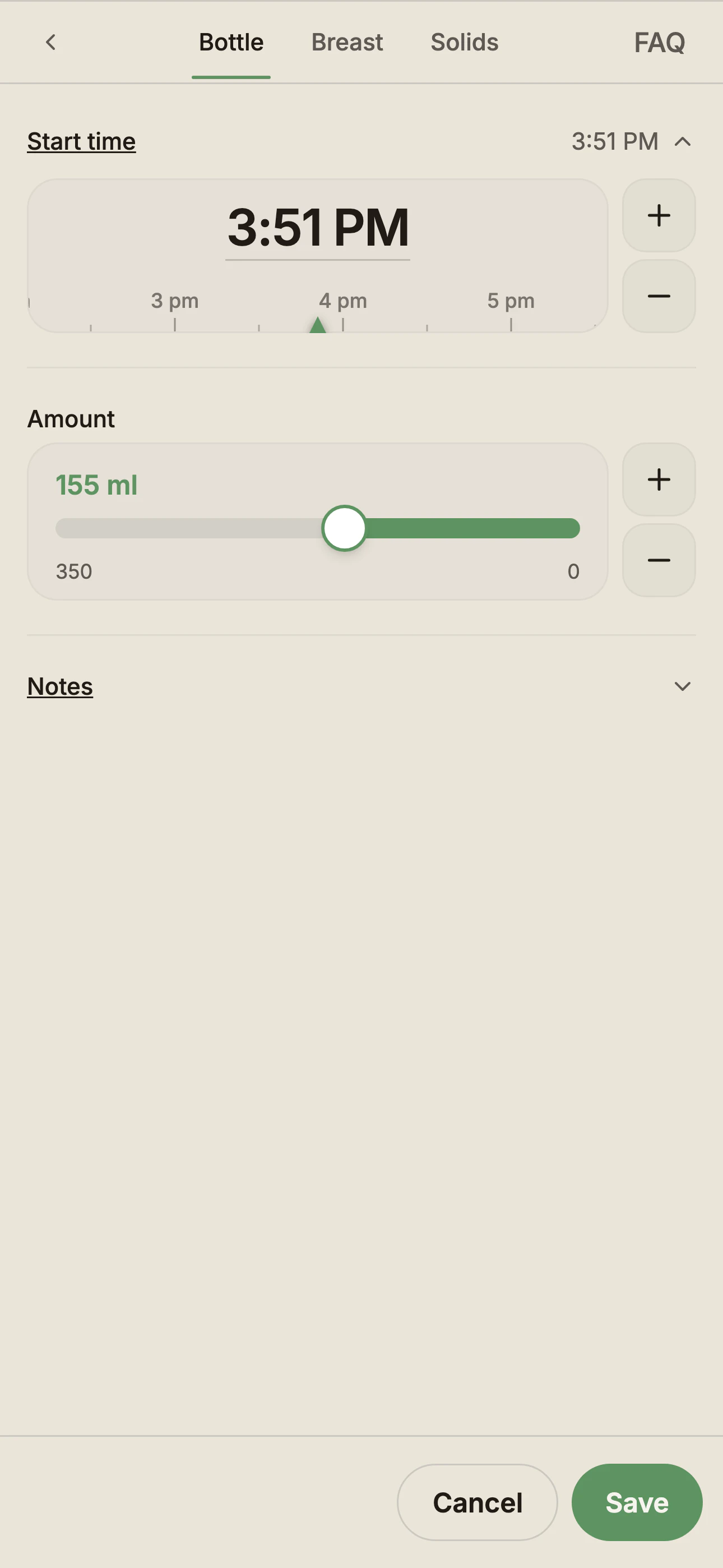
Open a feed and the time and amount are already there — a routine bottle is often two taps, open and save. When the moment wasn't ‘now’, you don't type it in; you drag the slider to it. Try the real one, right here.
Everything you've logged, turned into one clean summary for whoever looks after your baby next — the educator at childcare today, the child health nurse at the 6–8 week, 4 month and 6 month visits.
Reports are part of Pro. Logging your day stays free, always.
Parent-recorded observations — not a medical record.
A short line under the rows you already read — how today compares with your own baby's recent days. No new screen, no dashboard, no chart to decode.
The interpretive layer is part of Pro. Counts, totals and safety flags stay free.
Not medical advice.
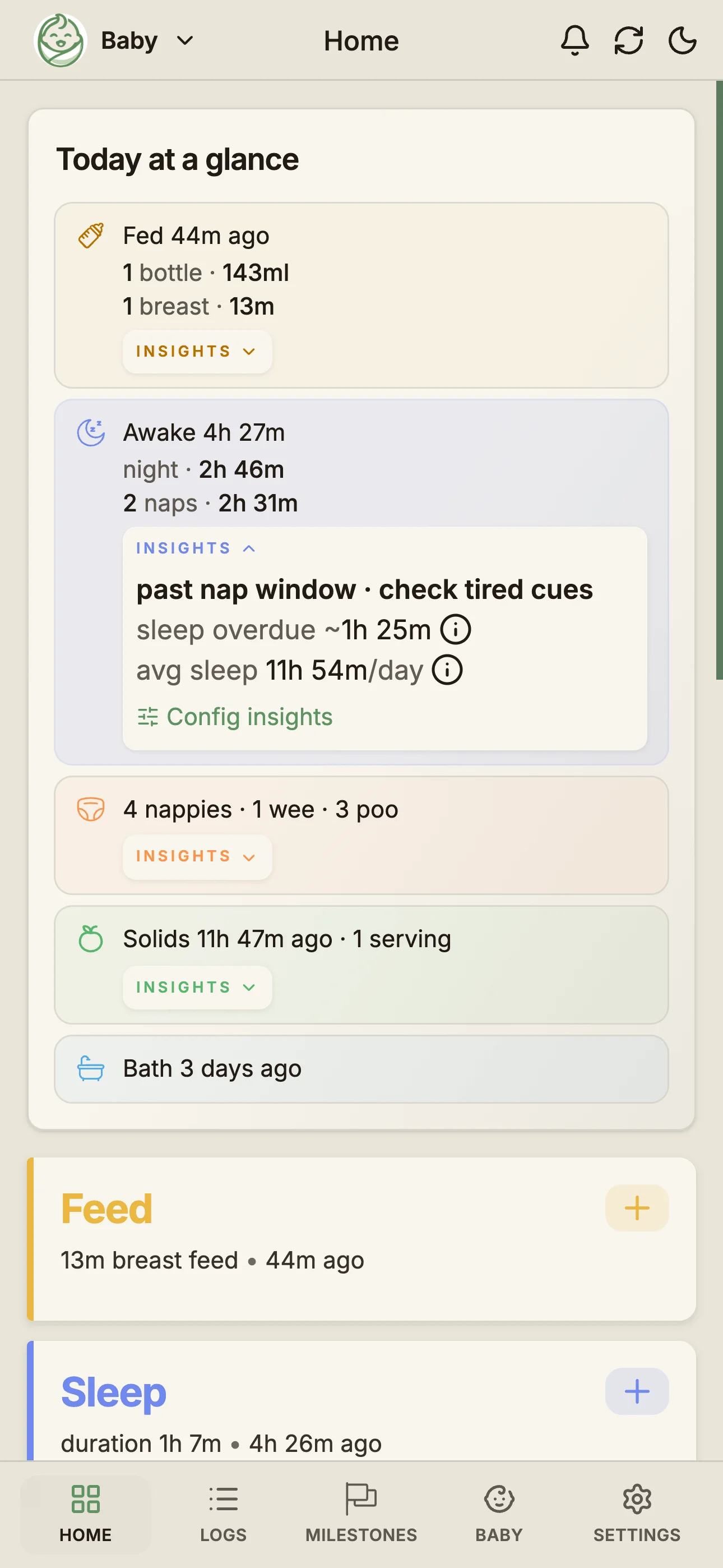
Fed 3h ago — usually about every 3–4h
Awake 2h 35m — usual wake window 2.5–3h
Usually 150–210 ml
Cluster feed · 4 feeds between 5:30–7:45 pm
Last fed right — try left
+80 ml vs usual
Usual sleep 13h
Sleep 9h 20m today — usual by now 10h · on track
Free covers daily tracking. Pro adds longer history, comparisons, and shareable reports.
Everything you need for day-to-day baby care — free forever. Includes 14 days of interactive logs on the Timeline, Calendar and Summary, plus full history any time in the Data Table.
Feeds, sleep, nappies, solids, pumping, bath, growth, play, temperature, medication, symptoms, notes.
Hand mode shifts the main tap targets to your thumb's natural reach — log a feed or a nappy while the other arm holds the baby. Switch sides any time in Settings.
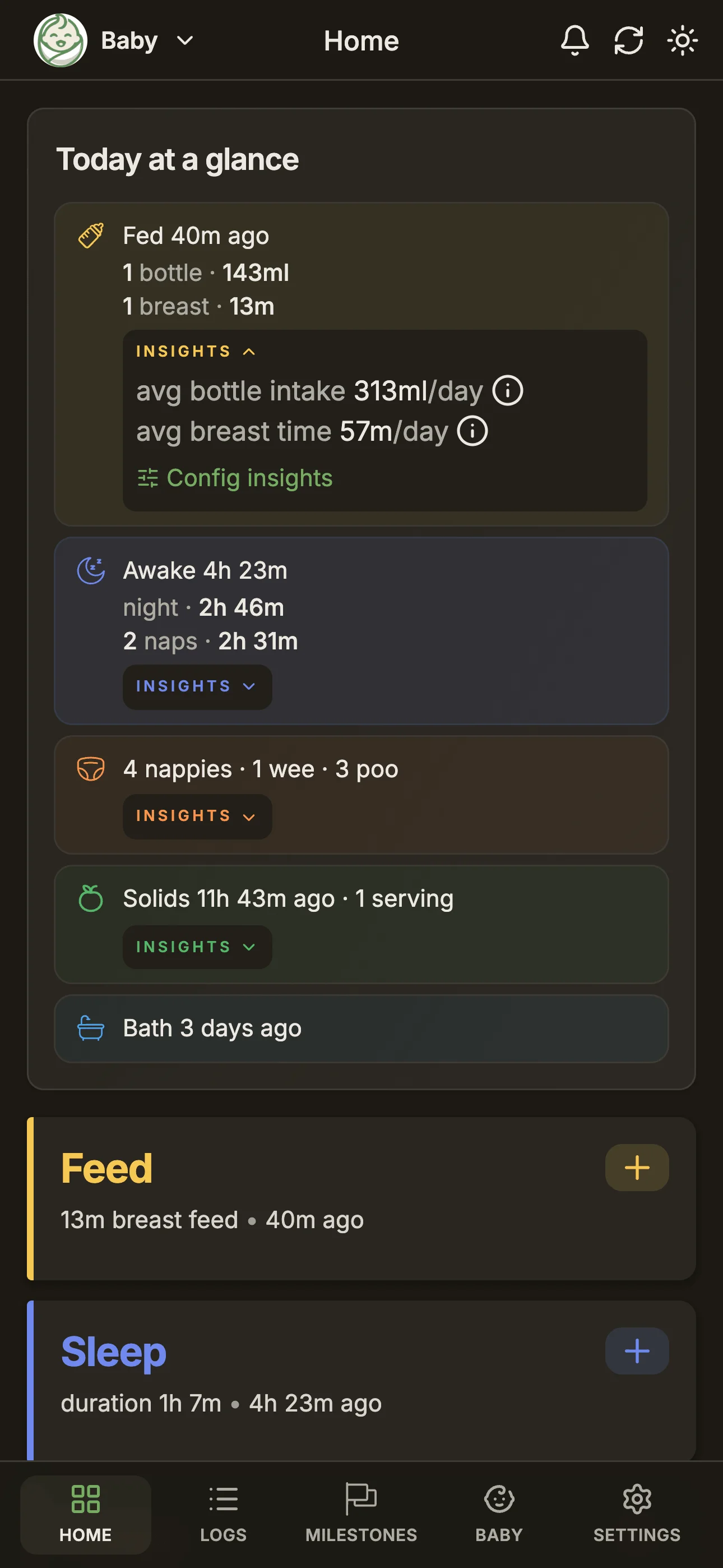
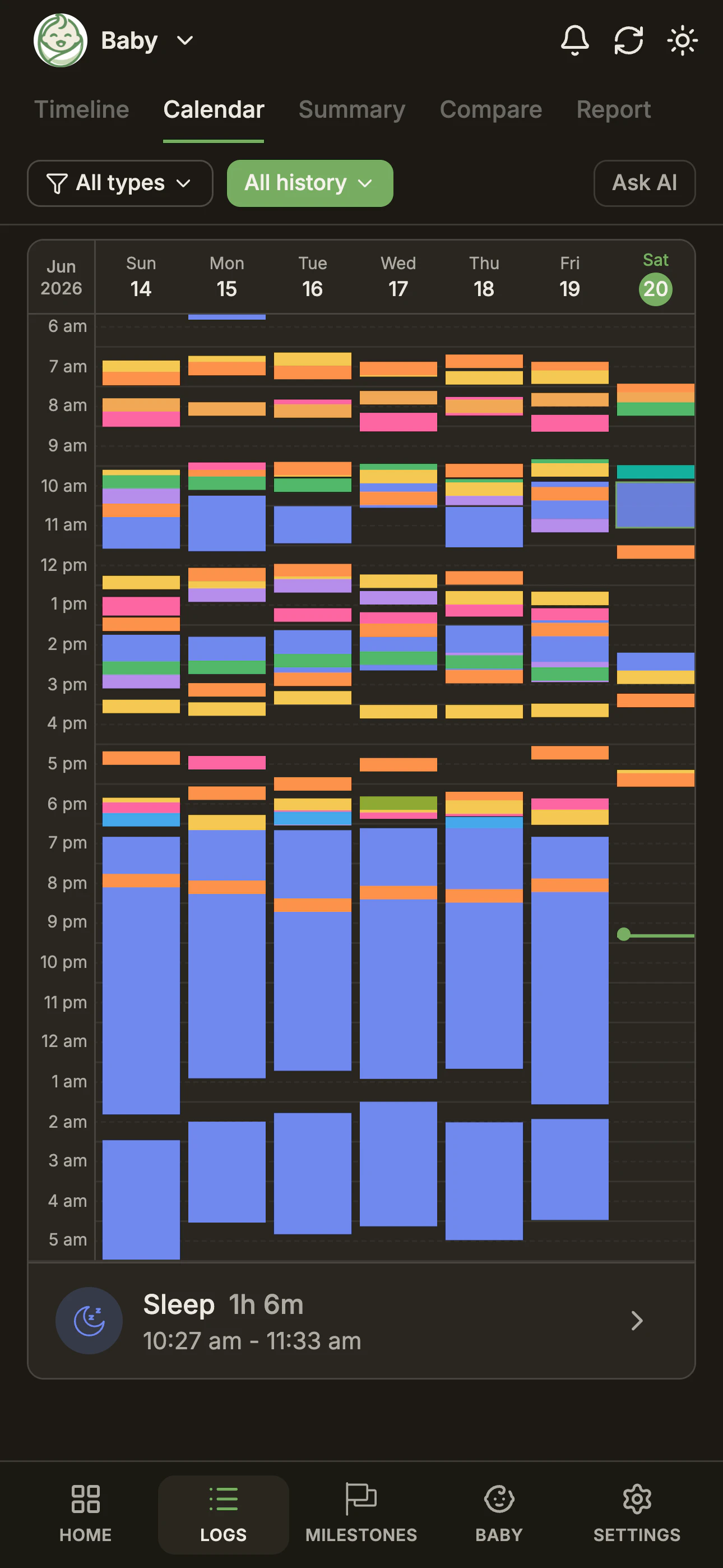
Both themes ship on every plan, per device — switch any time in Settings.
Invite partners, grandparents, or nannies. Everyone sees the same logs instantly.
Log anywhere without signal. Changes sync automatically when you're back online.
Download your full history any time as a spreadsheet. No lock-in, no paywall on your own data. Full history is also always accessible in the in-app Data Table.
Available in English, Chinese (Simplified & Traditional), Vietnamese, Hindi, and Arabic.
Full table view across every log — list, search, edit and delete. Always free.
Daily and weekly totals for every activity type — the numbers your paediatrician cares about. Past 14 days on the Summary view.
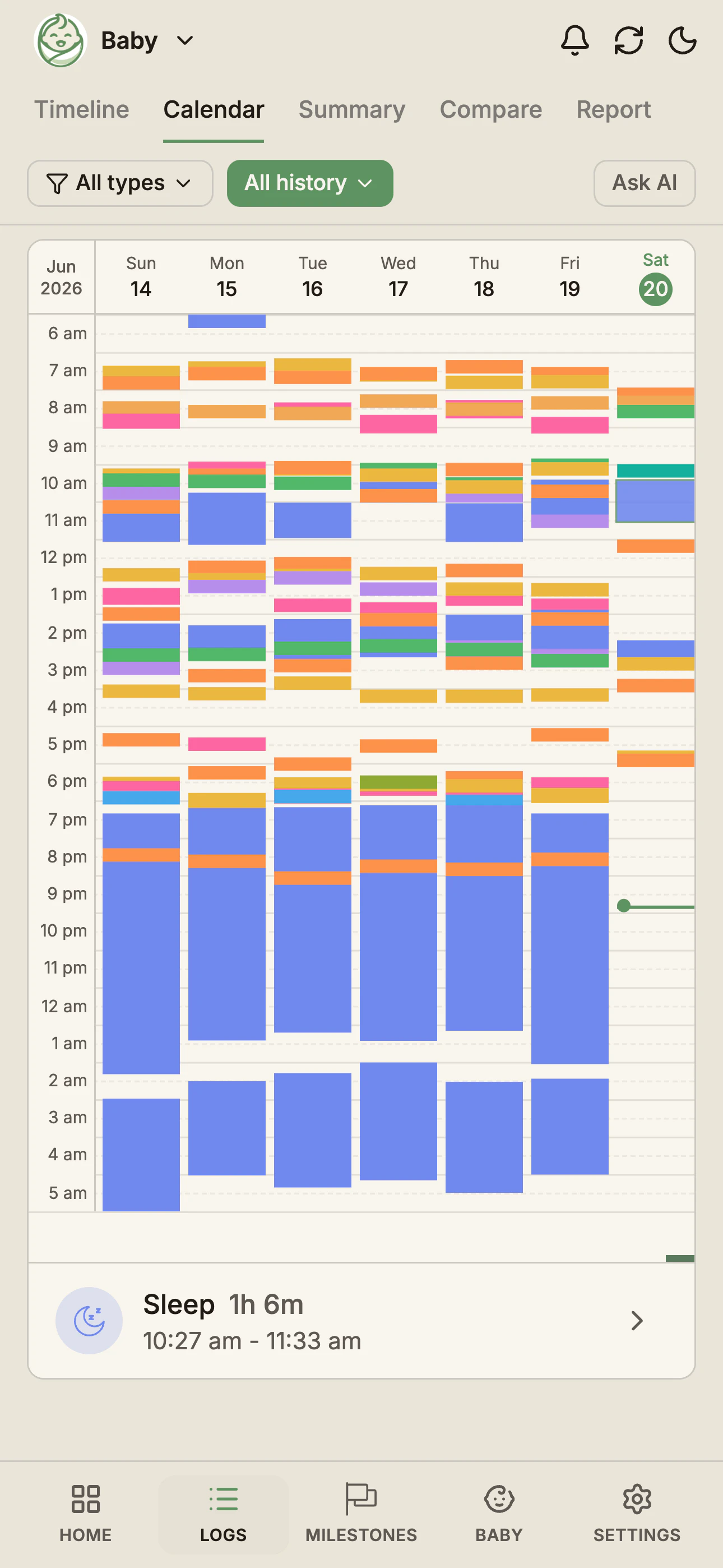
14 days of interactive Timeline, Calendar and Summary views to spot emerging routines.
Compare the last 14 days side-by-side. Pro extends this to any range across full history.
Track weight, height, and head circumference against WHO growth charts.
Send recent logs straight to ChatGPT, Claude, Gemini, or Grok — pick what to share and ask anything.
Share a signup link in the caregiver's language — they join and start logging without reading a word of English.
Real screens from daily use — swipe through overview cards, timeline logs, and trend views.
Built for parents, grandparents, nannies, and anyone caring for a baby — calm design for chaotic days.
Feeds, sleep, nappies, solids, growth and milestones — 12 activity types in one timeline, calendar and summary.
Tap and swipe with smart defaults. No typing, one-handed, the same few taps every time.
Which side to start on, and when the next feed is likely due — from your baby's own patterns, not a generic schedule.
Partner, grandparents and carers join with a 6-digit code and log to the same record — each in one of the 6 most spoken languages in Australia.
Full history in the Data Table with no time limit, and a full CSV backup any time in Settings → Import & Export.
Milestones built on Australian standards (ACECQA) — a guide, not a diagnosis. Check-up timing follows the standard Australian child-health visit schedule.
No app store, no download. Add BabyLog to your home screen straight from the browser.
BabyLog is a Progressive Web App — the same technology behind apps like Starbucks, Uber and Spotify. It installs straight from your browser and runs full-screen and offline. On iPhone, the install option lives in the Share menu.
Learn more about PWAsQuick answers to the questions parents and carers ask most.
Track feeds, sleep, growth, temperature, medication, and more — 12 log types, free. Cloud sync and caregiver sharing included.

