
रात 3 बजे के लॉग के लिए बना: BabyLog इस्तेमाल करना आसान क्यों लगता है
BabyLog उन असली पलों के लिए बना है जब माता-पिता बच्चे की देखभाल लॉग करते हैं: एक हाथ से, थके हुए, रुक-रुककर, अक्सर टाइपिंग से बचते हुए। जानें, रोज़ यह डिज़ाइन हल्का क्यों लगता है।

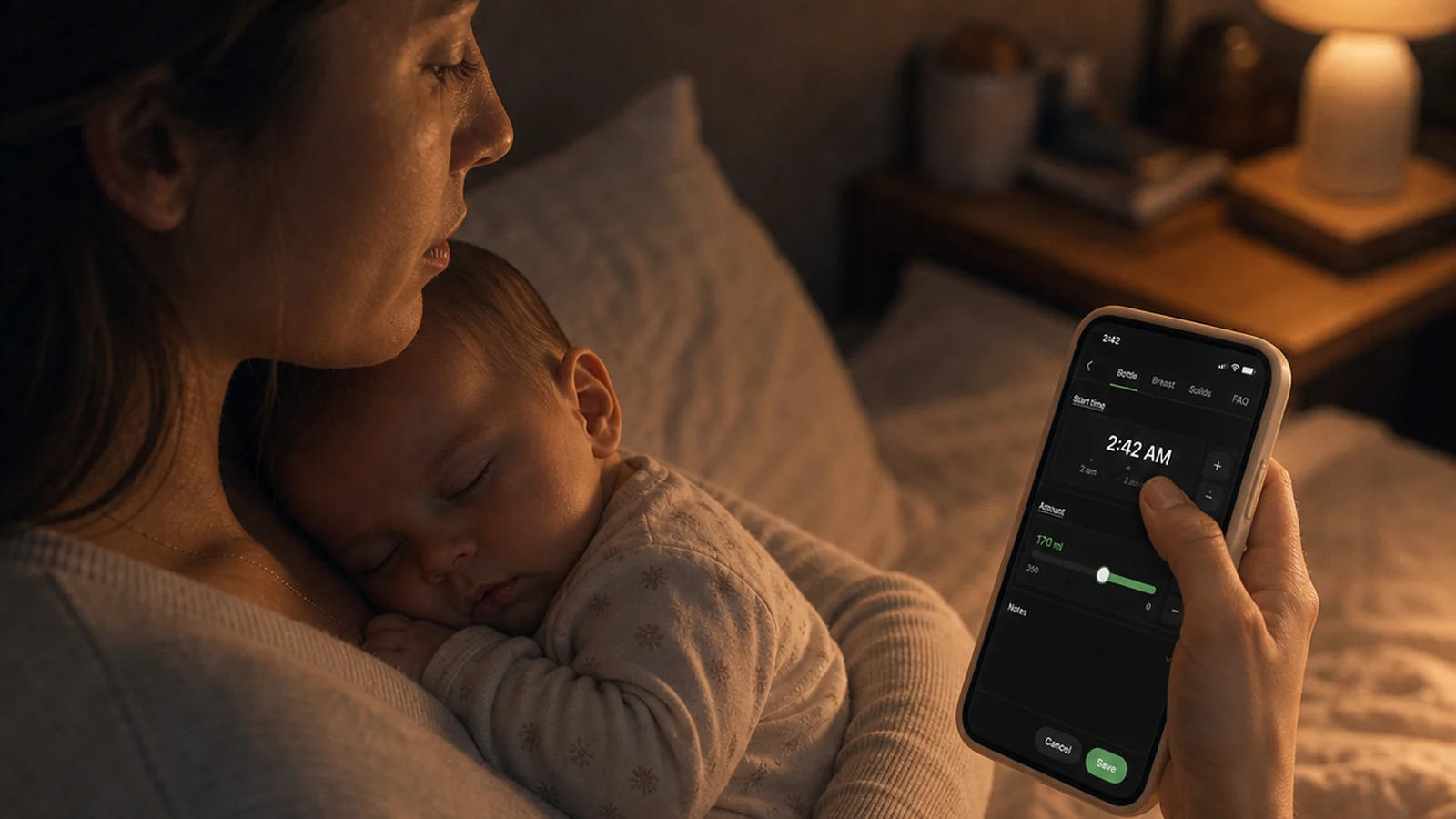
माता-पिता बच्चे को गोद में लिए हुए हैं, आधी नींद में, शायद दूध पिलाते हुए या पंपिंग करते हुए, और अभी-अभी जो हुआ उसे लिखने की कोशिश कर रहे हैं। उस पल में “इस्तेमाल में आसान” का मतलब सुंदर होना नहीं है। इसका मतलब है कम टाइपिंग, कम फ़ैसले और कम कदम।
BabyLog इसी पल के लिए बनाया गया है।
बच्चे की देखभाल दिन भर चलती है
बच्चे की ट्रैकिंग दिन में एक बार का काम नहीं है। एक आम दिन में बहुत सारी फ़ीड, कई बार की नींद, कुछ डायपर, पंपिंग के सत्र, नोट्स, कभी-कभार दवाई की खुराक, पहली बार का ठोस आहार, या कुछ ठीक न लगने पर तापमान की जाँच शामिल हो सकती है।
किसी व्यस्त दिन कोई देखभालकर्ता नौ फ़ीड, तीन बार की नींद, दो डायपर, पंपिंग के दो सत्र और एक नोट लॉग कर सकता है — और फिर भी बाद में सिर्फ़ यह देखने लौटता है कि क्या-क्या हुआ। ट्रैकर इस्तेमाल करना बार-बार काग़ज़ी फ़ॉर्म भरने जैसा नहीं लगना चाहिए।
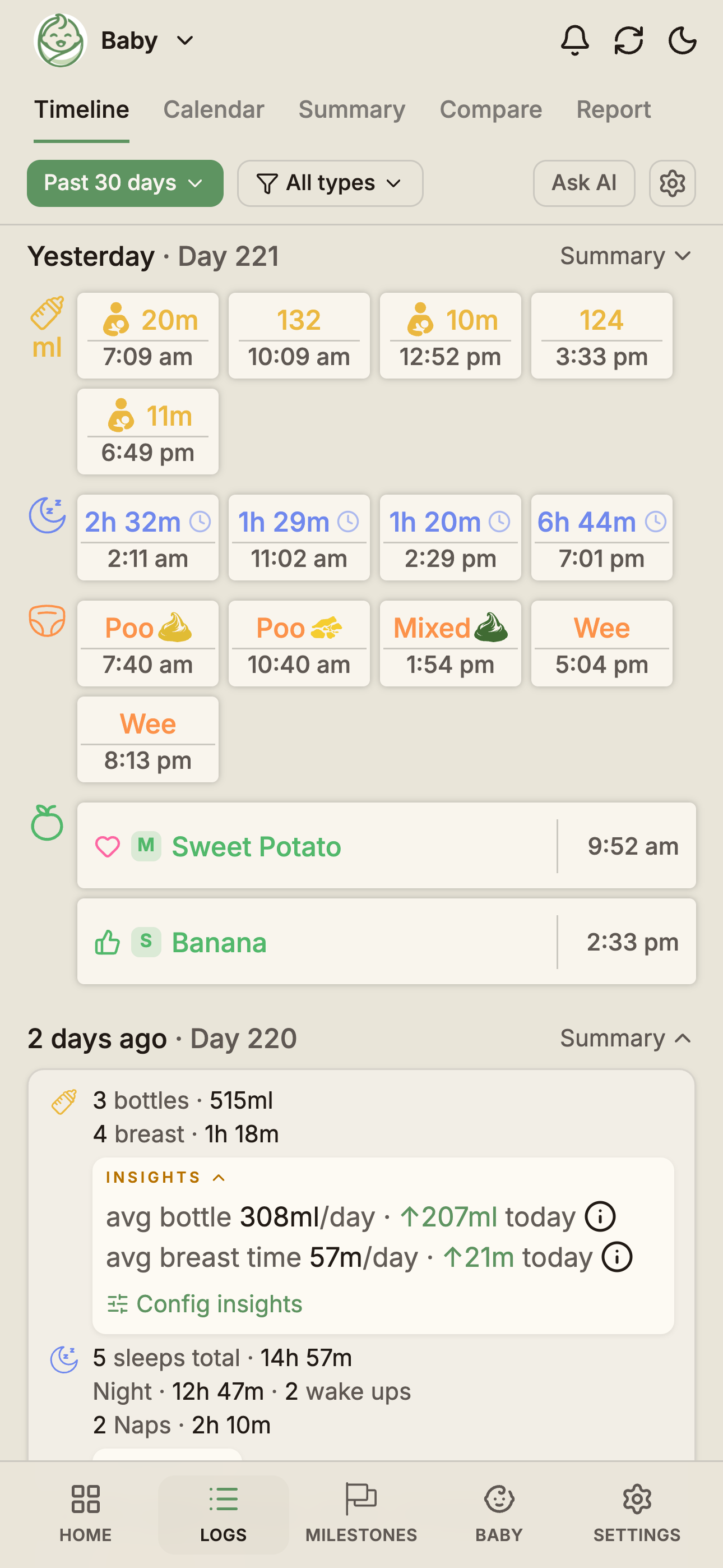
अपने-आप तेज़, ज़रूरत हो तो बदलना आसान
यही डिज़ाइन का मूल सिद्धांत है। अपने-आप तेज़, ज़रूरत हो तो बदलना आसान।
रोज़ के लॉग के लिए, स्क्रीन खोलते ही BabyLog में समझदारी भरे जवाब पहले से तैयार होते हैं:
- अभी का समय पहले से भरा होता है
- हाल की या डिफ़ॉल्ट मात्रा पहले से चुनी हुई हो सकती है
- नोट्स लिखना ज़रूरी नहीं
- अक्सर किए जाने वाले काम अंगूठे के पास ही होते हैं
आप बदलाव तभी करते हैं जब असल में कुछ अलग हो — दस मिनट पहले शुरू हुई फ़ीड, थोड़ी बड़ी बोतल, या कोई याद रखने लायक नोट। रोज़ के कई लॉग अक्सर बिना टाइप किए सहेजे जा सकते हैं।
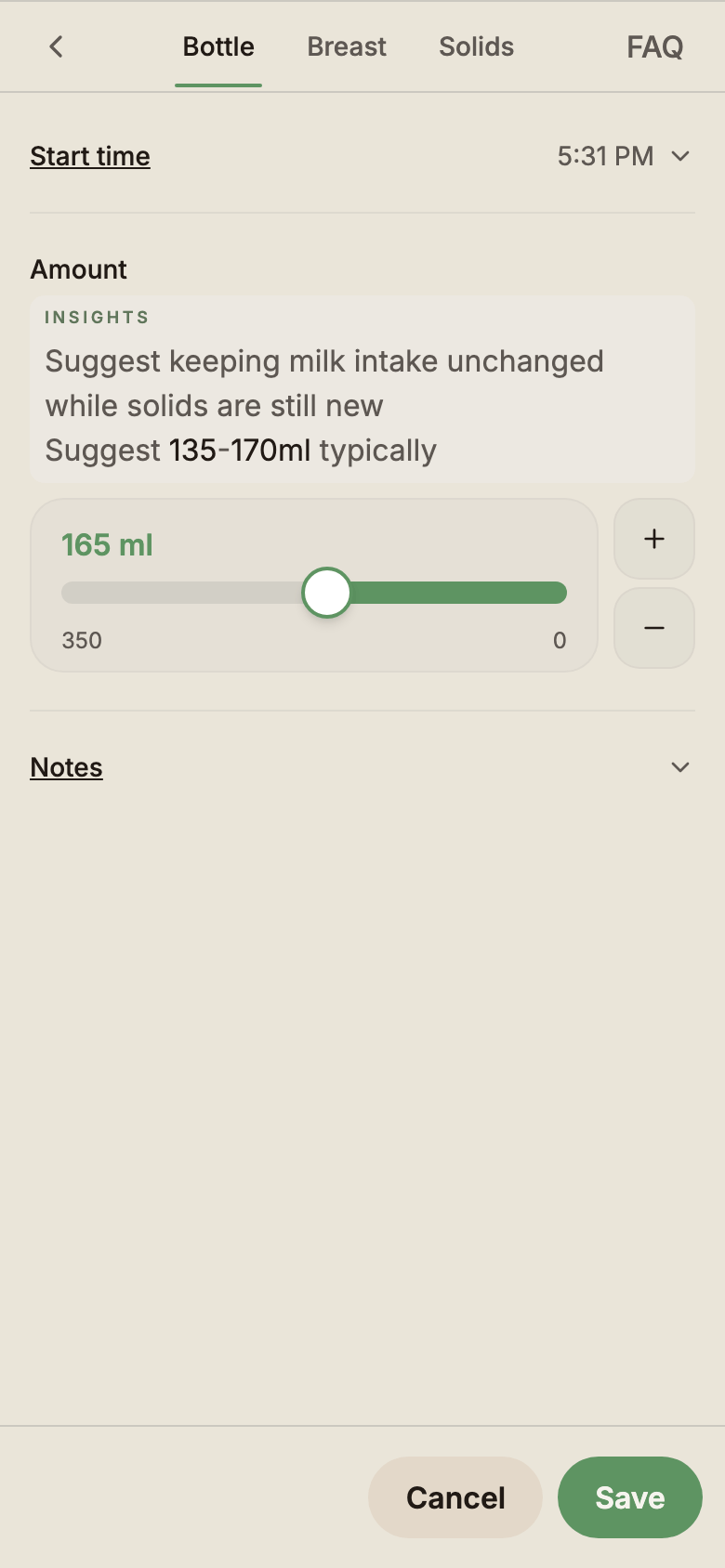
यह सिर्फ़ डिज़ाइन का लक्ष्य नहीं है — असली इस्तेमाल में भी यह दिखता है।
टाइपिंग तभी, जब आप चाहें
जब आप बच्चे को गोद में लिए हों, तो टाइप करना भारी पड़ता है। हो सकता है आप एक बाँह से दूध पिला रहे हों, पंपिंग करते हुए आपके दोनों हाथ व्यस्त हों, या आप अँधेरे में बिस्तर पर लेटे हों और बस एक अंगूठा खाली हो। देखभालकर्ताओं के बीच बारी बदलने पर यह और मुश्किल हो जाता है — बारी बदलने का पल कीबोर्ड से जूझने का पल नहीं है।
इसलिए BabyLog स्लाइडर, प्लस और माइनस बटन, टाइमर, झटपट कंट्रोल और समझदारी भरी डिफ़ॉल्ट सेटिंग का सहारा लेता है। कीबोर्ड तभी आता है जब आप नोट लिखना चुनते हैं। टाइपिंग तभी, जब आप चाहें।
असली ज़िंदगी के लिए टाइमर, परफ़ेक्ट फ़ॉर्म नहीं
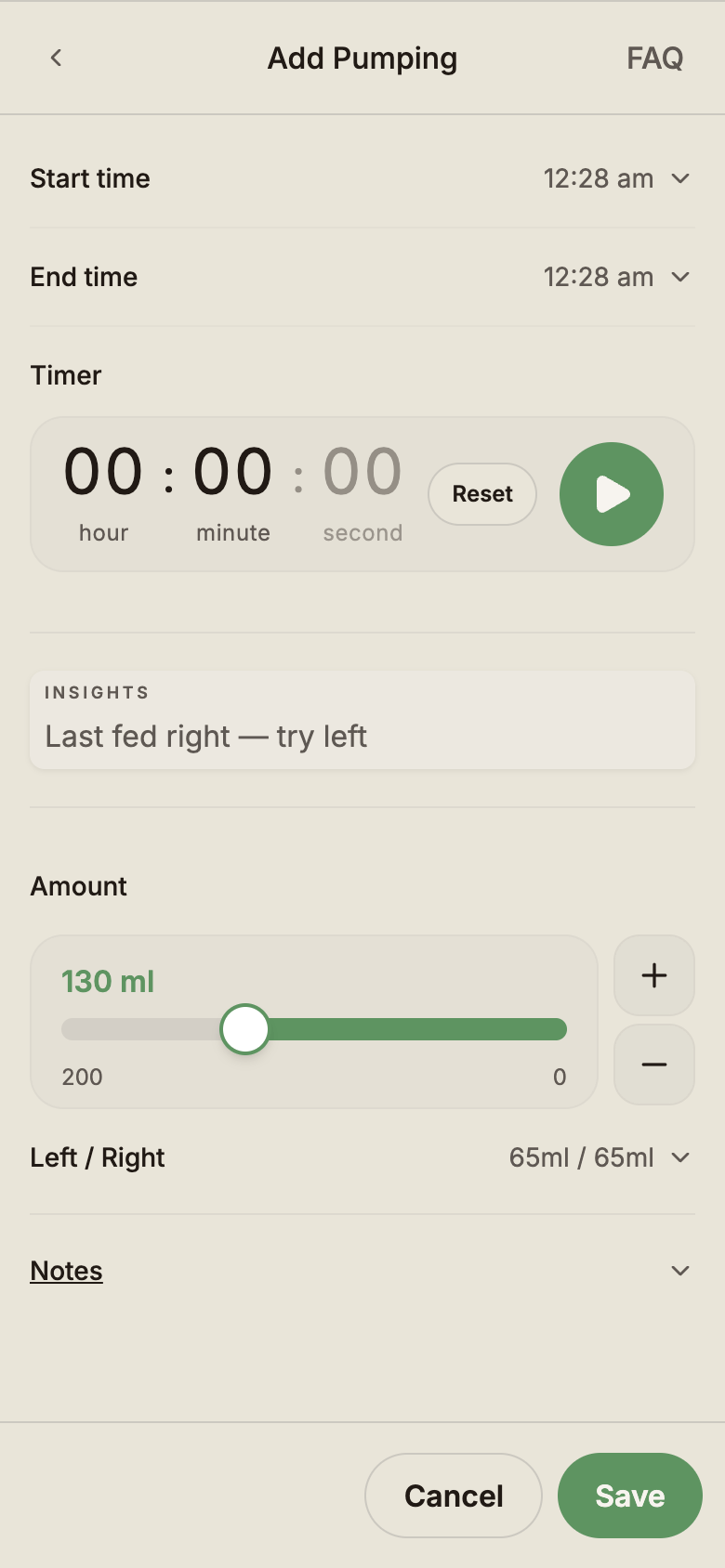
पंपिंग इसका अच्छा उदाहरण है कि सिर्फ़ फ़ॉर्म से बच्चे के साथ की ज़िंदगी का काम क्यों नहीं चलता। शुरू करते समय आपको पता नहीं होता कि यह कितनी देर चलेगा। शायद आपको मात्रा भी अभी पता नहीं होती। आपको बस इतना पता होता है कि यह अभी हो रहा है।
BabyLog में टाइमर शुरू करें, फ़ोन रख दें, पंपिंग पूरी करें, और फिर बाद में लौटकर बाकी जानकारी भर दें। BabyLog “यह अभी हो रहा है” को भी संभालता है, सिर्फ़ “यह हो चुका है” को नहीं।
अगर आप नवजात शिशु के लिए दूध निकाल रही हैं और सोच रही हैं कि एक सामान्य सत्र कैसा होता है, तो कितना माँ का दूध पंप करें पर हमारी गाइड दिन के हिसाब से मात्रा बताती है, और यह भी कि कितनी बार और कितनी देर पंप करें।
यही बात परवरिश के बाकी कामों पर भी लागू होती है: शुरू करना, रोकना, बीच में रुकावट आना, वापस आना, अंदाज़ा लगाना, या बाद में पूरा करना। सहेजते समय लॉग का एकदम सही होना ज़रूरी नहीं है।
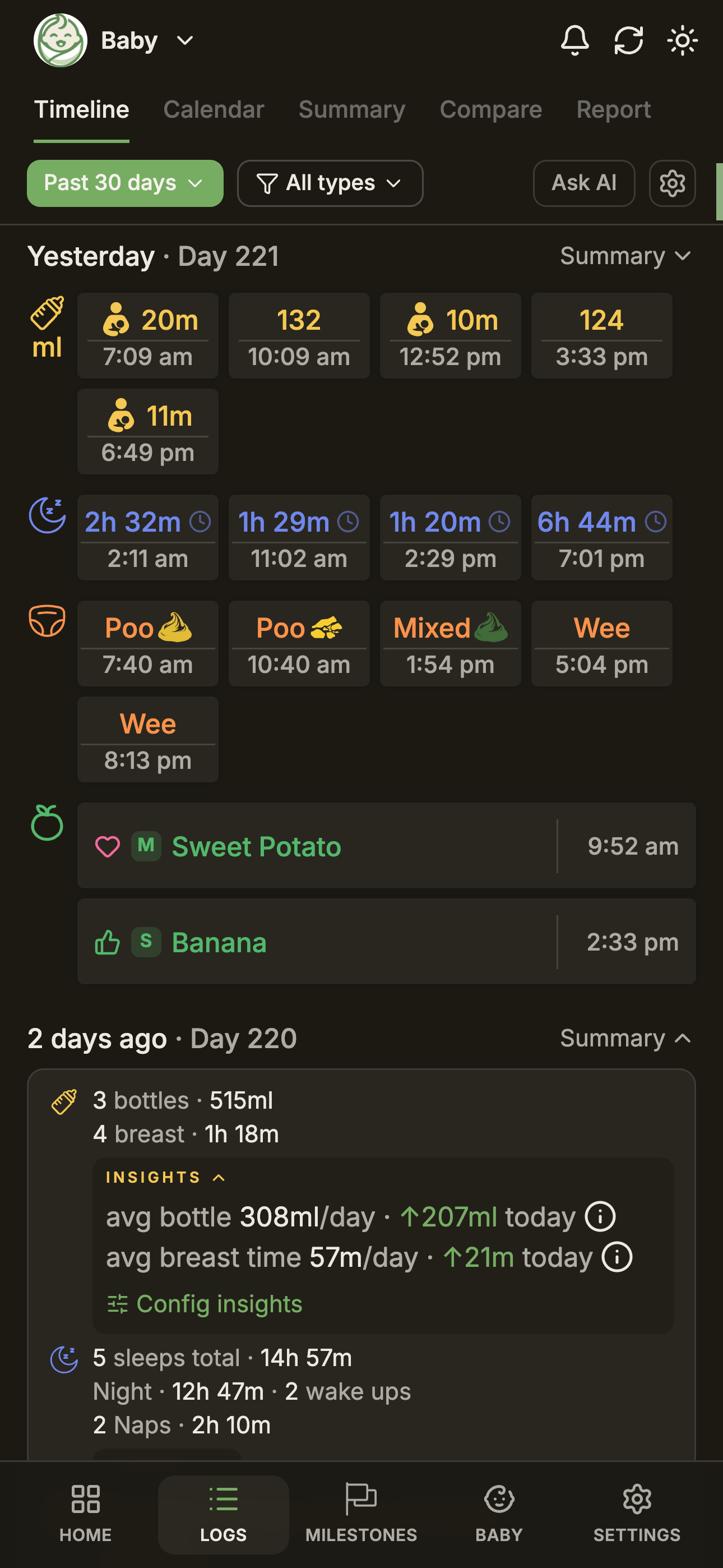
दिन को एक नज़र में देखना आसान होना चाहिए
लॉग करना ज़रूरी है, पर वापस देखना भी उतना ही ज़रूरी है। शाम 5 बजे आप जानना चाह सकते हैं कि दिन असल में कैसा गया। रात 11 बजे आपका साथी देखना चाह सकता है कि उसकी शिफ़्ट में क्या हुआ। चेकअप वाले दिन, अपॉइंटमेंट से पहले आप पिछले हफ़्ते पर एक नज़र डालना चाह सकते हैं।
भरे-पूरे दिन — फ़ीड, नींद, डायपर, पंपिंग, ठोस आहार, दवाई, नोट्स — जल्दी ही भीड़ भरे लगने लगते हैं। BabyLog अलग-अलग रंगों वाले कार्ड इस्तेमाल करता है, ताकि पूरा दिन एक नज़र में दिख जाए, बिना हर एंट्री पढ़े। फ़ीड की एंट्री आसानी से दिख जाती हैं। नींद अलग से उभरकर दिखती है। डायपर देखने में अलग रहते हैं। पंपिंग और नोट्स गुम नहीं होते।
रंगों का यह तरीका सजावट नहीं है। यह याद रखने में मदद करता है।
स्प्रेडशीट के बिना पैटर्न
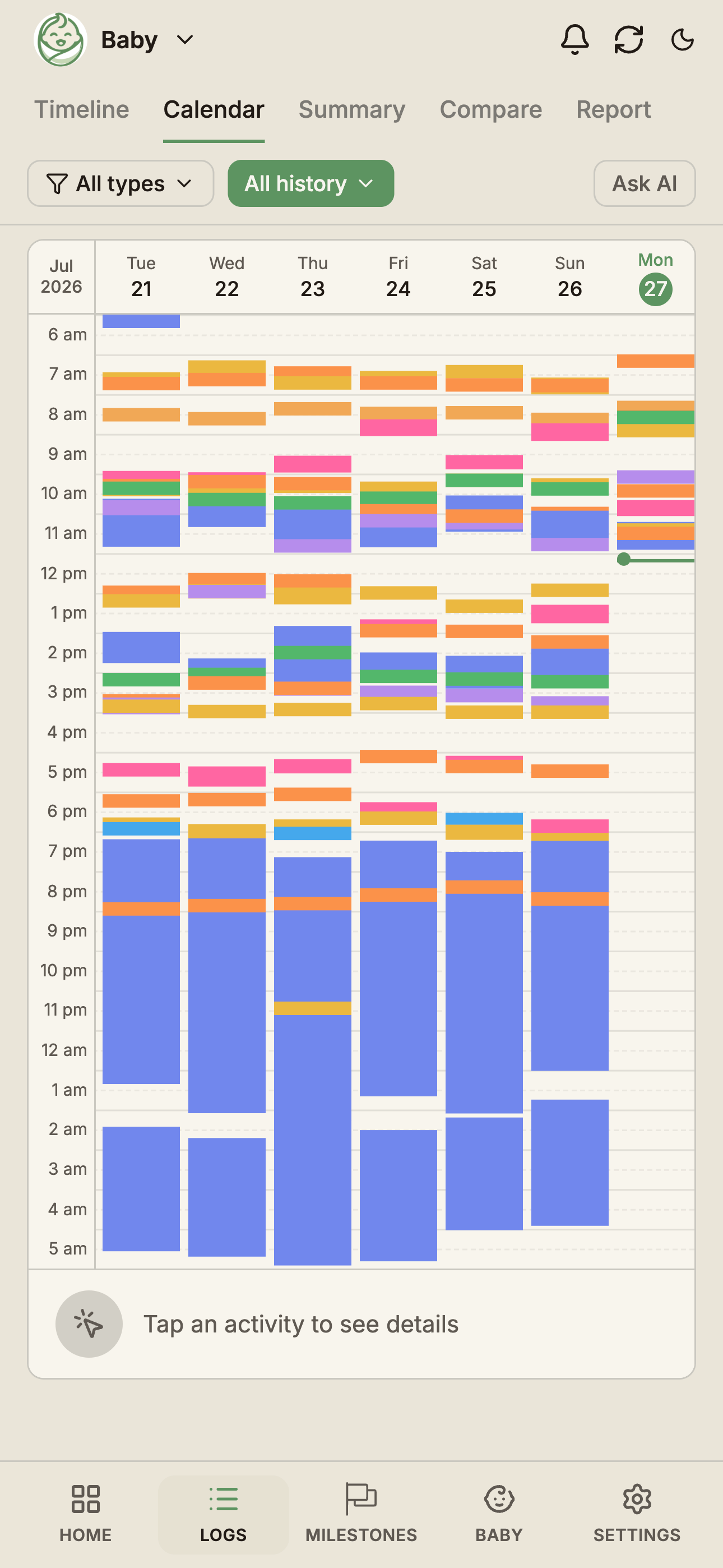
कुछ सवाल एक दिन के अंदर नहीं, कई दिनों को साथ देखने पर ही साफ़ होते हैं। क्या झपकियाँ अब देर से होने लगी हैं? क्या रात में एक बार में सोने का समय लंबा हो रहा है? क्या इस हफ़्ते फ़ीड कम हो गई हैं?
कैलेंडर व्यू कई दिनों की झपकियाँ, रात की नींद, दूध पिलाने की लय, सच में व्यस्त रहने वाले समय, और समय के साथ दिनचर्या में आते बदलाव दिखाता है। BabyLog माता-पिता को चार्ट या स्प्रेडशीट इस्तेमाल करने पर मजबूर किए बिना पैटर्न सामने ले आता है।
एक हाथ से इस्तेमाल के लिए बना
माता-पिता बच्चे की देखभाल वाला ऐप शायद ही कभी आदर्श हालात में इस्तेमाल करते हैं। अक्सर आप बच्चे को गोद में लिए होते हैं, दूध पिला रहे होते हैं, लेटे होते हैं, इधर-उधर चल रहे होते हैं, या एक अंगूठे से काम चला रहे होते हैं, क्योंकि दूसरी बाँह व्यस्त है।
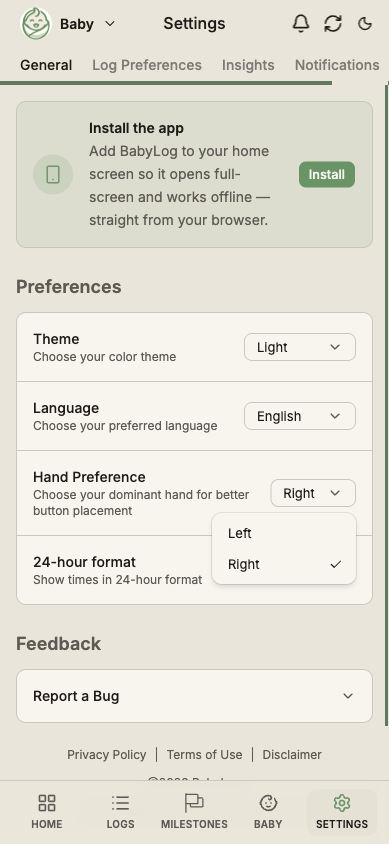
BabyLog में बायाँ हाथ मोड और दायाँ हाथ मोड है, ताकि जिन कंट्रोल का आप सबसे ज़्यादा इस्तेमाल करते हैं, वे वहीं रहें जहाँ सच में आपका अंगूठा होता है। यह छोटी-सी बात है, पर तभी तक, जब तक यही तय न करे कि लॉग आराम से सहेजा जाएगा या फ़ोन बच्चे के ऊपर गिर जाएगा। एक हाथ से बच्चे की ट्रैकिंग।
मिल-जुलकर देखभाल के लिए बना
ज़्यादातर बच्चों के एक से ज़्यादा देखभालकर्ता होते हैं। साथी, दादा-दादी या नाना-नानी, नैनी, या दोपहर की शिफ़्ट सँभालने वाला कोई दोस्त। ऐप से घर के सब लोगों को यह पता चलना चाहिए:
- पिछली फ़ीड कब हुई थी
- बच्चा कितनी देर सोया
- डायपर बदला गया या नहीं
- पंपिंग लॉग की गई या नहीं
- कौन-से नोट्स जोड़े गए
एक अच्छे बेबी ट्रैकर से “क्या आपने पहले ही…?” वाली बातचीत कम होनी चाहिए। BabyLog देखभालकर्ताओं और डिवाइस के बीच सिंक होता है, इसलिए सब एक ही टाइमलाइन देख रहे होते हैं।
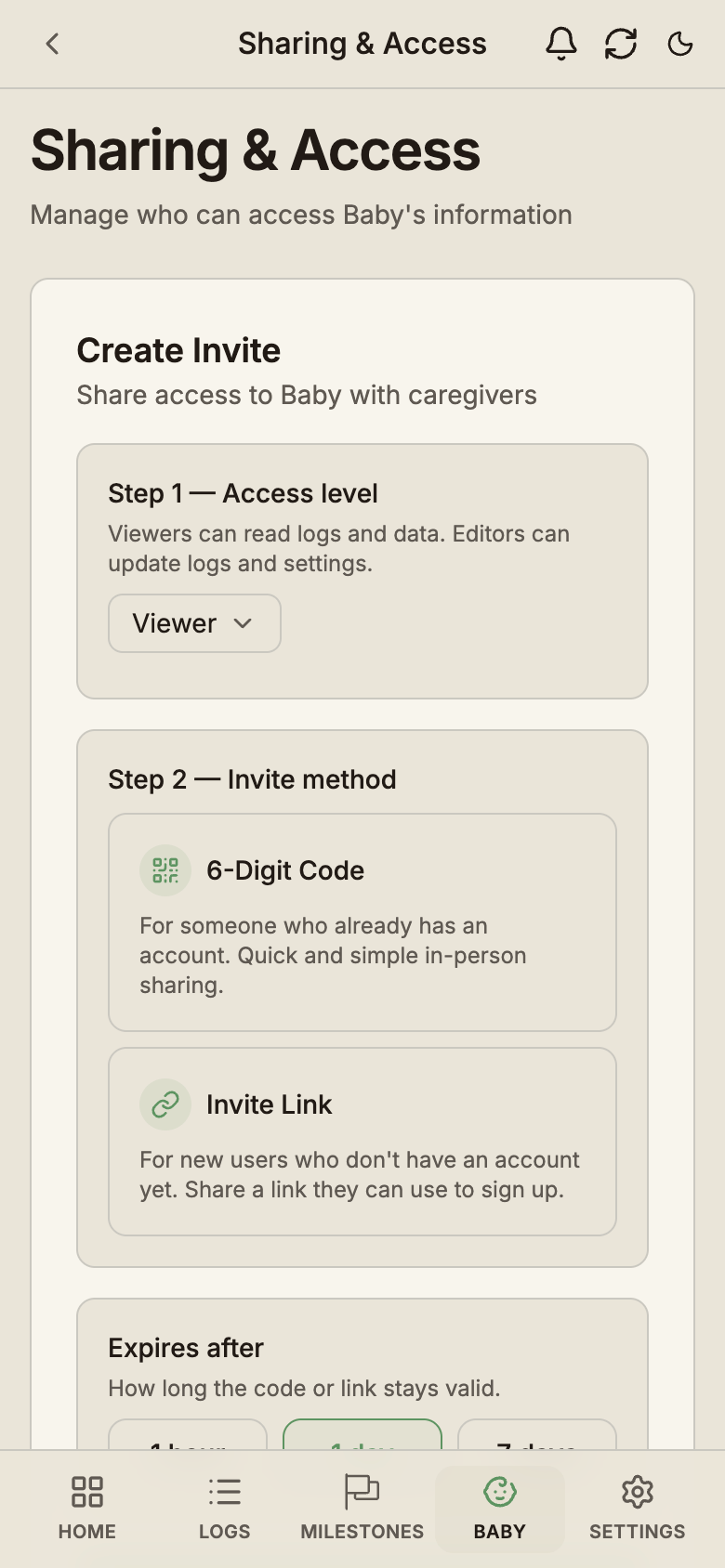
अगर आप और गहराई से जानना चाहते हैं कि मिल-जुलकर ट्रैकिंग करने से दिन कैसे बदलता है, तो देखें दोनों माता-पिता को सिंक में कैसे रखें।
फ़ॉर्म से भरे बेबी ट्रैकर से अलग
कई बेबी ट्रैकर ऐप में ढेरों सुविधाएँ होती हैं, पर रोज़ का इस्तेमाल फ़ॉर्म भरने जैसा लग सकता है: फ़ील्ड चुनें, जानकारी टाइप करें, एक के बाद एक स्क्रीन पर जाएँ, फिर बाद में अलग से आँकड़े खंगालें। रात 3 बजे के लिए यह बहुत ज़्यादा है।
BabyLog एक अलग सोच से शुरू होता है:
- यह फ़ॉर्म से नहीं, माता-पिता के उस पल से शुरू होता है
- यह उन कामों को सबसे आगे रखता है जो आप सबसे ज़्यादा करते हैं
- इसमें नोट्स लिखना ज़रूरी नहीं
- इसकी टाइमलाइन एक नज़र में पढ़ी जा सकती है
- यह टाइमर और असली ज़िंदगी की रुकावटों को संभालता है
- आप जब चाहें अपना डेटा निर्यात कर सकते हैं
फ़ॉर्म भरना कम, अपने बच्चे के पास लौटना ज़्यादा।
रोज़ की ट्रैकिंग मुफ़्त
रोज़ के लॉग मुफ़्त हैं, कोई समय सीमा नहीं और हर देखभालकर्ता के लिए कोई अलग शुल्क नहीं:
- दूध पिलाना, नींद, डायपर, पंपिंग
- ठोस आहार, नहाना, खेल, विकास
- नोट्स, दवाई, तापमान
- देखभालकर्ता शेयरिंग
- टाइमलाइन और कैलेंडर व्यू
- ‘AI से पूछें’ — देखें BabyLog उस AI के साथ कैसे काम करता है जिसे आप पहले से इस्तेमाल करते हैं
- CSV निर्यात
- कई भाषाओं में ऐप
मुफ़्त और Pro का पूरा बँटवारा कीमतों वाले पेज पर देखें, या हर लॉग प्रकार कैसा दिखता है, यह जानने के लिए दस्तावेज़ और सुविधाएँ देखें।
BabyLog आज़माएँ
BabyLog मुफ़्त में शुरू किया जा सकता है। फ़ीड, नींद, डायपर, पंपिंग, ठोस आहार और बहुत कुछ ट्रैक करें — ऐसे डिज़ाइन के साथ जो थके हाथों और बच्चे के साथ बीतते असली दिनों के लिए बना है।
BabyLog.com.au पर मुफ़्त शुरू करें
रात 3 बजे के लॉग के लिए बना। इस तरह बना कि रोज़ की देखभाल में फ़ॉर्म नहीं, बस कुछ सेकंड लगें।
ट्रैकिंग शुरू करने के लिए तैयार हैं?
BabyLog किसी भी डिवाइस पर चलता है — iPhone, Android, टैबलेट या डेस्कटॉप। सेटअप में बस दो मिनट लगते हैं।
पढ़ना जारी रखें
सेकंडों में फ़ीड लॉग करें: BabyLog हिसाब रखना लगभग बिना मेहनत का कैसे बनाता है
BabyLog में फ़ीड खोलते ही समय और मात्रा पहले से भरे मिलते हैं, तो रोज़ की बोतल फ़ीड अक्सर बस दो टैप का काम है: खोलें और सहेजें। देखें फ़ीड लॉग करने का तेज़ तरीका, असली रफ़्तार में।

बच्चे की देखभाल की ट्रैकिंग में माता-पिता दोनों को एक साथ अपडेट कैसे रखें
नींद से थके माता-पिता को “आख़िरी फ़ीड कब हुई थी?” मैसेज करके पूछना नहीं पड़ना चाहिए। जानें कि BabyLog iPhone और Android पर सबको एक साथ अपडेट कैसे रखता है।