
Your Baby's Data Should Work With AI — Not Against It
Most baby tracker apps charge you for 'AI insights' that lock your data away. BabyLog takes a different approach — a transparent prompt-builder modal lets you see exactly what's about to leave your device, toggle parts on or off, and send it to any AI you already trust.

Here's something that bothers us about most baby tracking apps: they collect detailed data about your baby's feeding, sleeping, and nappy patterns — and then lock both the insights and the raw data inside their own app.
The "AI insights" these apps sell are usually simple trend charts and pattern summaries. The kind of analysis you could get in seconds by pasting your data into any AI assistant. But you can't, because they won't let you export it.
The real lock-in isn't the analysis — it's keeping your data where only their tools can reach it.
The wall between your data and AI
Most baby tracker apps treat your data as their competitive advantage. The more data they hold, the harder it is for you to leave. They call it "integration" — we'd call it lock-in.
When you want to ask a question like "Is my baby feeding enough for their age?" or "What does this nappy pattern mean?", you're stuck with whatever analysis the app decides to offer. And if the app doesn't answer your specific question? Too bad.
Meanwhile, AI assistants like ChatGPT, Claude, Gemini, and Grok are extraordinarily good at interpreting structured data and giving personalised, context-aware answers. They can handle nuance. They can follow up. They can explain things at whatever level of detail you need.
But they can't help if your data is trapped inside an app that won't share it.
BabyLog's approach: your data, your AI
BabyLog's Ask AI feature is built around a simple principle: nothing leaves your device until you copy it, and you can see exactly what's about to be copied before you do.
There's no API key behind the scenes. No background sync to a third-party model. No "we'll handle the AI for you" black box. Just a transparent prompt-builder modal you control.
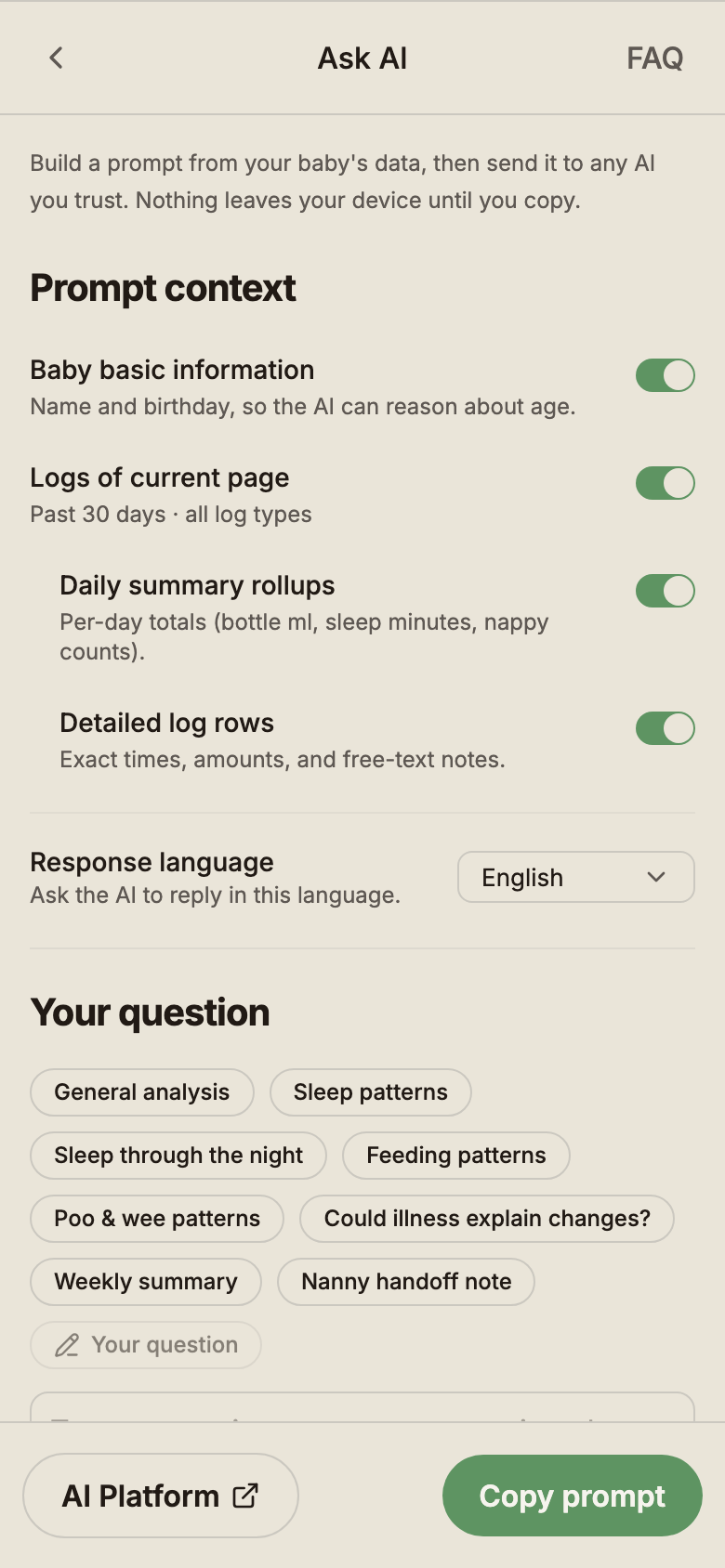
The modal opens from the Ask AI button on the Logs page, and it shows you four context toggles:
- Baby basic information — name and birthday so the AI can reason about age.
- Logs of current page — whatever you have filtered (e.g. "past 30 days · all log types").
- Daily summary rollups — per-day totals like bottle ml, sleep minutes, nappy counts.
- Detailed log rows — exact times, amounts, and free-text notes.
Toggle off anything you don't want to share. Pick a quick-question chip — General analysis, Sleep patterns, Sleep through the night, Feeding patterns, Poo & wee patterns, Weekly summary, Nanny handoff note — or type your own question. Pick a response language (handy if a non-English-speaking grandparent is the one reading the answer). Then choose:
- Copy prompt — copies the full structured prompt to your clipboard so you can paste it anywhere.
- Open in AI platform — opens your chosen AI assistant ready to paste.
That's it. Free for everyone. Your data is always yours.
What actually gets sent
Most apps treat "what we send to AI" as a hidden implementation detail. We treat it as something you should always be able to read.
When you tap Copy prompt, BabyLog produces a structured plain-text packet — readable by both you and an AI — that includes only the toggles you left on. With everything enabled it looks roughly like this:
- A short header with your baby's first name and age
- The time range you have filtered
- Daily summary rollups (e.g. 2026-04-10 · 1004 ml feeds · 11h 30m sleep · 5 nappies)
- Detailed log rows for each day (e.g. 6:34 am Wee · 8:30 am Poo · 5:54 pm Solids — Loved 米饼)
- A short compression note if your range is longer than fits in one message
- Your question, after a
---separator
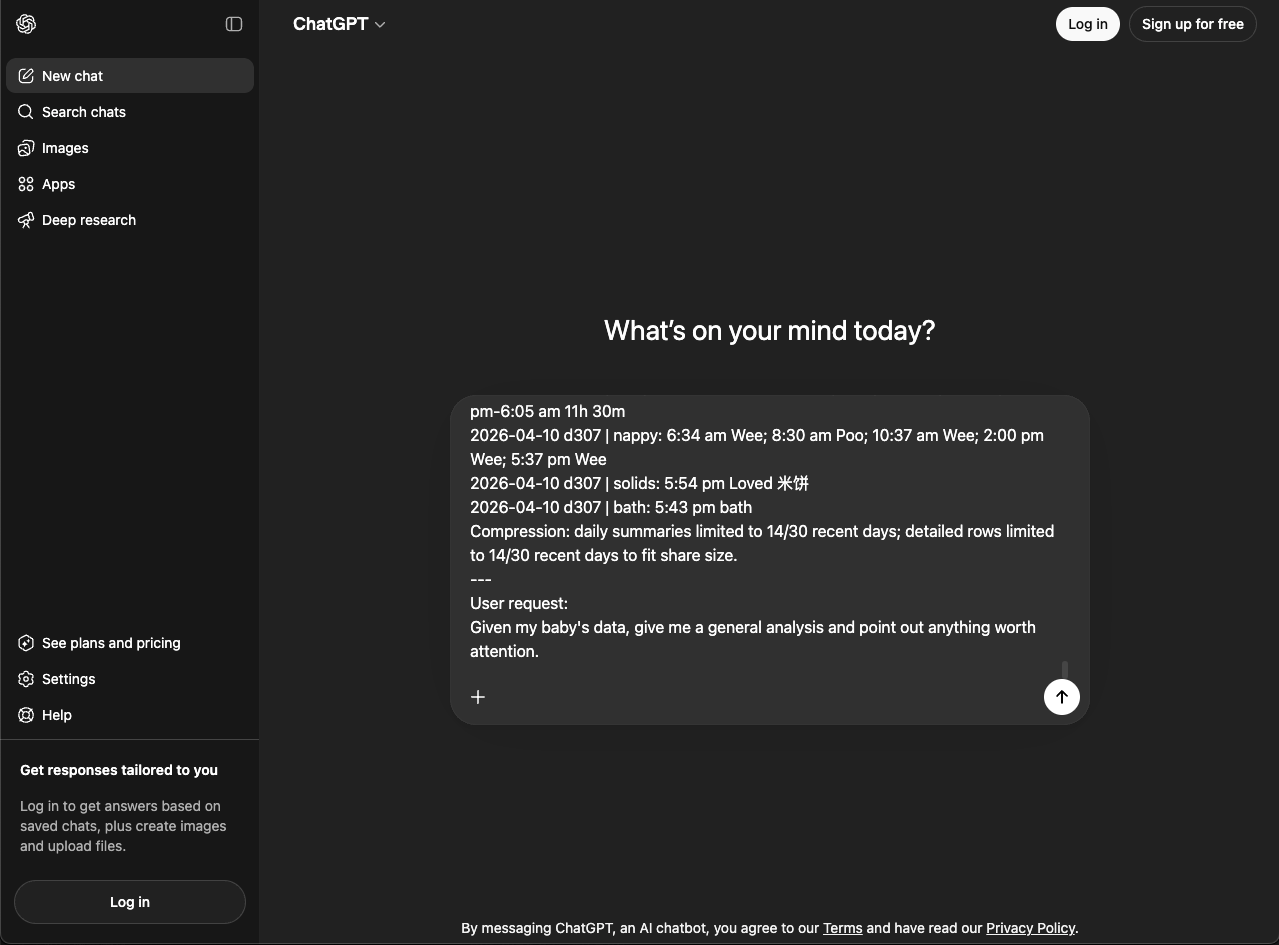
If you toggle Detailed log rows off, the prompt drops to summary rollups only. If you toggle Baby basic information off, even the name and age go away. Whatever you can see in the modal preview is exactly what gets copied — never more.
What you can ask
With your baby's actual data in front of the AI, you can ask specific, personal questions instead of generic ones:
- "Is this feeding pattern normal for a 4-month-old?"
- "My baby's sleep has changed this week — can you see a pattern?"
- "Based on this nappy log, should I be concerned about the colour changes?"
- "Can you summarise the last two weeks for my child and family health nurse appointment?"
- "What time of day does my baby tend to feed the most?"
Or use the quick-question chips for common asks like Sleep patterns, Feeding patterns, Weekly summary, and Nanny handoff note. The AI is working with your baby's real data, your real patterns, your real timeline — not a generic FAQ.
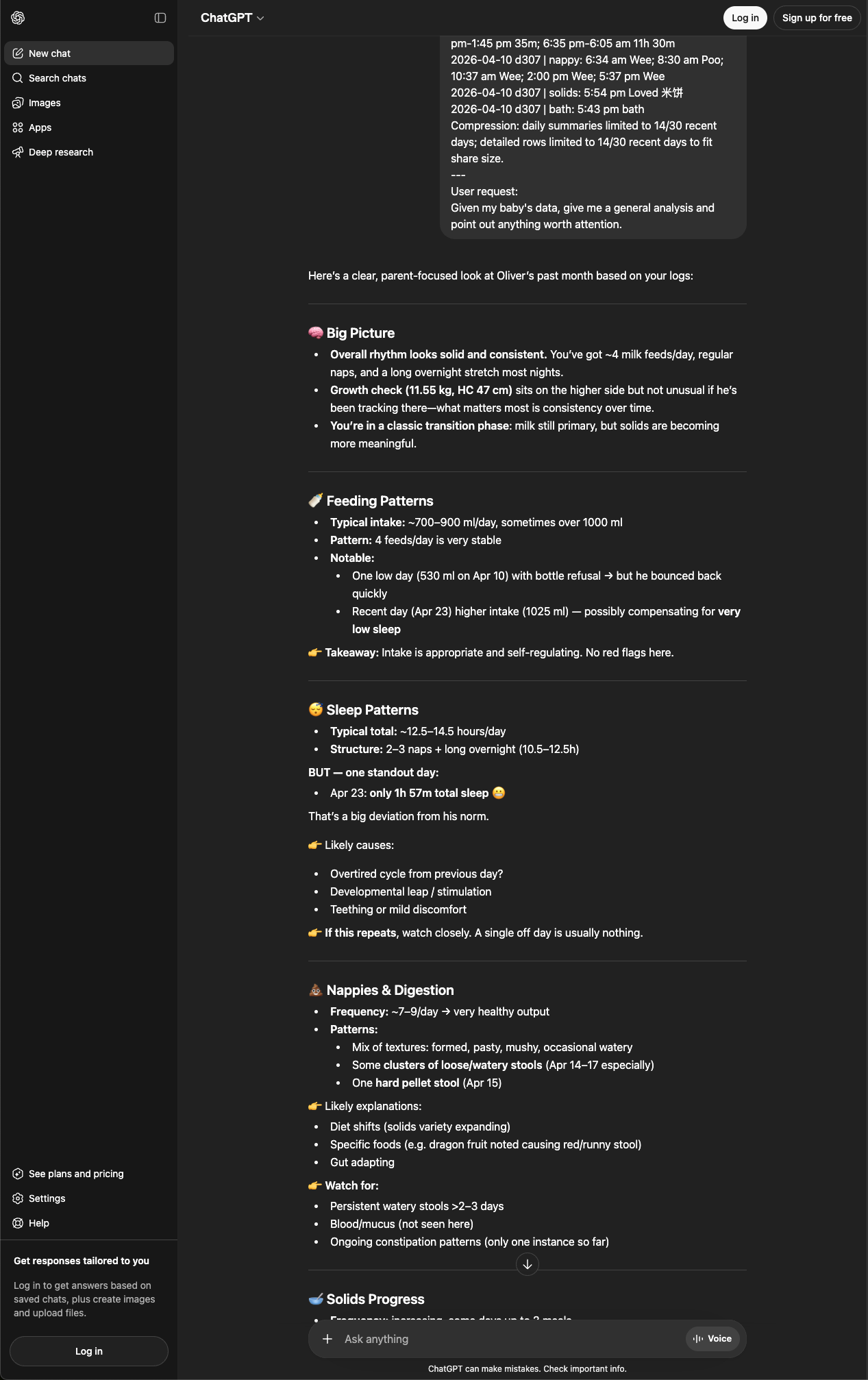
Privacy by design — visible privacy
A fair question: "Is it safe to share my baby's data with an AI?"
BabyLog's answer is to make privacy visible rather than just claimed:
- You see what's about to leave. The modal shows you the toggles and the prompt preview. Nothing is hidden.
- You choose when to share. Nothing is sent automatically. You toggle, you tap, you paste. You're always in control.
- No API connection. BabyLog has no backend connection to any AI service. Your prompt travels via your clipboard — the same way you'd copy and paste anything else.
- Toggle off what you don't want. Don't want to include detailed rows? Turn off Detailed log rows. Don't want to include the name? Turn off Baby basic information. Whatever you see in the modal is exactly what's copied.
- Each AI platform has its own privacy policy. Check the terms for whichever AI you use. Some AI platforms let you control whether your chats are used for training. Check the privacy settings and terms of the AI service you choose.
This is deliberately the opposite of the "trust us, we send it for you" pattern. There's no API key, no background sync, no third-party data sharing agreement. Just a clipboard you can read.
Why not just build AI into the app?
We thought about it. But here's the thing: AI models improve every few months. The best model today won't be the best model in six months. If we built one AI integration into BabyLog, you'd be stuck with whatever we chose — and we'd be the ones paying for it, which means the cost would land back on your subscription.
By letting you use any AI tool you already pay for (or use for free), you always get the latest and best. When a new model launches that's better at health-related questions, you can use it immediately — no app update needed, no extra subscription.
We compete on giving you great data and getting out of your way. Not on locking you into our interpretation of what that data means.
And if you want the raw data
The Ask AI modal is for quick AI analysis. But if you want your complete, uncompressed data, BabyLog lets you export a full CSV of any baby's logs at any time:
- Go to Baby → [Baby name] → Data
- Tap Export CSV
- Every log entry downloads — timestamps, values, notes. Nothing hidden.
Use it however you like. Import it into a spreadsheet. Feed it to a different tool. Hand it to your GP. It's your data.
A note on safety
AI assistants are good at spotting patterns and explaining context. They are not GPs, child and family health nurses, paediatricians, lactation consultants, or emergency services. If something an AI says concerns you, talk to a real clinician. If you're worried about your baby's health, seek professional care. In Australia, for emergencies call triple zero (000).
The point
Your baby's data shouldn't be a product that someone sells back to you. It should be a tool that helps you care for your child — on your terms, with whatever technology you find most helpful.
That's why BabyLog makes Ask AI effortless, free, and visible. Not because AI is a buzzword, but because it's genuinely useful when you're sleep-deprived at 2am and wondering if that feeding pattern is normal — and because you should always be able to see exactly what's about to leave your device before it does.
If you want to see what kinds of logs Ask AI can read from, the feeding, sleep, and nappies feature pages cover the daily routines. The Free vs Pro split keeps Ask AI free for everyone.
Ready to start tracking?
BabyLog works on any device — iPhone, Android, tablet, or desktop. Setup takes two minutes.
Keep reading

Meet BabyLog Insights: Your Baby's Pattern, Not the Average Baby's
Insights is the small in-app line that learns from your own logs and quietly tells you when today is different from your baby's usual pattern. Here's what's free, what's Pro, and when it deliberately says nothing at all.

Log a Feed in Seconds: How BabyLog Makes Tracking Almost Effortless
Open a feed in BabyLog and the time and amount are already filled in — so a routine bottle feed is often just two taps: open and save. Here's a fast way to track feeds, shown in real time.