
Huckleberry vs Glow Baby: One Job, or Everything at Once?
Huckleberry and Glow Baby compared on what's actually inside the app, everyday logging, sleep support, getting your data out and price — with a clear pick at the end.

Huckleberry and Glow Baby both track feeds, sleep and changes, but they are not really the same kind of product. This is an honest, hands-on comparison of what each app is trying to be — how much sits on screen, how logging feels, sleep support, getting your data out, and what you pay — with a clear pick at the end.
Screenshots below are from each app as of June 2026; apps change, so treat the details as a snapshot.
At a glance
| Huckleberry | Glow Baby | |
|---|---|---|
| What it is | A focused tracker with strong sleep support | A tracker inside a wider ecosystem — community and a shop too |
| Home screen | Colourful cards, each showing its last entry | Tracking cards plus Community and Shop in the bottom bar |
| Everyday logging | Glanceable — start most logs from the home screen | Capable, but more surfaces share the screen |
| Sleep support | Standout — nap-timing predictions and sleep plans | Sleep logging, no equivalent prediction system |
| Community and shopping | None | Built in — photo sharing, comparisons with other babies, a full store |
| Getting your data out | CSV, emailed to you once a day | CSV export sits on the paid plan |
| Our pick | ✅ Recommended for most families | Fine if you want the ecosystem |
What each app is trying to be
Glow Baby is three products in one. It is a tracker, a community — photo sharing, and comparisons of your baby against other Glow babies — and a shop selling pumps, care products and other gear. If you already live in the wider Glow apps, staying inside that world is genuinely convenient.
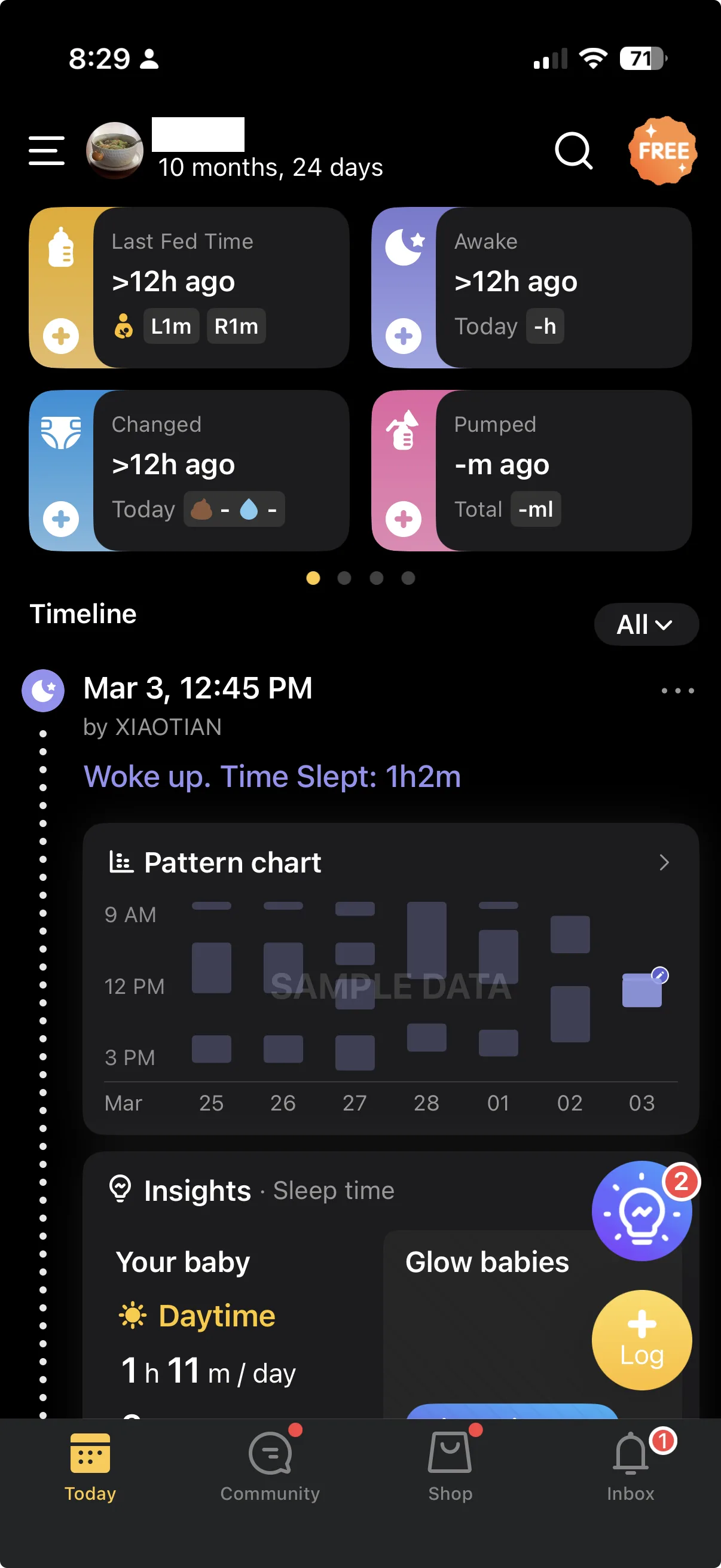
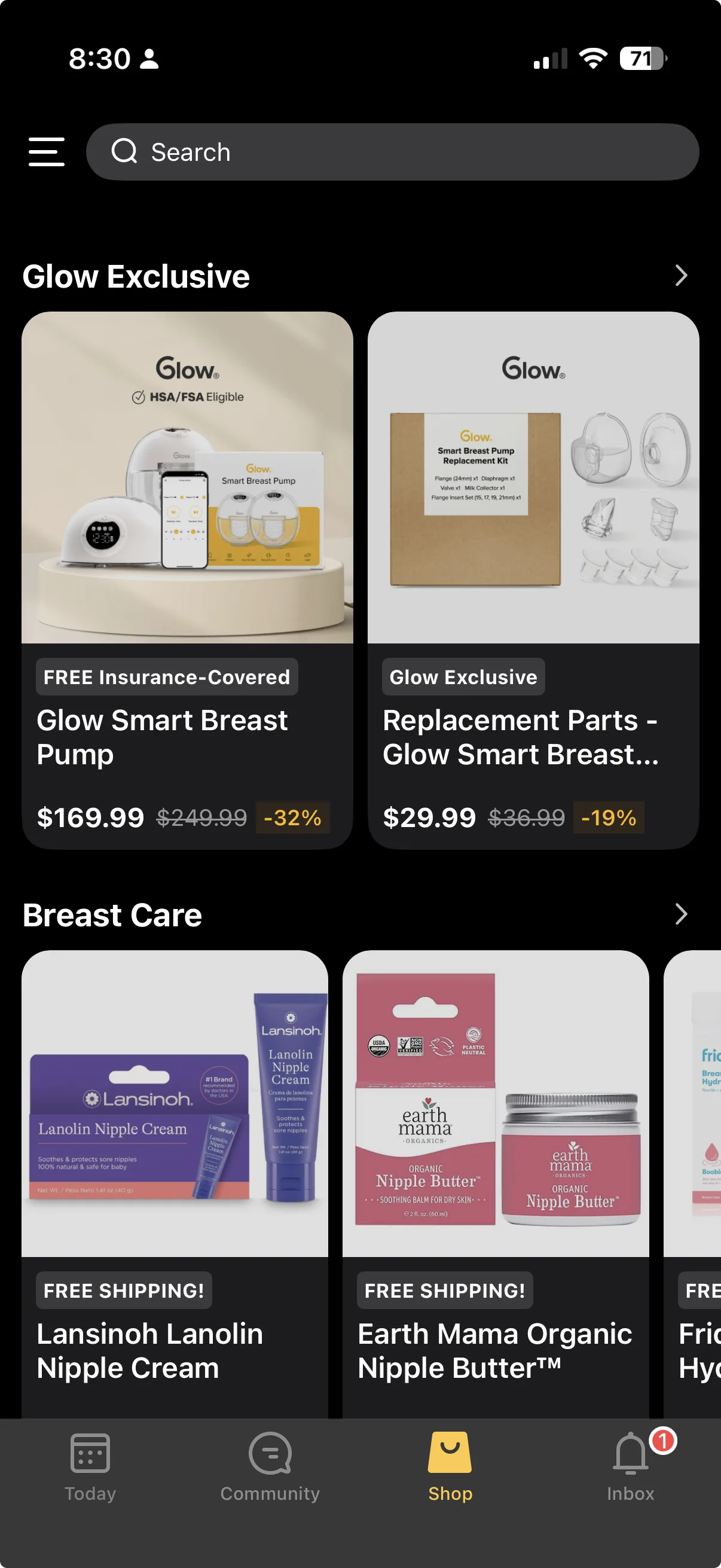
That breadth is a real strength for some households. It is also the trade-off: when a feed, a shop and a community panel all compete for the same screen, the app reads as more commercial than a single-purpose logging tool.
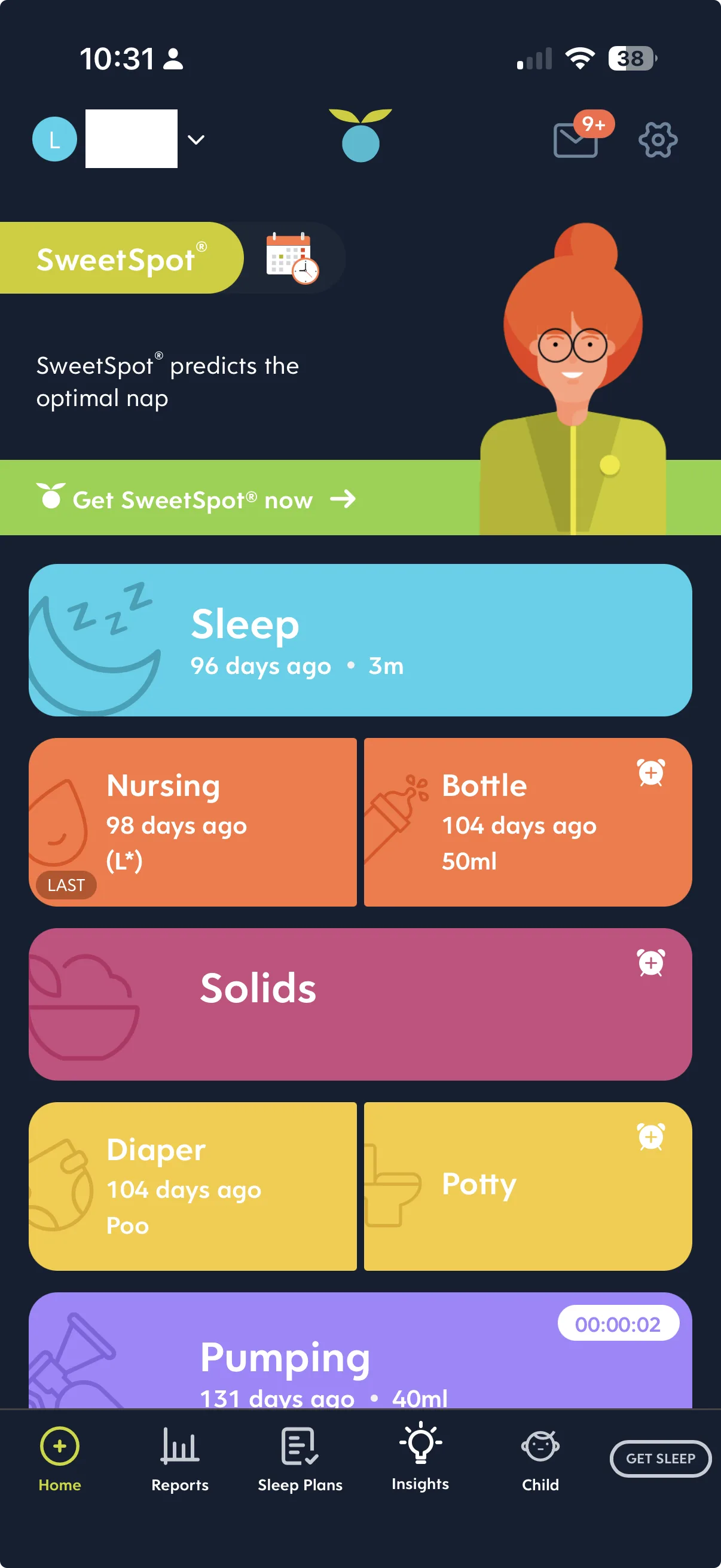
Huckleberry is one product. Tracking, plus the best sleep support of any mainstream tracker we have used. No feed of other people's babies, nothing for sale in the navigation.
Everyday logging
You open a tracker dozens of times a day, usually one-handed, often in the dark. That makes two things matter more than the feature list: how much you can take in without scrolling, and how few taps it takes to save a routine entry.
Huckleberry packs the whole day onto one screen. Each activity is a card showing how long it has been since the last feed, sleep or change, and you start the log from that same card. Nothing else is asking for your attention.
Glow Baby tracks the same things capably, but its home has more jobs to do. Community and Shop share the bottom bar with tracking, and there is more content between you and the entry you came to make. If your app time is a spare thirty seconds, that is the difference you feel.
If you want a lighter, single-purpose logger than Glow Baby, we have rounded up a few in Glow Baby alternatives.
Sleep support
This is the clearest gap between the two.
Sleep is Huckleberry's signature. Alongside ordinary sleep logging it offers nap-timing predictions and structured sleep plans — in our view the strongest sleep support in any mainstream tracker. If sleep is the thing currently running your household, that alone is a reason to shortlist it.
Glow Baby logs sleep, but there is no equivalent prediction-and-plan system. It records what happened; it does not tell you when to try the next nap.
Getting your data out
Both apps hold months of your history, so it is worth knowing how you get it back.
Huckleberry exports a CSV, but not as an in-app download — it emails the file to you, and only once a day. It works, it just is not instant.
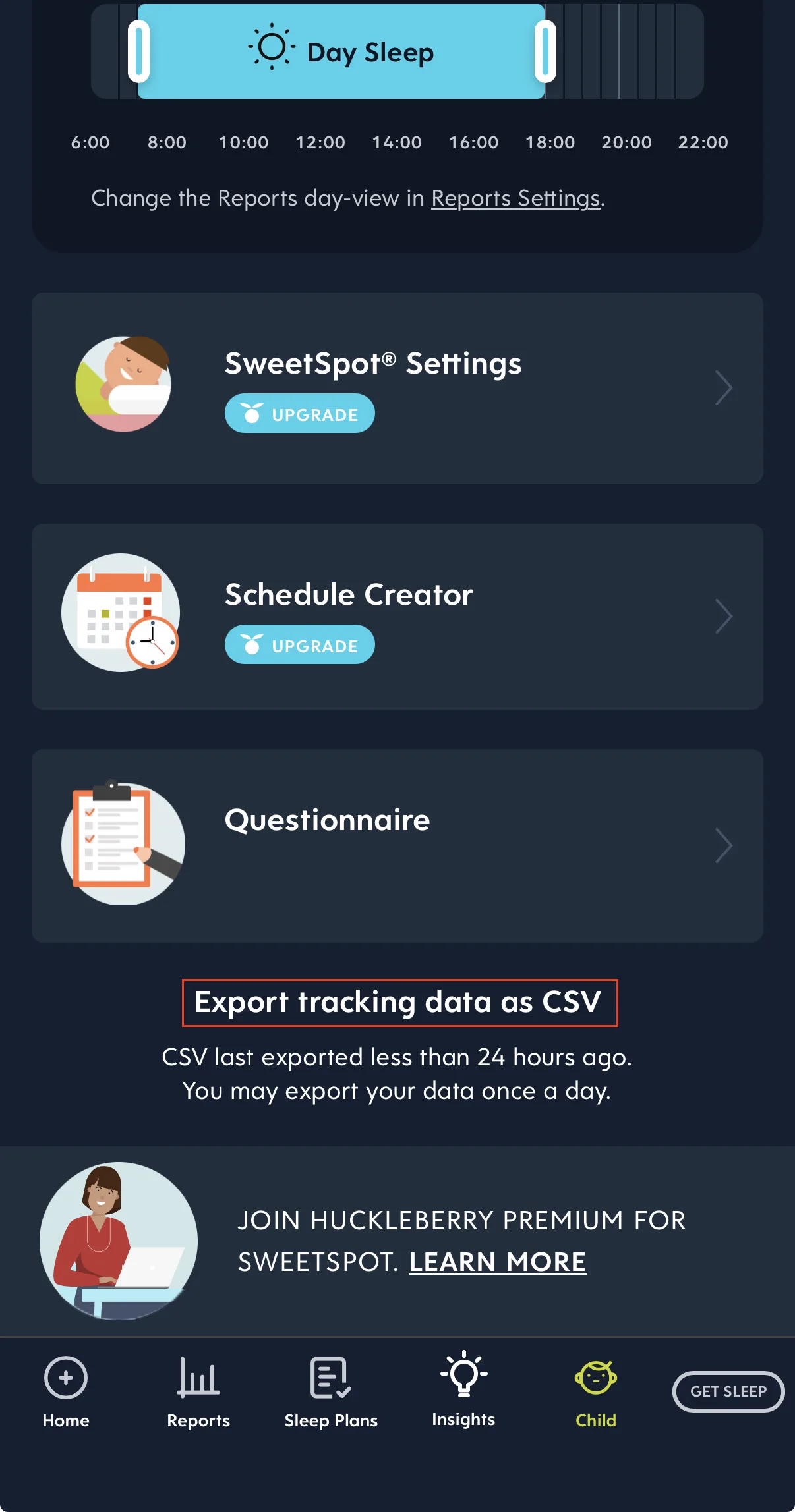
If you are planning to move your history somewhere else, we walk through that export step by step in how to export your Huckleberry data.
Glow Baby also offers CSV export, but it sits on the paid plan — on the free tier you cannot pull your own history out as a file.
Free features and price
Both apps let you track the everyday basics without paying. What sits behind the paywall is what differs.
Huckleberry keeps everyday tracking on the free tier and charges for the deeper sleep tooling — you pay for the part that makes it special. Glow Baby's free tier covers tracking too, with paid features spread across the wider Glow ecosystem, and CSV export among them.
Prices move and vary by country, so check the current store listing before you subscribe.
The verdict
We would pick Huckleberry over Glow Baby. It does one job, it does it on a single glanceable screen, and its sleep support is genuinely class-leading. The caveats are honest ones: the best sleep features are paid, and getting your data out means waiting for an email.
Glow Baby is the better answer if you actively want the community and the shop — if you would rather have one app for tracking, comparing notes and buying the next size up, the breadth is the point, not the cost. But if you just want to log the day and understand it, Huckleberry is the one we would recommend.
Ready to start tracking?
BabyLog works on any device — iPhone, Android, tablet, or desktop. Setup takes two minutes.
Keep reading

BabyLog vs Glow Baby: A Calmer Tracker or a Broader Ecosystem?
A fair side-by-side comparison of BabyLog and Glow Baby — daily logging effort, reviewing the day, sharing, offline use, data export, multilingual support and pricing — for parenting in Australia, deciding between a focused tracker and a broader ecosystem.

BabyLog vs Huckleberry: Which Baby Tracker Suits Parents in Australia?
A fair side-by-side comparison of BabyLog and Huckleberry — sleep support, daily logging effort, reviewing the day, caregiver sharing, offline use, data export and pricing — for families parenting in Australia, deciding between them.