
Huckleberry Alternatives: Baby Trackers Worth Considering (2026)
Huckleberry is great for sleep, but it isn't for everyone. Fair alternatives — Nara Baby, Glow Baby, Baby Daybook, BabyConnect and more — and who each one suits.

The main Huckleberry alternatives are Nara Baby, Glow Baby, Baby Daybook, BabyConnect, Feed Baby and our own app, BabyLog. All of them log feeds, sleep and changes, and each draws its paid line in a different place. None of the apps we've compared with Huckleberry replaces its paid sleep predictions for free.
App details are as of June 2026. Apps change, so check the current store listing before you pay for anything.
Why people look for an alternative
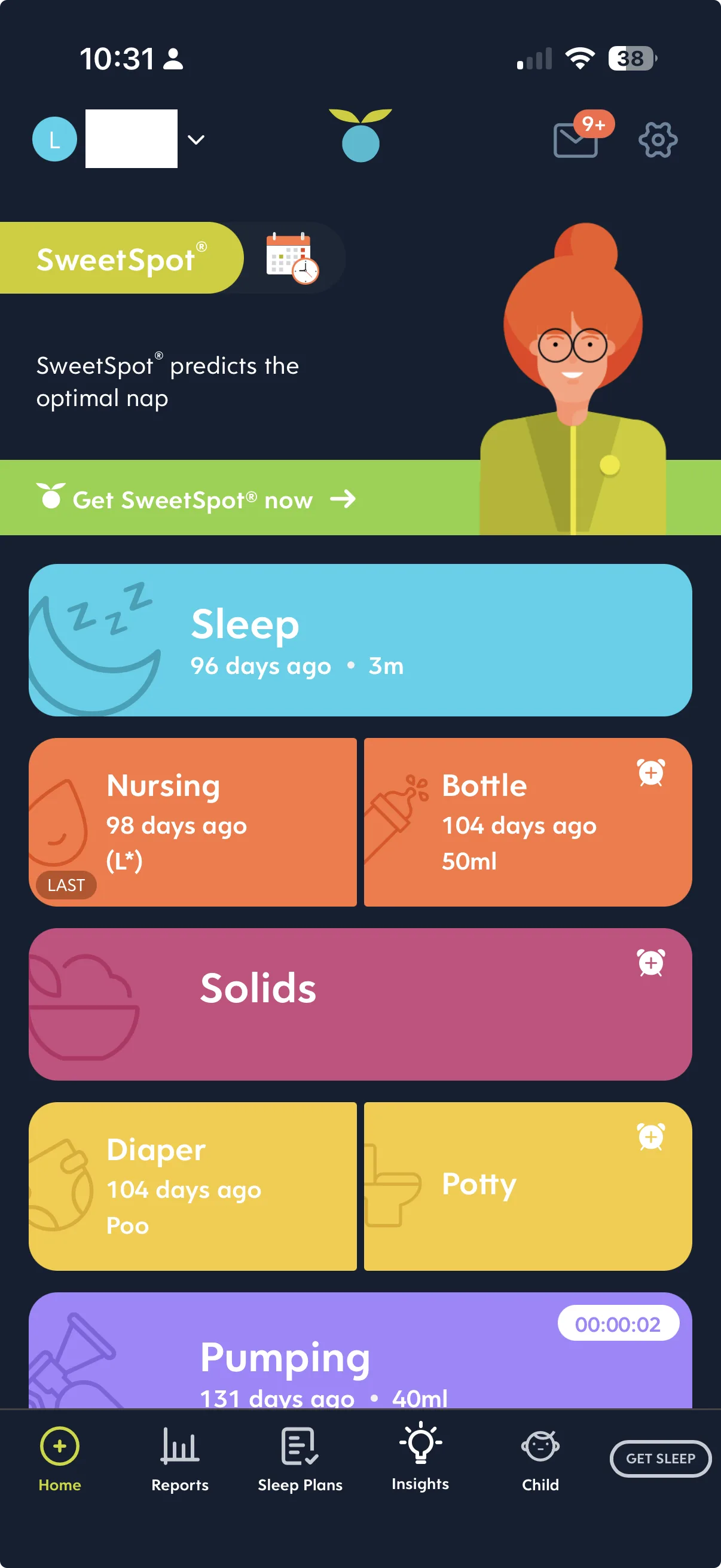
- The sleep predictions are paid. Huckleberry keeps everyday tracking free. Its nap-timing predictions and sleep plans, the part that makes it stand out, sit on the paid plan.
- The price. Some families want a cheaper paid plan than Huckleberry's, or a free plan whose limits they can live with.
- Something simpler. If you mostly log feeds, sleeps and changes, a sleep-coaching app can be more than you need.
- A different export, more languages or a different feel. Huckleberry emails its CSV export to you, once a day.
Apps like Huckleberry, and where each free plan stops
Glow Baby, Baby Daybook and BabyLog all keep everyday logging free, as Huckleberry does, and Nara Baby is free when used on one phone. What differs is the paid line. Nara Baby charges to sync a second caregiver's device. Glow Baby charges for CSV export. Baby Daybook charges for its multi-day timeline and growth charts. BabyLog charges for full-history views, milestones, checkup reports and reminders. None of the four predicts naps for free.
| App | Good at | Where the free plan stops | Predicts naps |
|---|---|---|---|
| Huckleberry | Sleep predictions and sleep plans; a glanceable home screen | Everyday tracking is free; the deeper sleep tooling is paid | Yes, on the paid plan |
| Nara Baby | Calm, minimal logging | Free on one phone; syncing a second caregiver's device is paid | No |
| Glow Baby | Tracking, a community and a shop in one app | CSV export is on the paid plan | No |
| Baby Daybook | Structured records with "groups" tags | The multi-day timeline and growth charts are paid | No |
| BabyConnect, Feed Baby | Detailed, structured records | Varies; check the current listing | Not checked by us |
| BabyLog (ours) | Low-typing logging the whole household shares | Summary, Calendar, Timeline and Compare go back 14 days | No; the paid plan has nap reminders |
Only the BabyLog row is ours to state in full. The others come from our side-by-side comparisons, linked in each entry below.
The alternatives
Nara Baby
Nara Baby is clean and minimal, a good fit if you want a calm, no-frills logger. The trade-offs are large cards, so only three or four activities fit on screen, and amounts typed on a number keypad. It logs sleep without predicting it.
Nara Baby is free when used on one phone. Syncing with a second caregiver's device needs its paid plan, sold monthly or as a one-off lifetime purchase. It exports a CSV from inside the app, and export works on the free plan. Head-to-head: Huckleberry vs Nara Baby.
Glow Baby
Glow Baby puts tracking, an in-app community and a shop in one app. The community covers photo sharing and comparisons with other "Glow babies". It suits you if you want all of that together. The trade-off is a busier screen, and it logs sleep without predicting it.
Tracking is free. CSV export sits on the paid plan, so on the free tier you can't take your history out as a file. Head-to-head: Huckleberry vs Glow Baby.
Baby Daybook
Baby Daybook is capable and structured, with a "groups" system for tagging entries. It suits anyone who likes tidy, tagged records. It leans more on typing than Huckleberry, and it logs sleep without predicting or planning it.
Day-to-day logging is free. The multi-day timeline and the growth charts sit on the paid plan. Head-to-head: Huckleberry vs Baby Daybook.
BabyConnect and Feed Baby
BabyConnect and Feed Baby are long-running trackers built for thorough records. BabyConnect is known for detailed reports. Feed Baby covers feeds, changes, sleep and growth in detail. Both suit a household that wants depth, at the cost of more fields and taps per entry.
Feed Baby exports CSV, and BabyConnect offers export depending on plan and version. Deeper looks: BabyLog vs BabyConnect and BabyLog vs Feed Baby.
BabyLog
BabyLog is built for logging with little typing. A routine bottle often saves in two taps, with the time and your baby's usual amount already filled in. It records sleep without predicting naps.
The free plan covers all 12 activity types, caregiver sharing, offline logging and CSV import and export. Summary, Calendar, Timeline and Compare go back 14 days on the free tier; the paid plan opens the full history. We make BabyLog, so weigh this entry accordingly. Head-to-head: BabyLog vs Huckleberry.
Is there a free alternative to SweetSpot?
Not one for one. SweetSpot is Huckleberry's nap-timing prediction. Huckleberry's sleep predictions and plans were on its paid plan when we compared the apps in June 2026, and SweetSpot was still paid when we checked again in September 2026. None of the apps we've compared with Huckleberry offers an equivalent for free. Nara Baby, Glow Baby and Baby Daybook log sleep without predicting it, and so does BabyLog's free plan.
A free tracker still gives you the record every prediction depends on: when each sleep started and ended, and how the day added up. Our sleep app comparison covers the difference between a sleep tracker and a sleep coach.
If the predictions are what you'd miss, you have three options:
- Keep paying for Huckleberry's sleep tooling. If sleep is the hard part right now, that's a defensible spend.
- Run two apps. Some families use Huckleberry for sleep guidance and another app for everyday logging. It works, but it doubles the logging.
- Use a nap reminder. BabyLog's paid plan can remind you when a feed, change or nap is likely due, based on age and your baby's own patterns. Reminders are always optional. They don't build a sleep plan or a schedule. If a nudge is enough, try Pro.
Which trackers cost less than Huckleberry?
Most of the apps here log the everyday basics for free, so the cheapest option is a free plan whose limit you can live with. Nara Baby is free on one phone, and its paid plan, which a second caregiver's device needs to sync, is sold monthly or as a one-off lifetime purchase. Baby Daybook also sells a one-off lifetime purchase, if you'd rather pay once. BabyLog's free plan has no card and no time limit.
| App | How the paid tier is sold |
|---|---|
| Huckleberry | Free tier, plus a subscription for the full sleep features |
| Nara Baby | Free on one phone; the paid plan, needed to sync a second caregiver's device, is sold monthly or as a one-off lifetime purchase |
| Glow Baby | Free tier, with paid features across the wider Glow ecosystem |
| Baby Daybook | Monthly, yearly or lifetime: A$2.99 to A$7.99 a month, A$16.49 to A$49.99 a year, or A$83.99 or A$139 lifetime in the Australian App Store (September 2026) |
| Feed Baby | Historically free with ads, with a paid version to remove them; check the current model |
| BabyConnect | Check the current store listing |
| BabyLog (ours) | Free plan with no card and no time limit; the paid plan is on the pricing page |
Prices can change at any time. For current pricing, see the Baby Daybook App Store listing(opens in a new window).
Which to pick if…
- Sleep is your top concern: stay with Huckleberry. Its sleep support is hard to beat.
- You want the calmest, simplest logger: Nara Baby.
- You want community and a shop in one app: Glow Baby.
- You like tagged records, or want to pay once: Baby Daybook.
- You want detailed records and reports: BabyConnect or Feed Baby.
- You want low-typing logging the household shares, with free CSV export: BabyLog.
The best tracker is the one your household still uses at month four, so try one or two before you commit. If BabyLog is on your list, start free in your browser. There's no card and no time limit, and it adds to your home screen on iPhone or Android.
Switching from Huckleberry
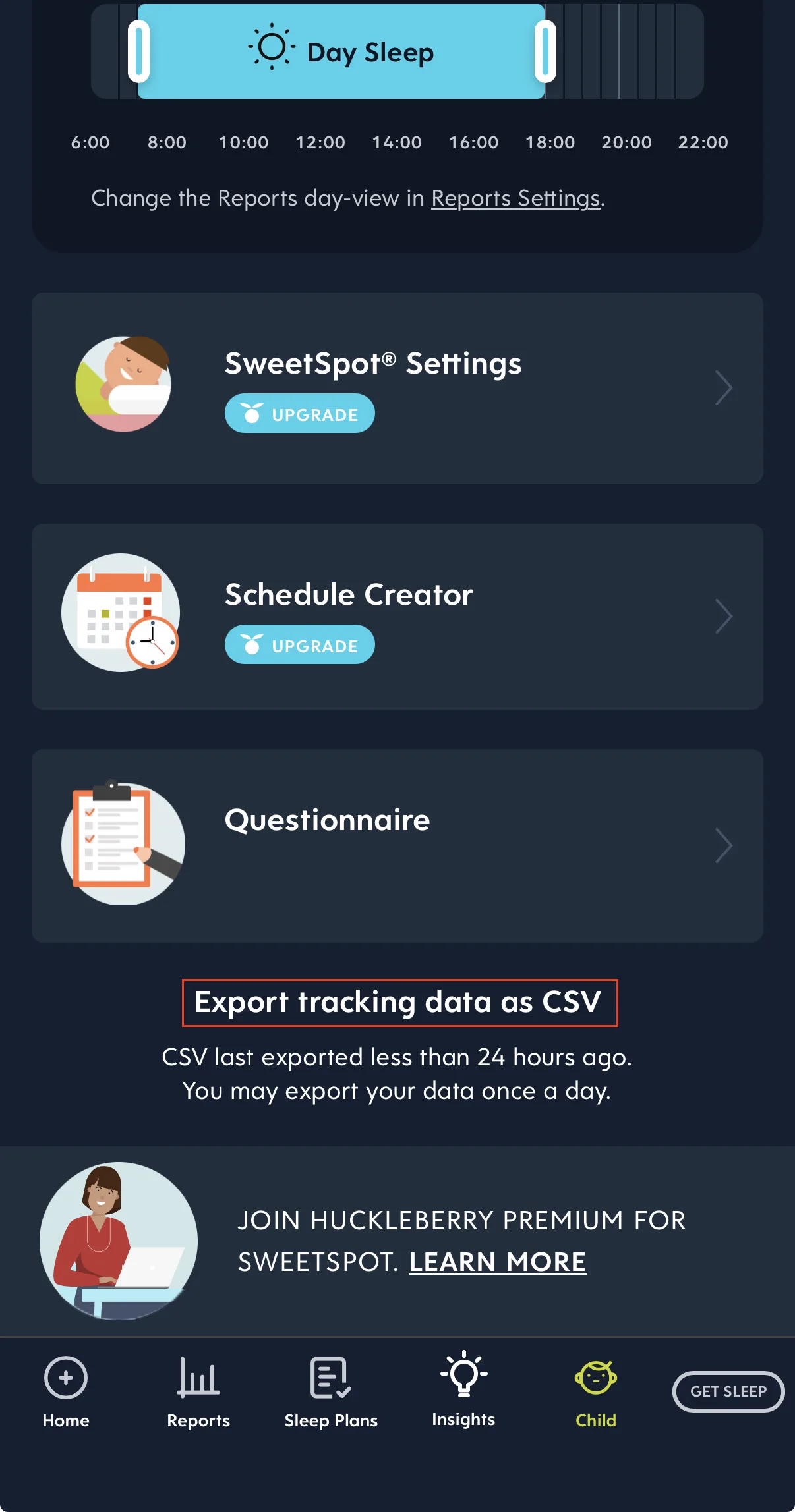
Huckleberry exports your full history as a CSV. The button is at the very bottom of the Child tab, and a download link arrives by email, once a day. Huckleberry's help centre says the link works for 24 hours (checked October 2026), so save the file itself the same day.
Whether that file goes straight into your next app depends on the app's import format, so check it before you stop logging in Huckleberry.
BabyLog imports CSV in its own column layout, so a Huckleberry file needs converting first. BabyLog's Import with AI tab gives you a ready-made prompt: paste it into ChatGPT or Claude with your file, then import the result. Everything you import stays in the Data Table on every plan, where you can view, edit or delete any entry.
How to export your Huckleberry data walks through the export step by step, and the import guide covers the BabyLog side. To have an account ready when the email arrives, start free. Setup takes about two minutes.
Further reading
- Where each free plan stops, and what to test in your first week.
- Nine baby trackers compared, including Talli Baby and Sprouty.
- Lighter alternatives to Glow Baby, if you're weighing that app too.
- Leaving Nara Baby instead? Export your Nara Baby data first.
Common questions
Ready to start tracking?
BabyLog works on any device — iPhone, Android, tablet, or desktop. Setup takes two minutes.
Keep reading

BabyLog vs Huckleberry: Which Baby Tracker Suits Parents in Australia?
A fair side-by-side comparison of BabyLog and Huckleberry — sleep support, daily logging effort, reviewing the day, caregiver sharing, offline use, data export and pricing — for families parenting in Australia, deciding between them.

Best Baby Tracker Apps in Australia (2026)
A fair overview of popular baby tracking apps for parenting in Australia — Huckleberry, Glow Baby, Nara Baby, Baby Daybook, BabyConnect, Feed Baby, Talli Baby, Sprouty and BabyLog — and which one tends to suit which household.