
Huckleberry vs Baby Daybook: Sleep Coaching, or Structured Records?
Huckleberry and Baby Daybook compared on everyday logging, what each one puts behind the paywall, sleep support, data export and price — with a clear pick at the end.

Huckleberry and Baby Daybook are both well-established baby trackers, and the honest way to choose between them is to look at where each one puts its paywall. This is a hands-on comparison of everyday logging, what costs extra, sleep support, getting your data out and price — with a clear pick at the end.
Screenshots below are from each app as of June 2026; apps change, so treat the details as a snapshot.
At a glance
| Huckleberry | Baby Daybook | |
|---|---|---|
| Overall feel | Polished and glanceable; one job, done well | Mature, capable, familiar native app |
| Everyday logging | Start most logs from the home screen | Broad tracking with a "groups" tagging system; leans more on typing |
| What's behind the paywall | The deeper sleep tooling | Reviewing your history — multi-day timeline and growth charts |
| Sleep support | Standout — nap-timing predictions and sleep plans | Sleep logging, no prediction or plan system |
| Getting your data out | CSV, emailed to you once a day | Export available, often on the paid tier |
| Price shape | Free tier plus a subscription | Monthly, yearly, or a one-off lifetime purchase |
| Our pick | ✅ Recommended for most families | Fine if you want tagging structure and a lifetime price |
Everyday logging
You open a tracker dozens of times a day, one-handed, often at 3am. Small friction compounds fast.
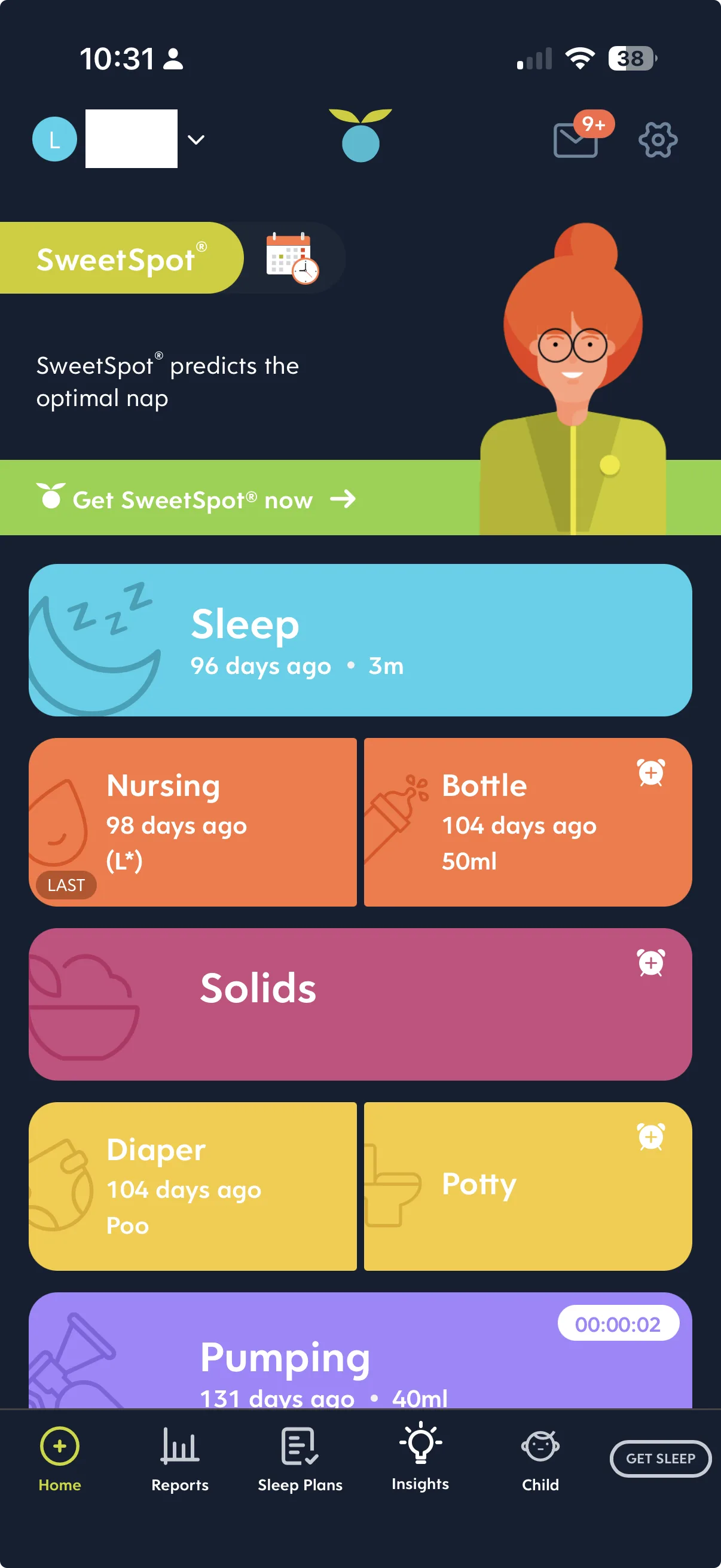
Huckleberry puts the whole day on one screen. Each activity is a colourful card showing how long it has been since the last feed, sleep or change, and the log starts from that same card. You take in the day and add to it in the same place.
Baby Daybook is broader and more configurable. Its "groups" system lets you tag entries so your history is structured the way you want it — genuinely useful if you like your records tidy, but it is more to fill in, and the app leans harder on typing than Huckleberry does. Structure has an ongoing cost, and you pay it on every entry.
Where each app puts the paywall
This is the decision, and it is easy to miss until you have been logging for a month.
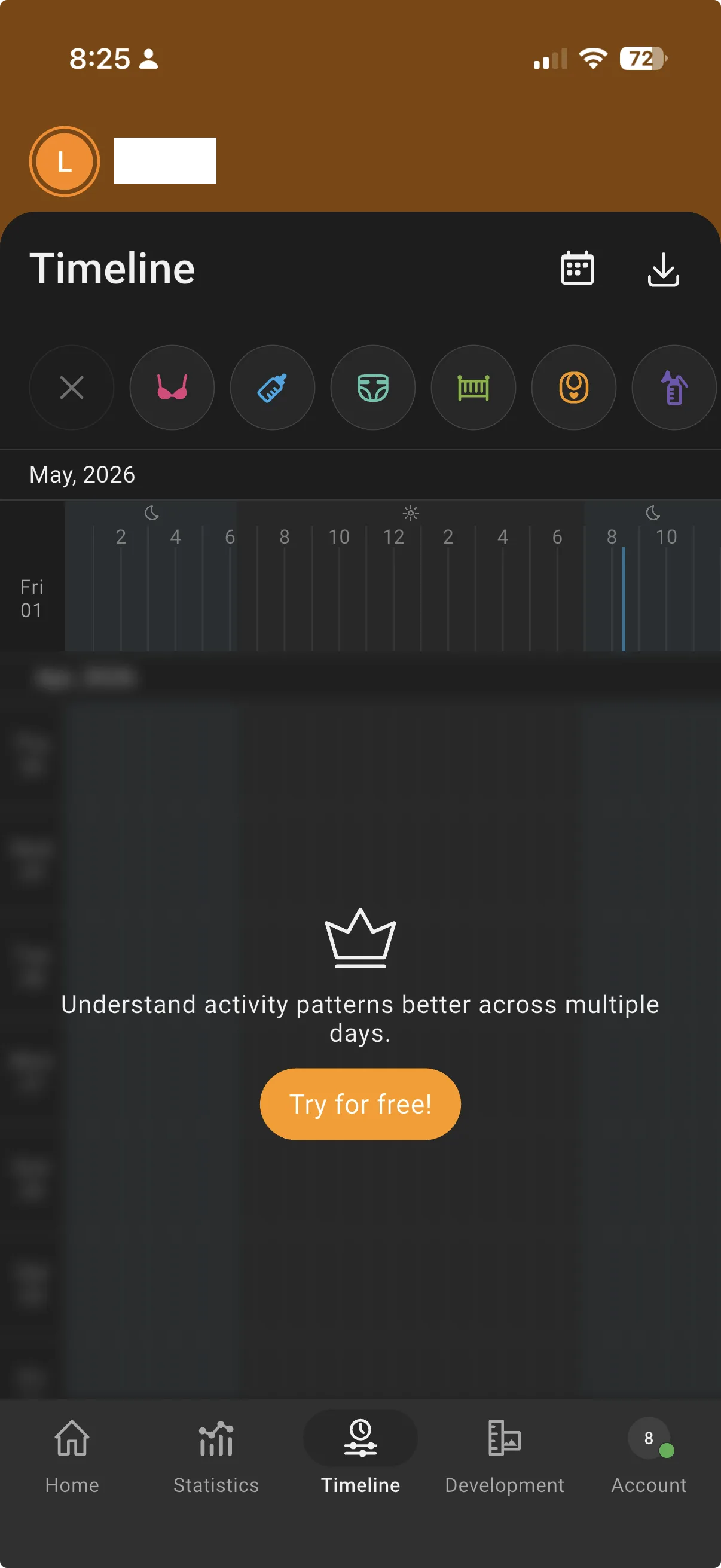
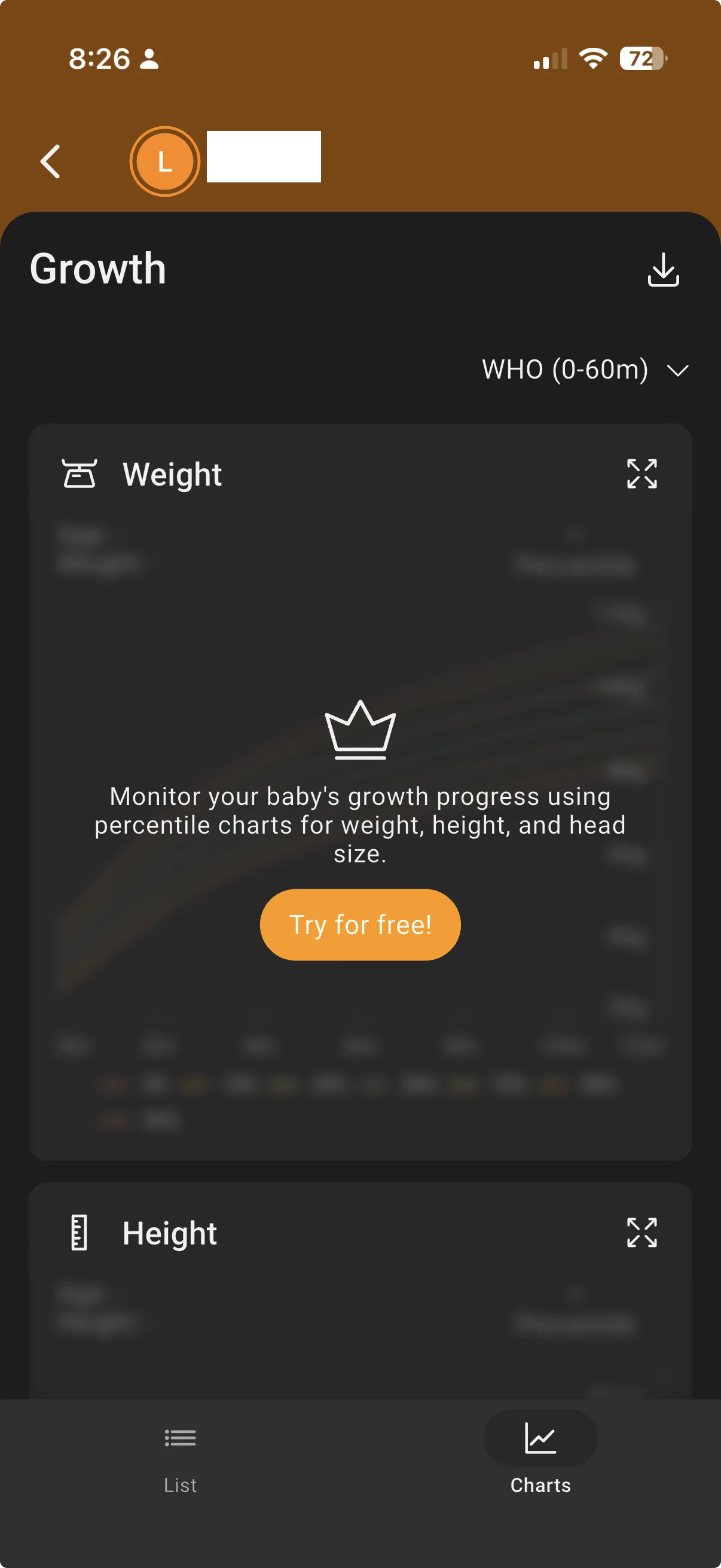
Baby Daybook paywalls the reviewing. Day-to-day logging is free, but the multi-day timeline — the view that shows you a week's rhythm rather than a single day — sits behind the paid plan, and so do the growth charts.
Huckleberry paywalls the coaching. Everyday tracking, and the review that goes with it, are on the free tier; what you pay for is the deeper sleep tooling — the part that makes the app distinctive rather than the part that makes it usable.
Neither model is wrong, but they suit different people. If you are logging mainly to look back and spot a pattern, Baby Daybook will ask you for money at exactly the moment you want to look. If you are logging mainly to get through the night, Huckleberry will ask you at exactly the moment you want help.
Sleep support
Huckleberry's sleep support is its reason to exist: nap-timing predictions and structured sleep plans, and in our view the strongest sleep tooling in any mainstream tracker. Baby Daybook logs sleep thoroughly but does not predict or plan it — it records, it does not coach.
If you want a like-for-like on the sleep side, Huckleberry against a second sleep-capable tracker is covered in Huckleberry vs Nara Baby.
Getting your data out
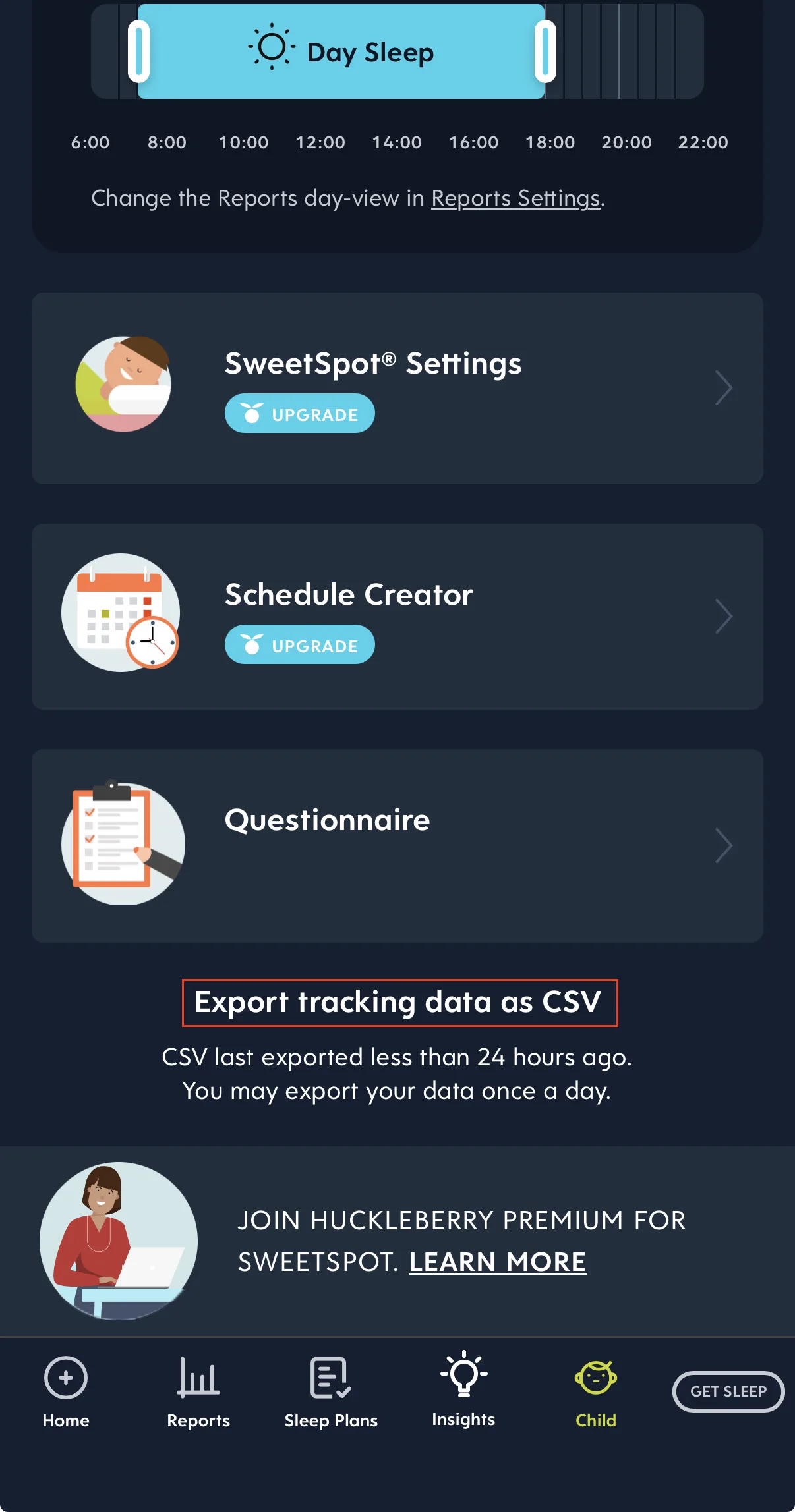
Huckleberry exports a CSV, but it emails the file to you rather than downloading it in the app, and only once a day.
Baby Daybook offers export as well, though availability has depended on the version and the plan — check it inside the app before you rely on it. Either way, it is worth confirming you can get your history back before you have a year of it.
Price
The two apps charge in different shapes. Huckleberry runs a free tier plus a subscription for the full sleep features. Our Huckleberry price guide lists the Plus and Premium prices in Australian dollars.
Baby Daybook offers monthly and yearly plans and, unusually, a one-off lifetime purchase. In the Australian App Store in September 2026, Premium was listed at A$2.99 to A$7.99 a month, A$16.49 to A$49.99 a year, or A$83.99 or A$139 for lifetime.
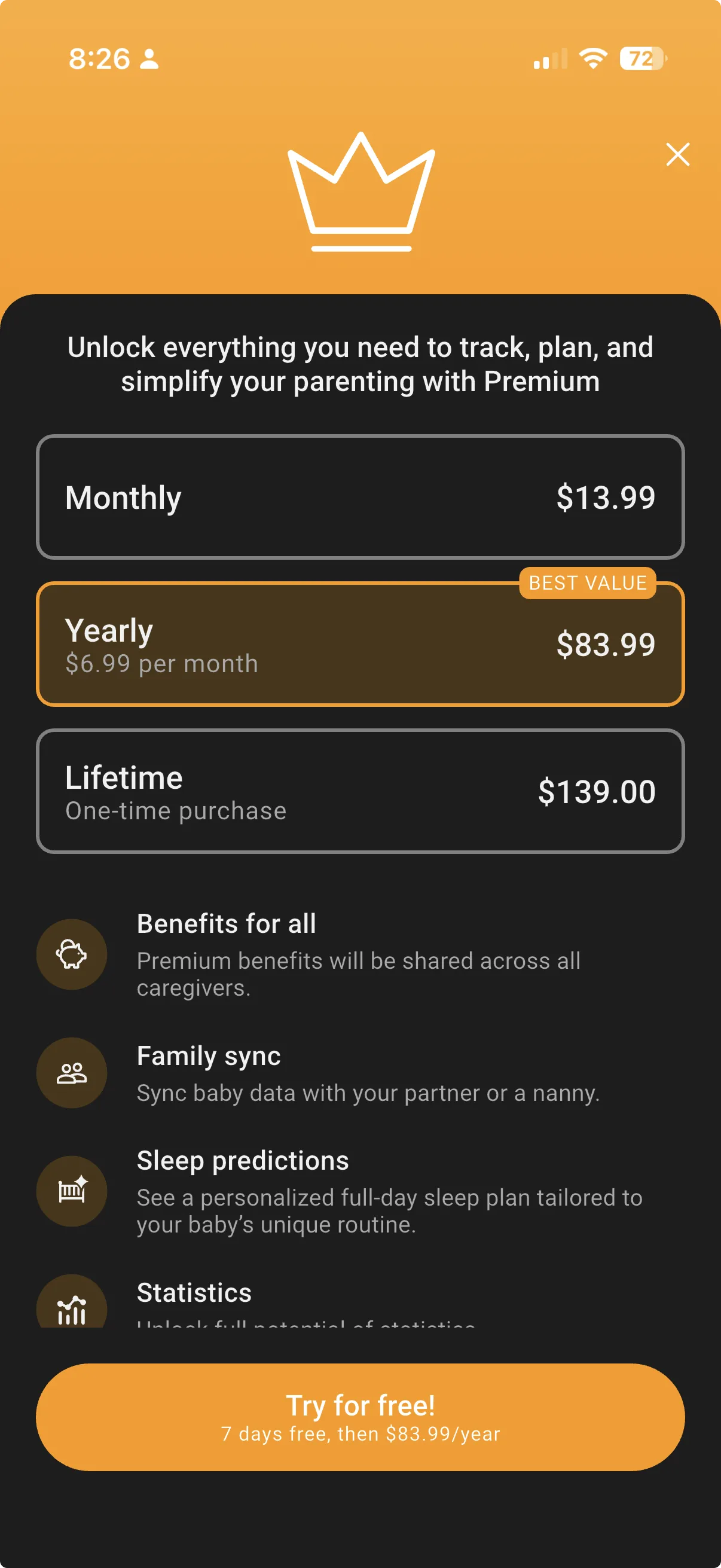
A lifetime option is genuinely appealing if you expect to be tracking for years or across more than one child.
Prices can change at any time. For current pricing, see the Baby Daybook App Store listing(opens in a new window).
The verdict
We would pick Huckleberry over Baby Daybook for most families. It is faster to live with, its home screen tells you the whole day at a glance, and it leaves the parts you use daily — logging and looking back — on the free tier. Its sleep support is the best in the category, and if sleep is your problem right now, paying for it is a defensible spend.
Baby Daybook earns its place if you want structure and you want to stop paying. The groups system suits people who like tidy, tagged records, and the lifetime purchase is a real answer to subscription fatigue. Just go in knowing that the multi-day timeline and the growth charts are on the other side of that purchase.
Still weighing it up? Huckleberry alternatives covers the rest of the field.
Ready to start tracking?
BabyLog works on any device — iPhone, Android, tablet, or desktop. Setup takes two minutes.
Keep reading

BabyLog vs Baby Daybook: Mainstream Tracker vs Low-Effort, Made in Australia
A fair side-by-side comparison of BabyLog and Baby Daybook — daily logging effort, reviewing the day, caregiver sharing, offline use, data export and multilingual support — for parenting in Australia, picking between them.

BabyLog vs Huckleberry: Which Baby Tracker Suits Parents in Australia?
A fair side-by-side comparison of BabyLog and Huckleberry — sleep support, daily logging effort, reviewing the day, caregiver sharing, offline use, data export and pricing — for families parenting in Australia, deciding between them.