
Customising Overview
Reorder Home tiles, hide log types you don't use, and switch hand preference for one-handed logging.
BabyLog ships with twelve log types but no household uses all of them. Hide what you don't need, reorder the rest, and switch hand preference for one-handed logging.
Reorder Home tiles
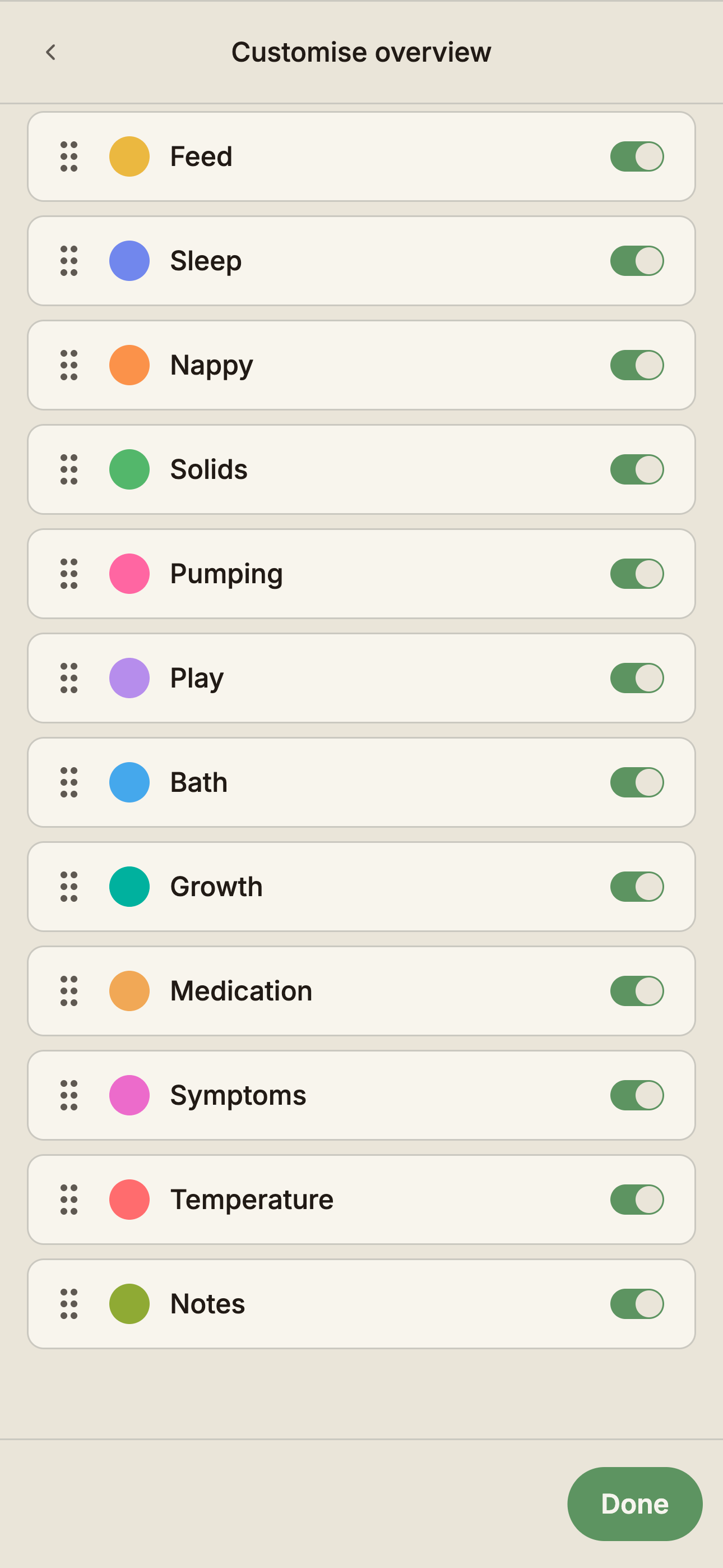
Tap the More options tile at the end of the Home grid (it invites you to customise your log options), or open Settings → Log preferences — the same list lives in both places.
- Drag the handle on the left of any row to move it up or down. The Home order updates as you let go.
- The toggle on the right of each row controls visibility. Hidden types disappear from the Home screen, but their data stays — show them again any time without losing history.
If a caregiver logs a type you've hidden, Home shows a gentle nudge so you can bring the tile back.
The layout is per-account and syncs across your devices. Caregivers sharing the same baby each keep their own arrangement.
Sensible defaults
Out of the box the tiles follow the shape of a newborn day: feed, sleep, nappy, solids, pumping, play, and bath — with growth, medication, symptoms, temperature, and notes below. During onboarding you choose what you want to track, and that choice sets which tiles start visible.
As your baby grows, drag the tiles that matter most to the top. By six months solids usually wants to be near feed; by nine months pumping may want to move down.
Hand preference
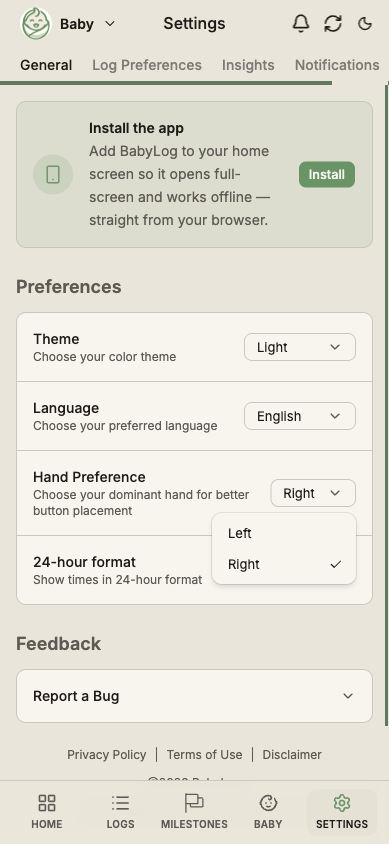
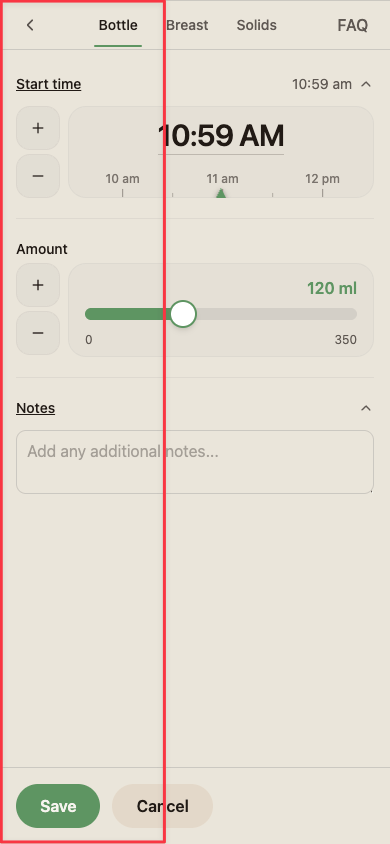
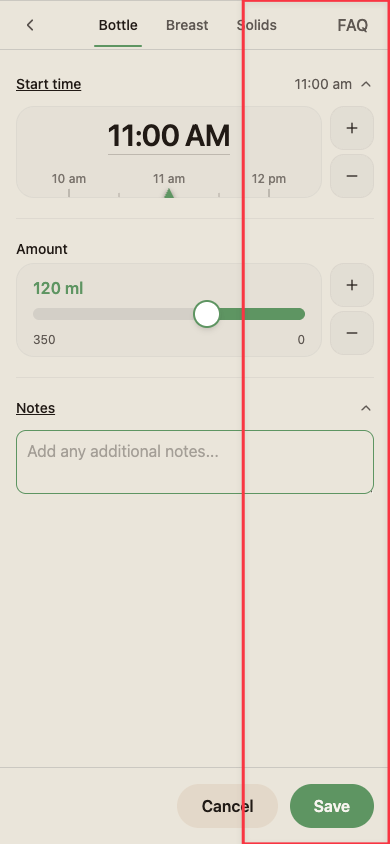
In Settings → Preferences → Hand preference, pick left or right. Log modals mirror their layout to suit — field labels, input controls, and the primary save button all shift toward that thumb — so you can log with one hand while the other holds the baby.
Switch at any time — for example, if you're feeding from your left arm and want to log with your right thumb. The preference belongs to your account and follows you across your devices; a partner logging from their own account keeps their own choice.
Other settings worth knowing
A few related settings live next door:
- Theme (Settings → General) — system, light, or dark.
- Time format (Settings → General) — 12 hour or 24 hour. Applies to every time shown in the app.
- Log preferences (Settings → Log preferences) — the time-picker feel, bottle and pumping amount ranges and step size, the default feed tab (bottle or breast), medication defaults, and the food and play pickers.
- Timeline layout — Cards or List, switched right on the Logs screen. See Viewing Your Data.
- Reminders (Settings → Notifications) — feed and nappy reminders, configured per baby.