
AI Integration
Copy your baby's data as structured context and paste it into any AI assistant you trust.
BabyLog doesn't have a built-in AI assistant. That's intentional. Instead, the Ask AI modal lets you build a structured prompt from your baby's logs and copy it into whichever AI you already trust — ChatGPT, Claude, Gemini, Grok, or any other.
The whole flow is designed to be visible: nothing leaves your device until you tap Copy prompt (or open an AI platform), and the context toggles show exactly what will be included before you do.
For the longer write-up of why we built it this way, see How baby tracker apps can work with AI.
Opening Ask AI
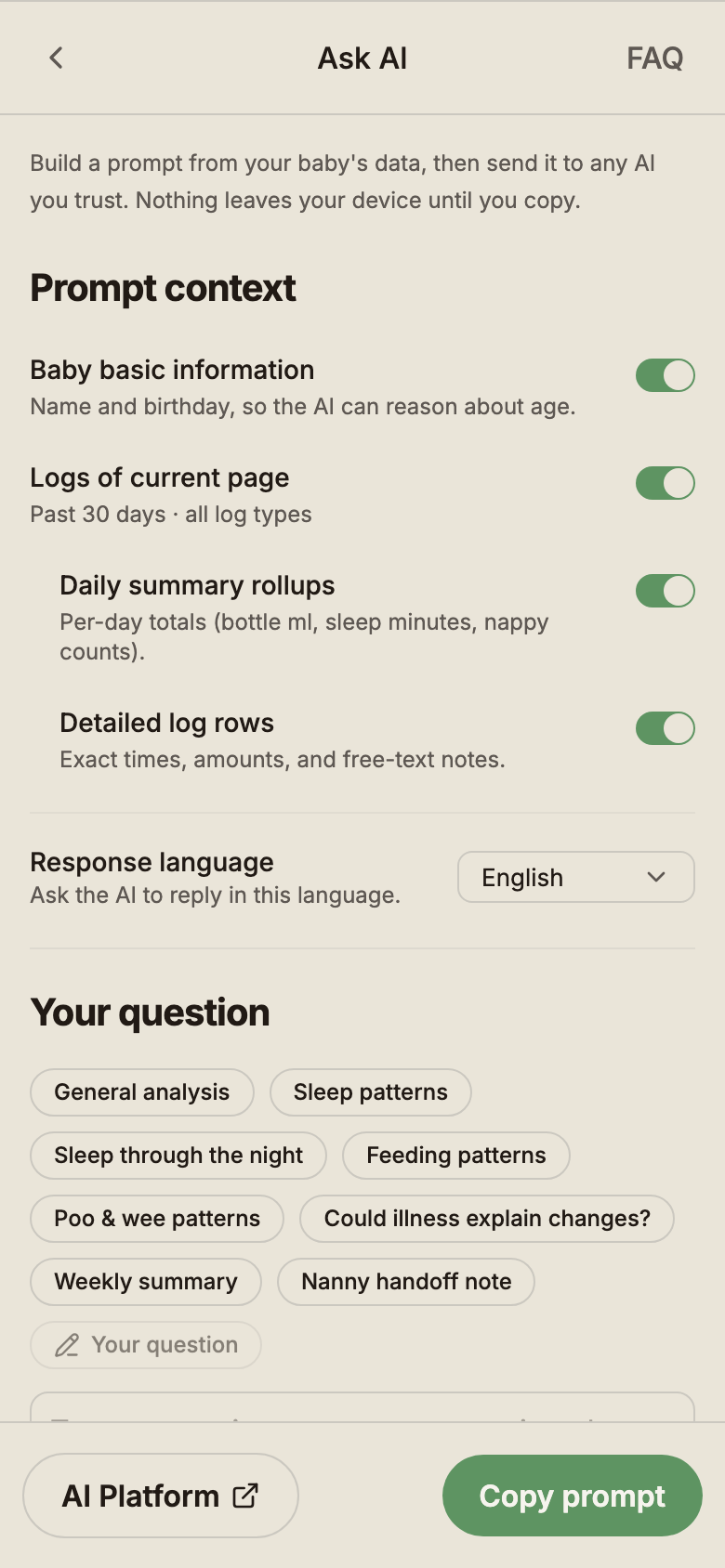
On the Logs page, tap the Ask AI button. The modal opens with whatever you currently have filtered (date range and log types) already loaded as context.
Choosing what to include
The Prompt context section has four toggles. Turn off anything you don't want to share:
- Baby basic information — name and birthday, so the AI can reason about age.
- Logs of current page — whatever you have filtered (e.g. "past 30 days · all log types").
- Daily summary rollups — per-day totals (bottle ml, sleep minutes, nappy counts).
- Detailed log rows — exact times, amounts and free-text notes.
The toggles control exactly what gets copied. If you toggle Detailed log rows off, the prompt drops to summary rollups only. If you toggle Baby basic information off, even the name and age go away.
Picking a question and reply language
Under Your question, tap one of the quick-question chips. The chips adapt to the log types you have on screen — for example, the sleep chips only appear when sleep logs are in your filter:
- General analysis · Sleep patterns · Sleep through the night · Feeding patterns · Poo & wee patterns · Could illness explain changes? · Weekly summary · Nanny handoff note
Or type your own question in the text box below the chips.
Use the Response language dropdown to ask the AI to reply in a specific language — useful when a non-English-speaking grandparent or carer is the one reading the answer.
Copy or open in an AI platform
Once the prompt is set up, choose:
- Copy prompt — copies the full structured prompt to your clipboard so you can paste it anywhere.
- AI Platform — copies the prompt, then opens an AI platform in your browser, ready to paste.
When BabyLog is installed as a home screen app, the AI Platform hand-off may not reliably carry the prompt across — copy-paste is the most dependable path on a standalone PWA.
What the prompt looks like
The copied prompt is plain structured text — readable by both you and an AI. With everything toggled on, it includes:
- A short header with your baby's name and age
- The time range you have filtered
- Daily summary rollups (e.g. 2026-04-10 · 1004 ml feeds · 11h 30m sleep · 5 nappies)
- Detailed log rows for each day (e.g. 6:34 am Wee · 8:30 am Poo · 5:54 pm Solids — Loved 米饼)
- A short compression note if your range is longer than fits in one message
- Your question, after a
---separator
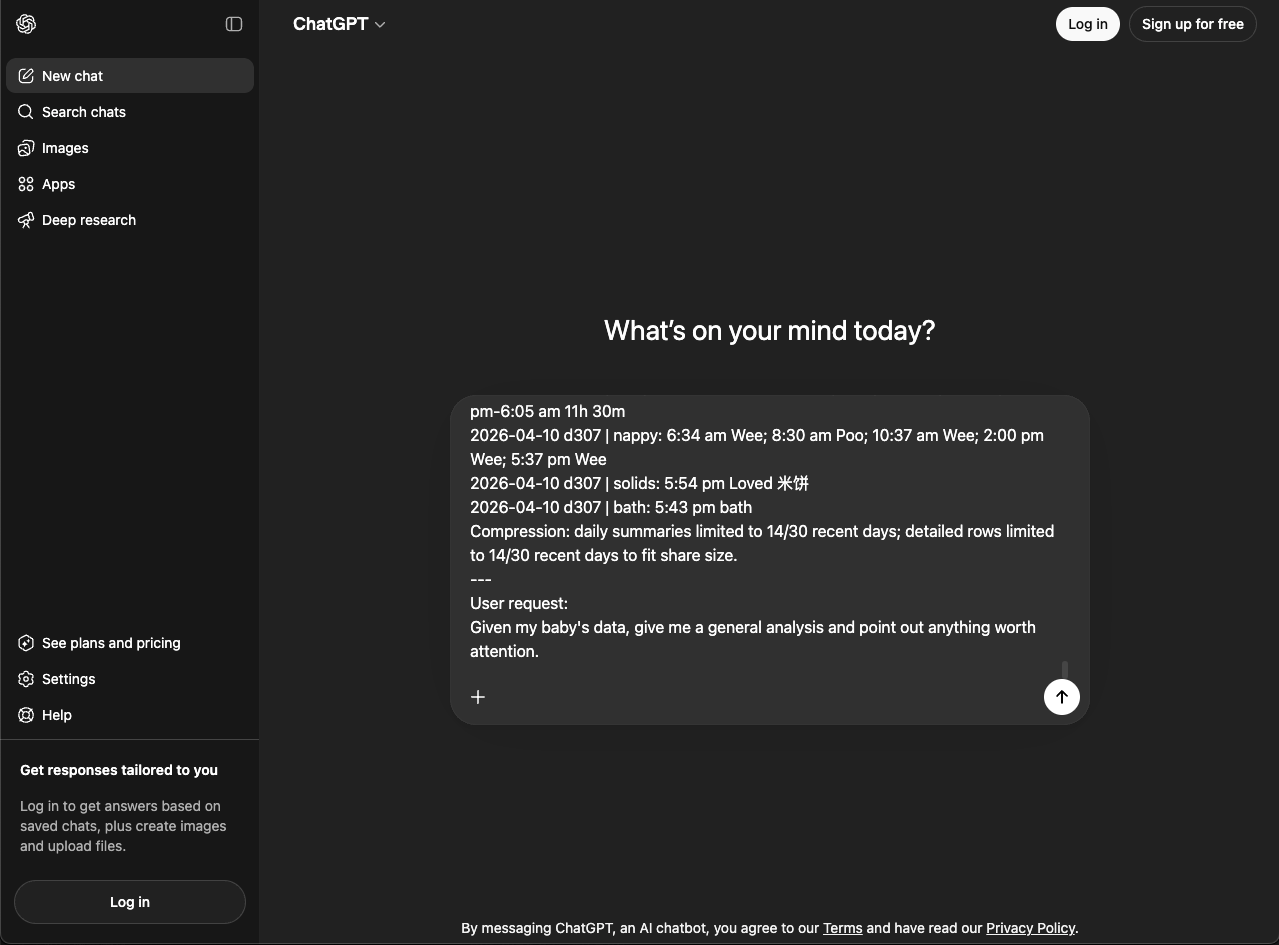
If your range is large, BabyLog compresses intelligently — older days drop to daily rollups first, then notes, while keeping the most useful recent detail.
Example reply
Because the AI sees a calm, structured prompt, the reply usually comes back the same way — organised by category and easy to skim.
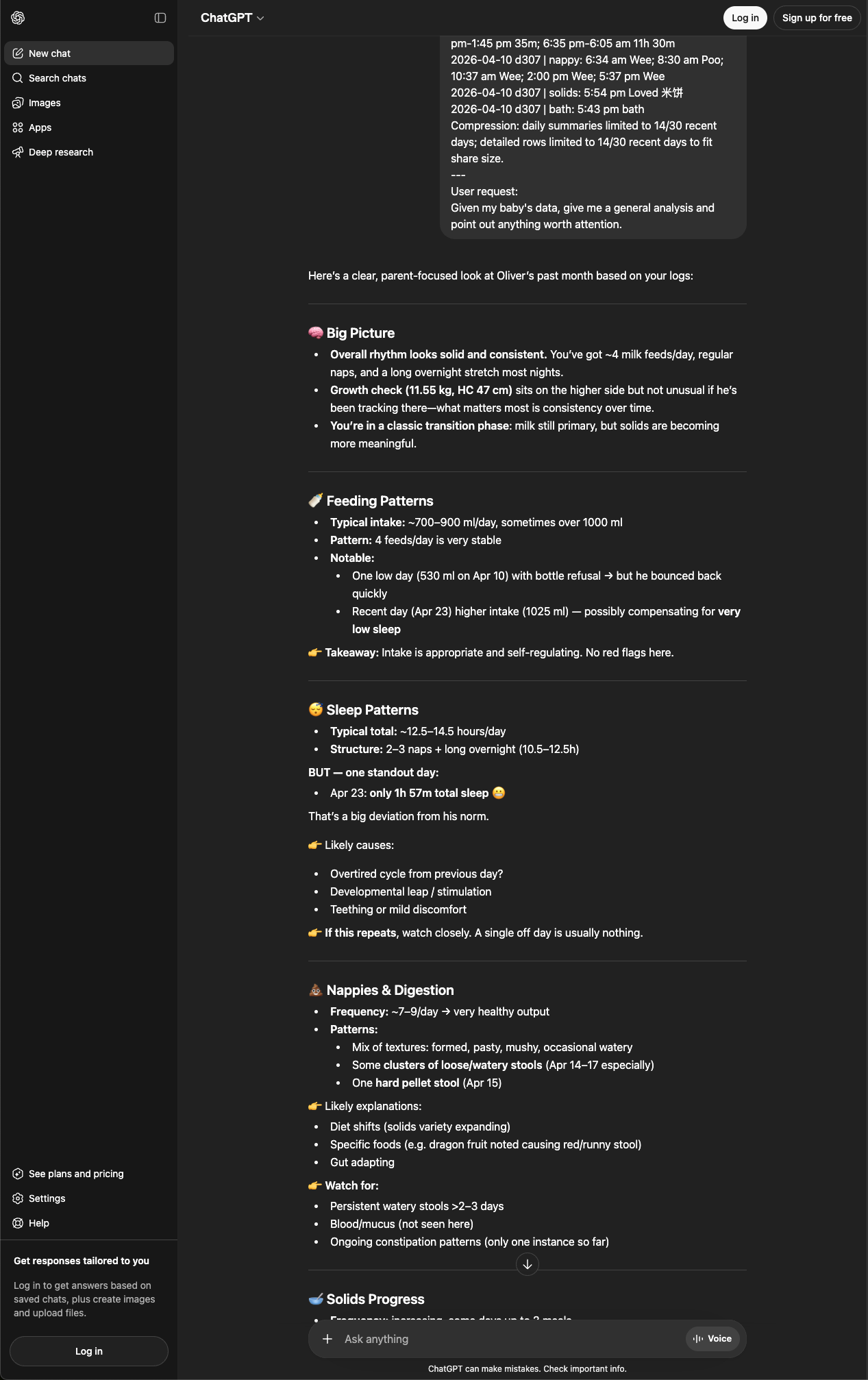
You can ask follow-ups in the same chat — "what should I bring up at the maternal health nurse?", "compare this week to last week", "rewrite this as a handoff note for our nanny."
Privacy note
Privacy in Ask AI is visible, not just claimed:
- The context toggles show exactly which data goes into the prompt. Nothing is hidden.
- Nothing is sent automatically — you toggle, you tap, you paste.
- BabyLog has no backend connection to any AI service. The prompt travels via your clipboard, the same way you'd copy and paste anything else.
- Once you send the prompt to a third-party AI, it is processed by their servers under their privacy policy. Use a provider you trust and review their terms; some platforms let you control whether your chats are used for training.