
Insights — context from your baby's own days.
Quiet personal context built from your own logs — what each tier shows, where it appears, and how to dial it up or down.
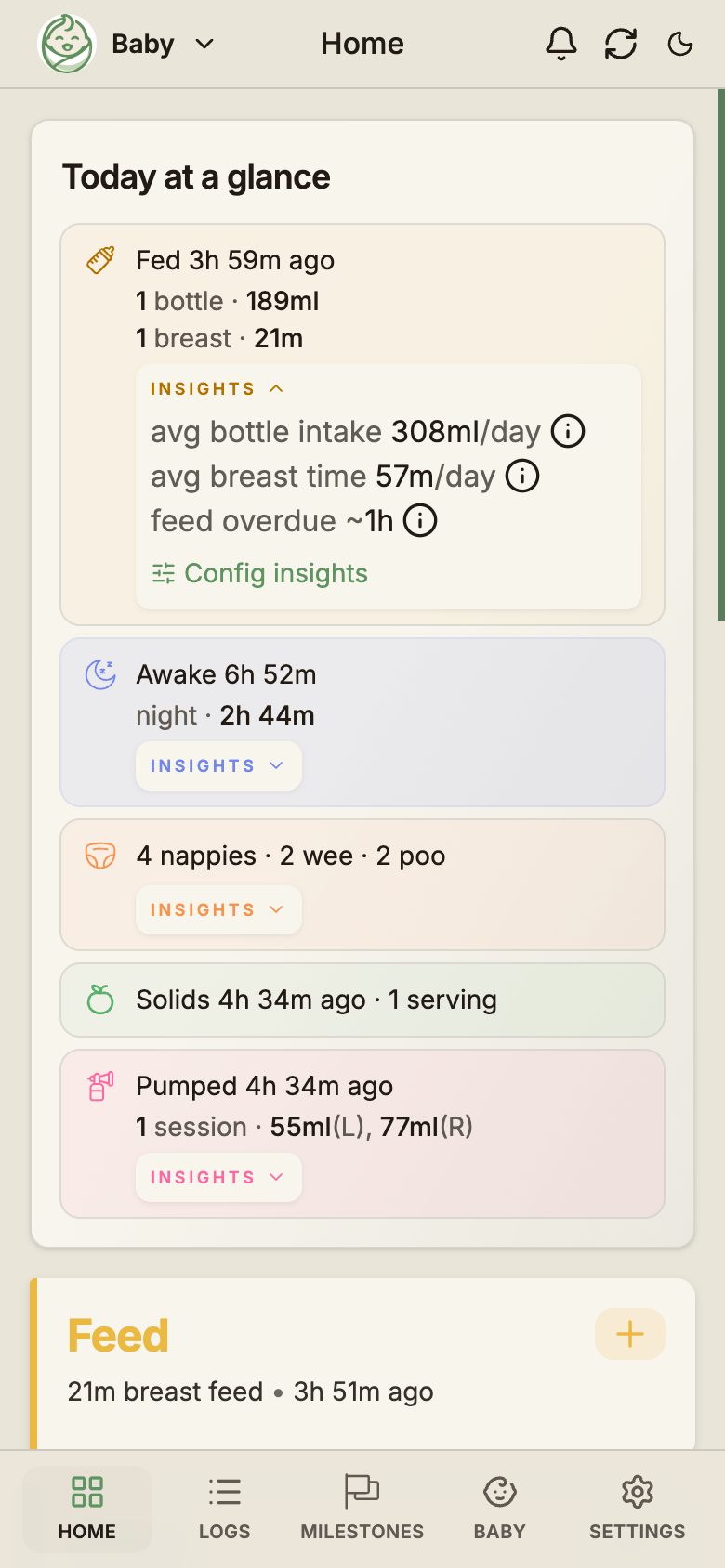
Insights is the small INSIGHTS line that appears under your usual rows — a quiet note about how today compares to your baby's own pattern. No new screen, no dashboard, no chart to decode. Just a sentence, when it's worth saying, in plain minutes and millilitres.
What Insights are
Insights are interpretive notes built from your baby's own log history. They sit next to the data you already see — never as a new dashboard, a coach, or medical advice. A typical insight looks like:
- "Fed 3h ago — next feed in ~30m"
- "Awake 2h 35m — avg sleep 13h/day"
- "avg 2 wake ups/night · on track"
- "Last fed right — try left"
Two ground rules
Ranges, not targets. BabyLog says "Suggest 150-210ml at this time of day", never "should drink 180 ml".
Your baby, not the average baby. Insights learn from your last 7, 14 and 30 days — not a textbook average for the age. They never claim a sleep regression, low supply, illness, or anything clinical.
Off, Simple, or Full
Pro accounts choose how much interpretive context they see. Some parents want every hint; others want a quiet log without anything resembling pressure. Pick the tier that matches your week.
Turns the interpretive layer off — back to the plain factual log.
- Counts, totals, and "how long since"
- Personal averages
- Comparisons & nudges
Factual baselines and observations, but no comparisons.
- "avg sleep 13h/day" baselines
- Cluster-feed detection
- "↑80ml today" arrows
Everything Insights can show — the tier these screenshots use.
- Today-vs-usual context
- Delta & "on track" comparisons
- Long-nap & feed-gap nudges
Tip
The setting syncs across your devices. Change it on the phone and your tablet picks up the same level the next time it opens.
Where Insights appear
Insights don't get their own screen. They surface inside the parts of the app you already use.
Home — Today at a glance
The brief card at the top of Home shows one or two quiet hints, like "Awake 2h 35m — avg sleep 13h/day". Free and Off users see factual rows only. Simple adds baseline ranges; Full adds the comparative hints.
Activity tiles
Tiles like Feed and Sleep can show a small pill — "Around now" or "Getting hungry" — beside the + action. These appear at Simple and Full; Off keeps the tile clean.
Add and Edit Feed modal
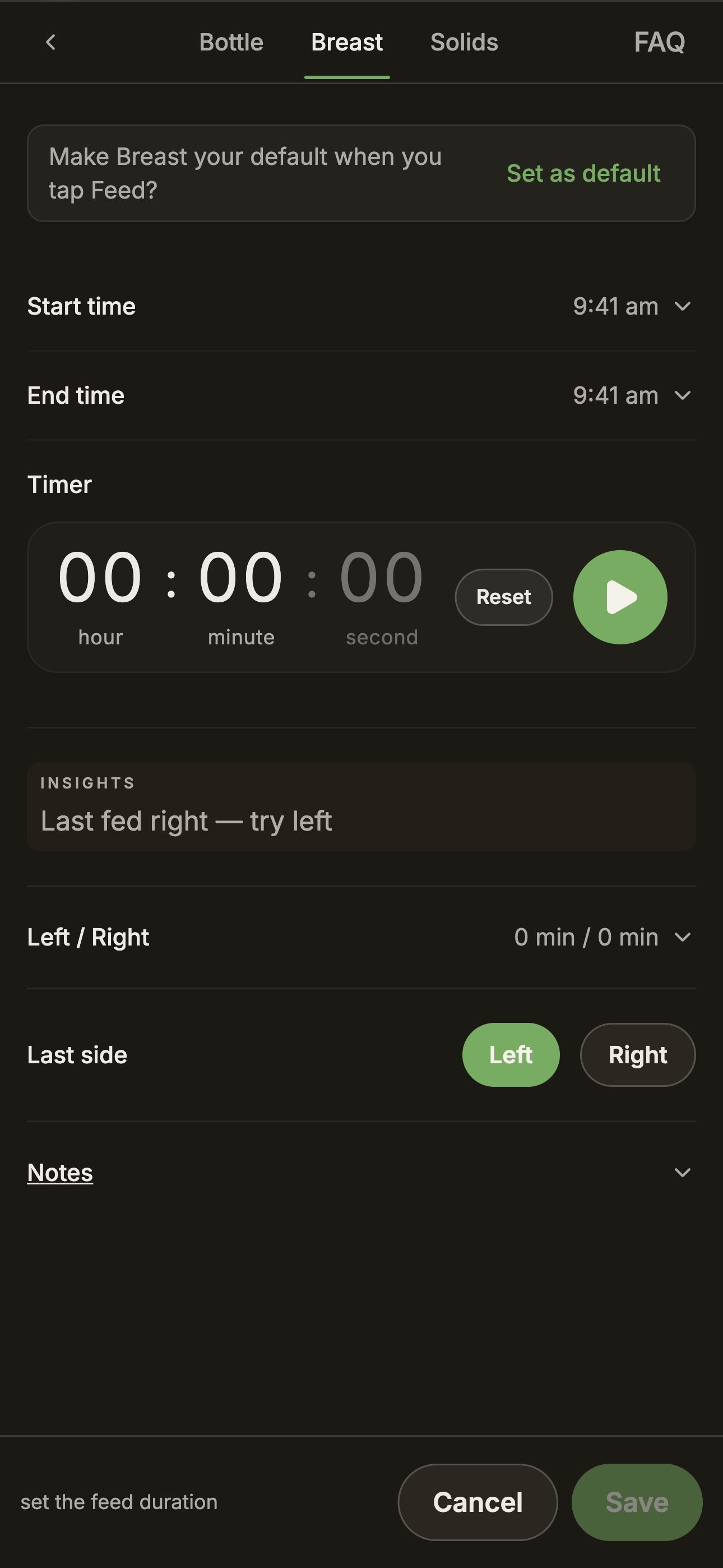
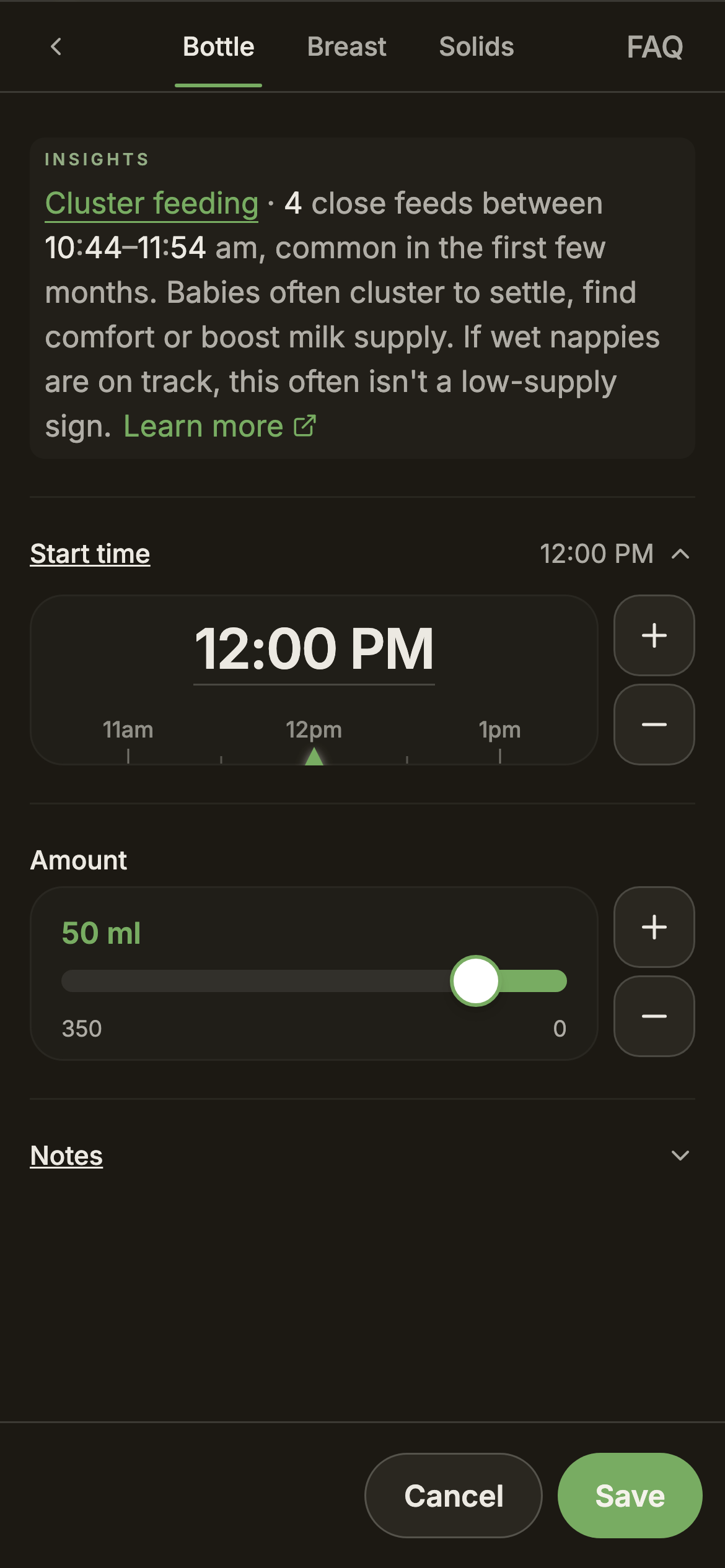
When you start a new feed during what looks like a cluster-feed evening, the modal shows the same observation right at the top. Breast feeds also get a quiet last-side reminder where it helps.
Logs → Day summary
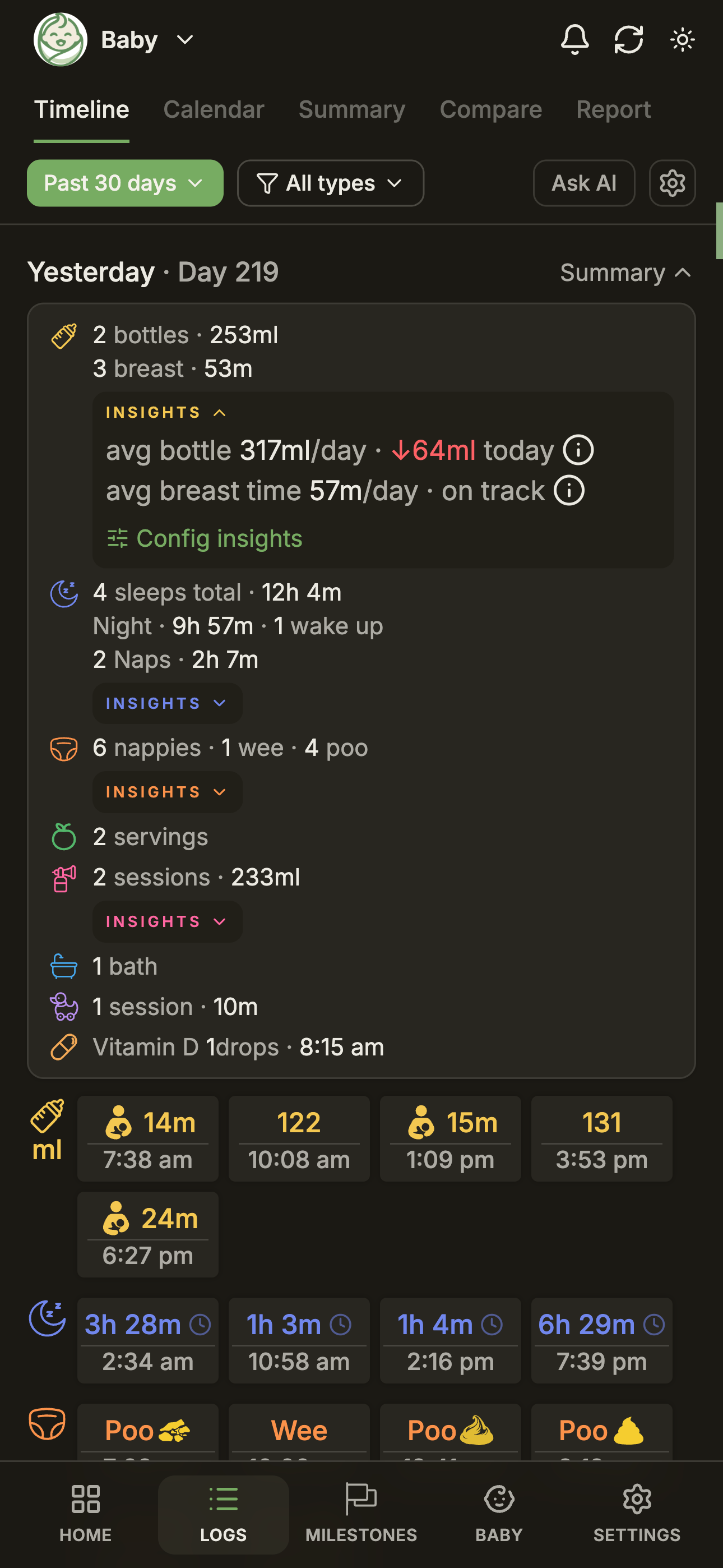
On the Timeline, each day header expands into a one-row Day summary. At Simple and Full, that summary shows your baby's averages next to each total. At Full, a finished day also shows how it compared with usual: a difference such as ↑80ml, or "on track" when it matched. Today's row shows the averages only, because the day isn't over yet.
What you see at each tier
A side-by-side so you can pick. Each tier includes everything in the one before it.
The factual floor — counts, timers, safety flags.
- Counts & totals (4 bottles, 720 ml)
- "How long since" timers
- Safety flags (red/black stool, fever)
Adds baselines and factual observations.
- Personal 7/14/30-day baselines
- Cluster-feed detection
- Feed-gap & wake-window ranges
- "Around now" / "Getting hungry" pills
- Last-side reminder in the modal
Adds the comparative layer.
- Today-vs-usual (↑80ml, ↓40m)
- "On track" day comparisons
- Feed-gap advisory & long-nap nudge
Cluster feeds, in plain English
Cluster feeds — a run of short, back-to-back feeds, usually in the early evening — are a normal pattern in the first four months. BabyLog spots them by looking at the spacing of your recent feed logs.
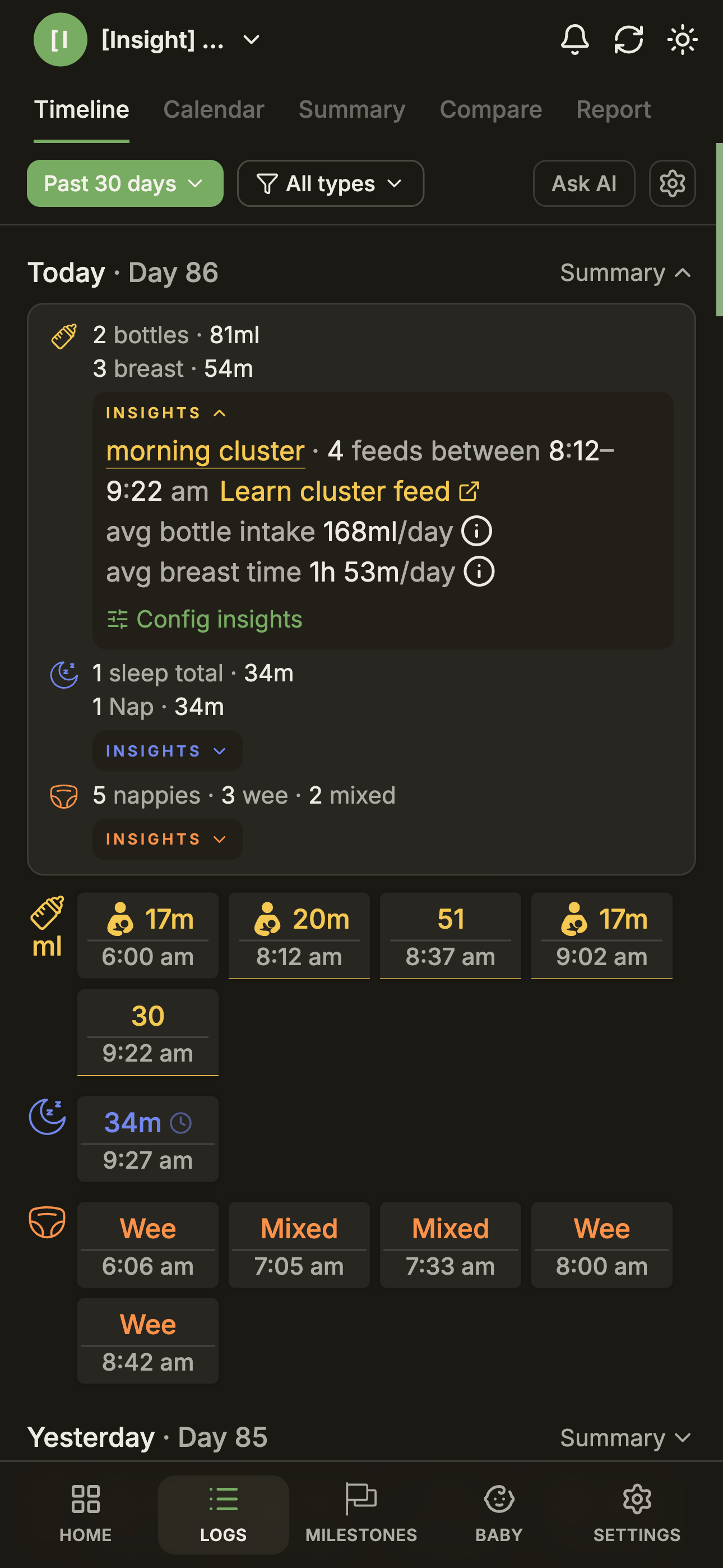
When the app detects one:
- The Home brief card shows a reassurance line ("evening cluster · 4 feeds between 5:30–7:45 pm") with a Learn cluster feed link.
- The Add Feed modal shows the same note at the top, so you see it the moment you start logging the next feed.
This is a factual observation, not a comparison, so it appears at Simple and Full. At Off it stays silent.
Your personal baseline
When Insights say "usually", they mean your baby's own recent days — the last 7, 14, and 30 — not a textbook average for the age. The baseline reads only from days the app considers complete enough to interpret, so a missed afternoon doesn't drag the average down.
Why these windows?
- Recent enough to reflect your baby's current routine — a six-month-old's pattern is nothing like their newborn pattern.
- Stable enough that one unusual day doesn't move the line.
- Short enough that the visual cap on charts and the Insights window match.
If you've logged for fewer than 30 days, BabyLog uses whatever it has. A baseline only appears once there's enough data for the number to be honest.
When Insights pipe down
This is the bit we care about most. Insights is not medical advice, and it never pretends to be. There are three moments it deliberately says less, or nothing at all:
- Sick days. When temperature or symptoms suggest your bub is unwell, the pattern lines step back. Routines aren't useful context when something else is going on.
- Gaps in logging. If a day's logs are too thin to interpret honestly, that day stays out of the baseline. Better to be quiet than wrong.
- Not enough history. Brand-new accounts see the factual layer until enough days have accumulated for "usually" to mean something.
Change the setting
Insights has its own tab inside Settings, and the same page lets you tune every individual insight — not just the overall level.
The same page also chooses whether INSIGHTS boxes start expanded or collapsed. And the setting is per-account, not per-baby — if you change it, every baby in your account uses the new level.
Pro and Free
The interpretive layer — baselines, comparisons, hints — is a Pro feature. Free accounts see the factual layer: counts, totals, "how long since", and the safety flags.
Free
- Counts, totals & timers
- All 12 log types
- Caregiver sharing
- Safety flags, always on
ProPro
- Personal baselines
- Today-vs-usual context
- Tile pills & nudges
- The full Insights layer
If your Pro lapses, Insights silently switch to Off. Your logs aren't affected; the interpretation just stops showing. Resubscribe and it comes back at the level you last chose.
Sharing with caregivers
Shared caregivers always enter data free, so your record stays complete.
Safety stays on, always
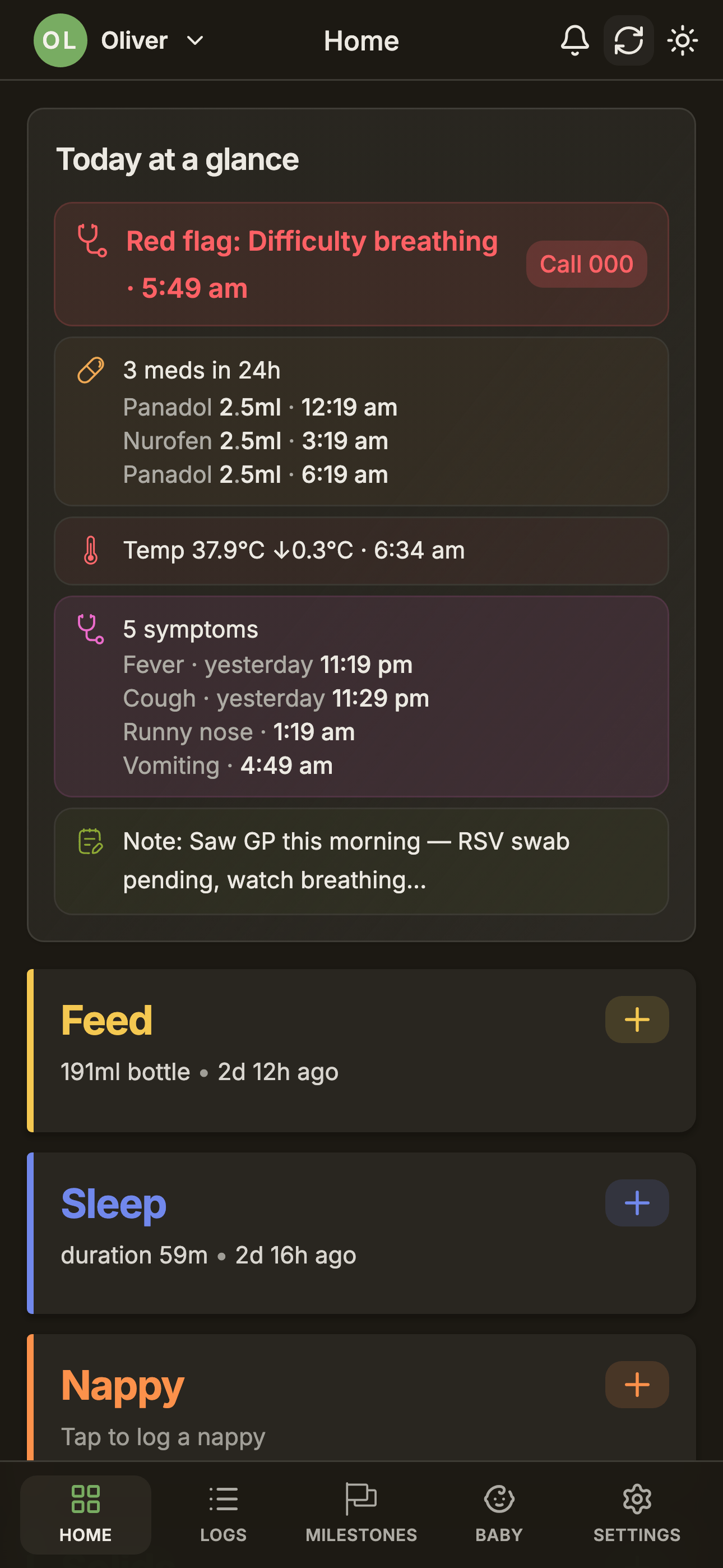
Three things never get gated by the Insights setting or by paywall:
Always visible — every tier, Free included
Red, black, or chalk-coloured stool flags in the nappy log.
Fever follow-up prompts triggered by a high temperature reading.
Red-flag symptom prompts like "Difficulty breathing · Call 000".
Those appear at every tier — Off, Simple, Full, and Free. Insights is for context. Safety is the floor.
Worked out on your phone
Insights runs right on your device, from the logs already on it. Nothing new gets sent off to make it work, and it's just as happy offline as on. Same privacy model as the rest of BabyLog — your data stays yours.
Privacy
For more on how this fits together, see Privacy, Data & Sync and AI Integration. The blog post Meet BabyLog Insights walks through the philosophy.