
Sharing
Invite your partner, grandparents, or carers with a 6-digit code. Approve requests and manage roles.
BabyLog is built for households where more than one person cares for the same baby. You can invite your partner, grandparents, a nanny, or any other carer — and everyone sees the same logs, kept in sync on whichever device and operating system they prefer.
Sharing is per baby. If you track twins or look after multiple kids, you can have a different care team on each profile.
1. Generate an invite
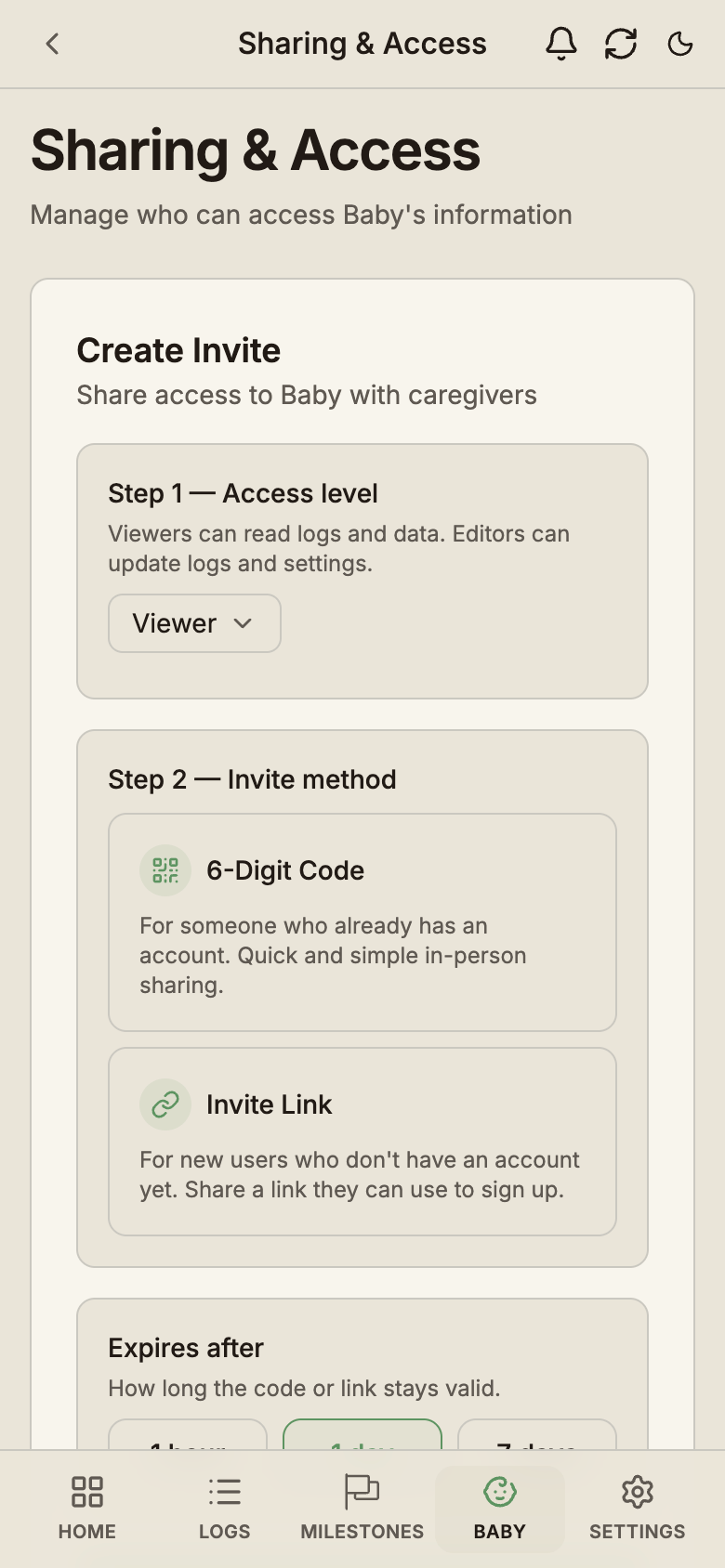
Open Baby → [Baby name] → Sharing & access (only the owner sees this page). First pick the role the invite will grant:
- Editor — view, add, and edit logs. Use for co-parents and primary carers.
- Viewer — view only. Use for grandparents or family who want to stay informed without taking on logging.
Then choose how to share it:
- A 6-digit code the caregiver can type into their own BabyLog app
- An invite link that opens BabyLog ready to accept — you can pick which language the invite shows in
Send it through whichever channel suits — message, email, or read the code out loud. Invites are single-use, and you choose how long they stay valid: 1 hour, 1 day (the default), or 7 days — so a stolen screenshot can't grant indefinite access.
2. The caregiver joins
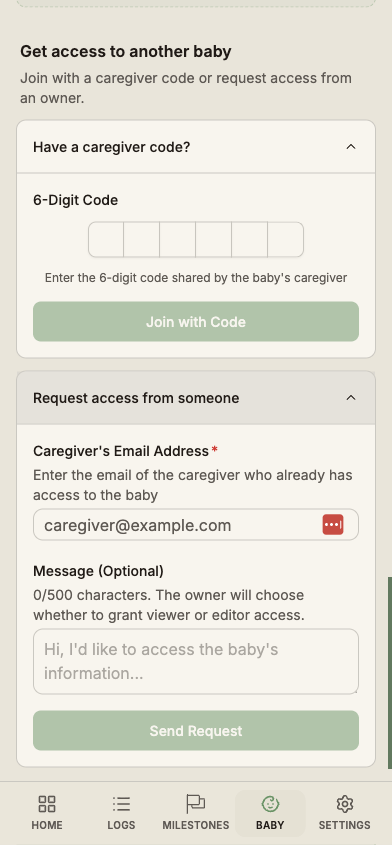
On their device, the caregiver opens BabyLog, signs in (or creates an account if they don't have one yet), and either:
- Taps the invite link you sent them, or
- Taps Join an existing baby during onboarding and enters the 6-digit code, or
- Enters the code from the Baby section if they already use BabyLog
A valid code or link connects them straight away, with the role you chose when generating it — there's no waiting room. The baby's history syncs to their device the next time BabyLog checks for changes.
No code? Approve an access request
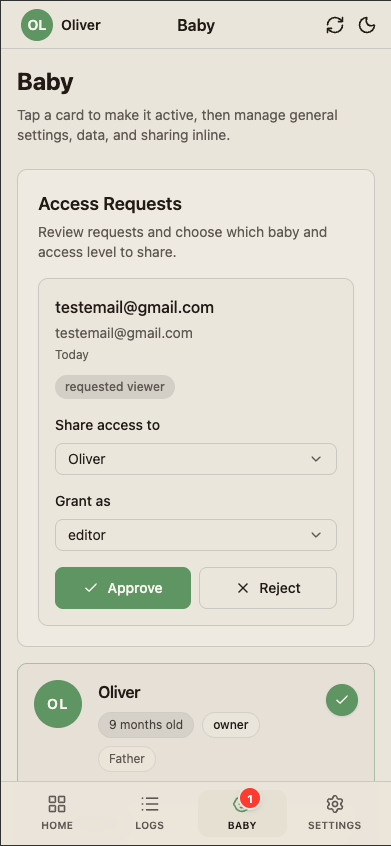
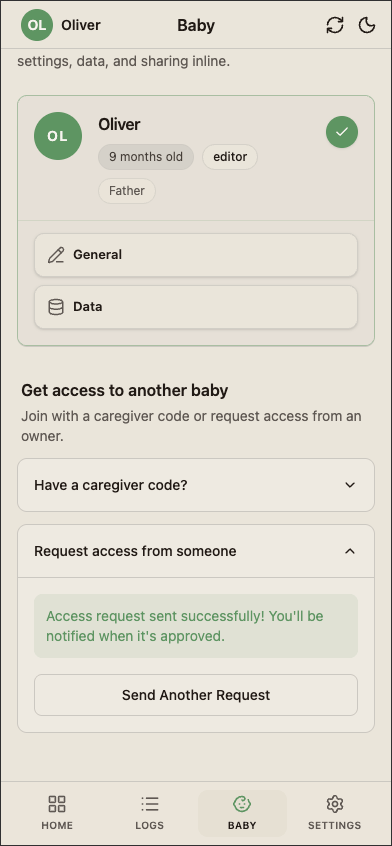
There's a second path that doesn't need a code. A caregiver can request access using your account email — they enter your email and an optional message, without seeing anything about your babies.
A request badge appears on your Baby tab. Open it and you'll see who's asking. You choose which baby to share and which role they get — Editor or Viewer — then tap Approve. The caregiver becomes active on that baby and the data syncs to their device the next time they open BabyLog.
Decline if you don't recognise the requester.
Pending invites
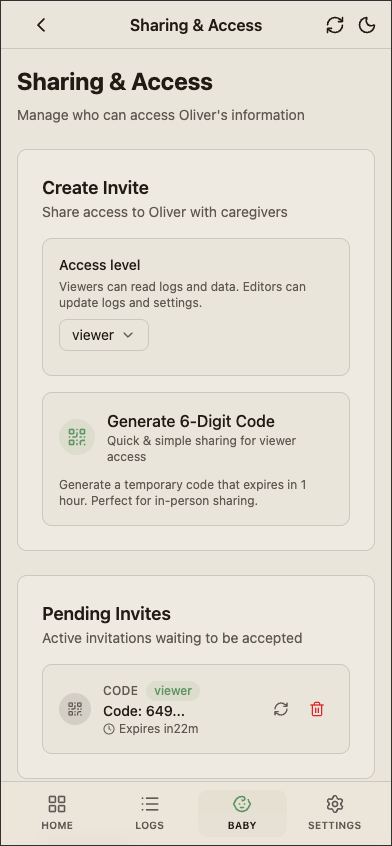
If you've generated invites but no one's joined yet, they show up under Pending invites so you can see what's outstanding. Revoke any pending invite if it's not going to be used — that invalidates the code immediately — or regenerate a fresh one if it expired.
Manage caregivers and roles
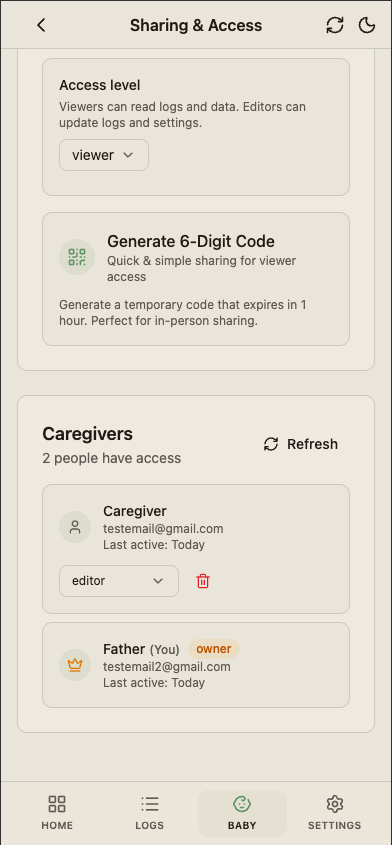
From Baby → [Baby name] → Sharing & access, the owner can:
- See every active caregiver with their role and when they last used the app
- Rename a caregiver's label — "Grandma", "Nanny" — so log attribution reads naturally
- Change role between Editor and Viewer at any time
- Remove access entirely — takes effect on their next sync
Role changes and removals are detected by the other caregiver's device on the next sync. They don't need to be told to sign out.
The three roles
| Role | View | Add | Edit | Delete | Manage sharing |
|---|---|---|---|---|---|
| Owner | ✓ | ✓ | ✓ | ✓ | ✓ |
| Editor | ✓ | ✓ | ✓ | ✓ (own + shared) | — |
| Viewer | ✓ | — | — | — | — |
The owner is whoever created the baby profile. Ownership cannot currently be transferred — if the wrong person owns the profile, create a fresh one and import the CSV from the original.
Editors can do everything except remove other caregivers or change roles. They can edit and delete any log on the baby, not just ones they themselves created. This matters for shared shifts — a partner can correct a log you entered while they were taking over.
Viewers can't add or edit anything, so the data they see is read-only. They still get the Ask AI modal — copying their view into ChatGPT is something even a grandparent might want to do.
What shared users see
Shared users see the same Timeline, Calendar, Summary, and Compare views as the owner. They cannot:
- See the owner's account details (email, payment info)
- Add or remove other caregivers
- Delete the baby profile
If you remove a caregiver, their access is revoked on the next sync. They lose the ability to log or sync any of that baby's data from that point.
Cross-platform care teams
BabyLog is the same app on iPhone, Android, and the web. A care team can mix and match — iPhone-owner mum, Android-using dad, web-based grandparent — and everyone sees the same logs, in their own language.