
Reminders
Set reminders for feeds, sleep, nappies, medicines and other logs from the log form, with set times, early notice and pause. Reminders are part of Pro.
A BabyLog reminder is a push notification that tells you the next feed, nap, nappy change, pumping session, medicine or other care is due. You set it from the log form for that activity. Reminders are part of Pro, and they arrive in the installed BabyLog app or the iOS app, even when BabyLog is closed.
Installed app or iOS app
Reminder controls appear only in BabyLog added to your home screen, or in the iOS app. A browser tab shows none. Allow notifications for BabyLog so reminders can arrive. The Install Guide shows how to add BabyLog to your home screen.
Set a reminder from the log form
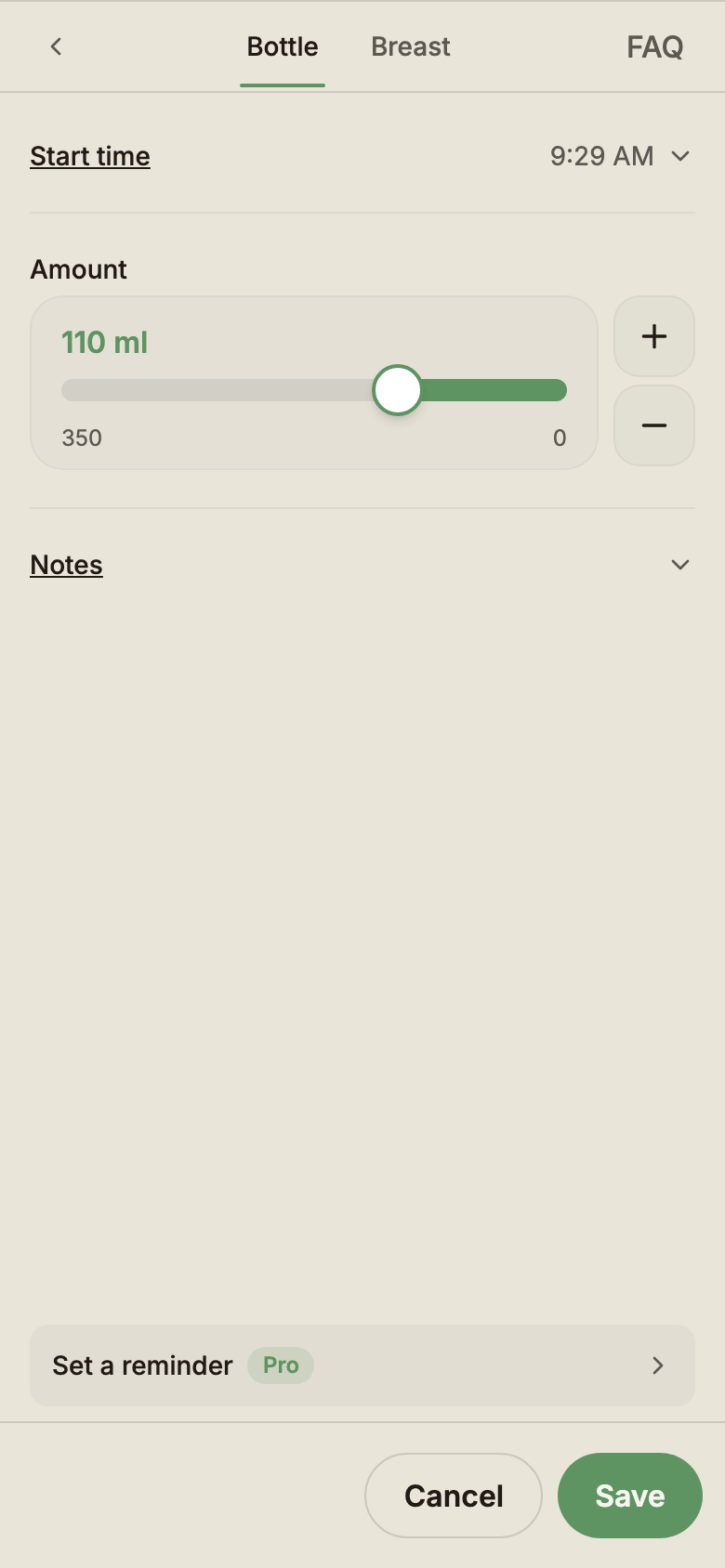
Each log form with a reminder has a reminder row just above its footer. With nothing set, the row reads Set a reminder. Once a reminder is on, the row shows it and when it next comes, such as Reminder · Every 2 days on Bath.
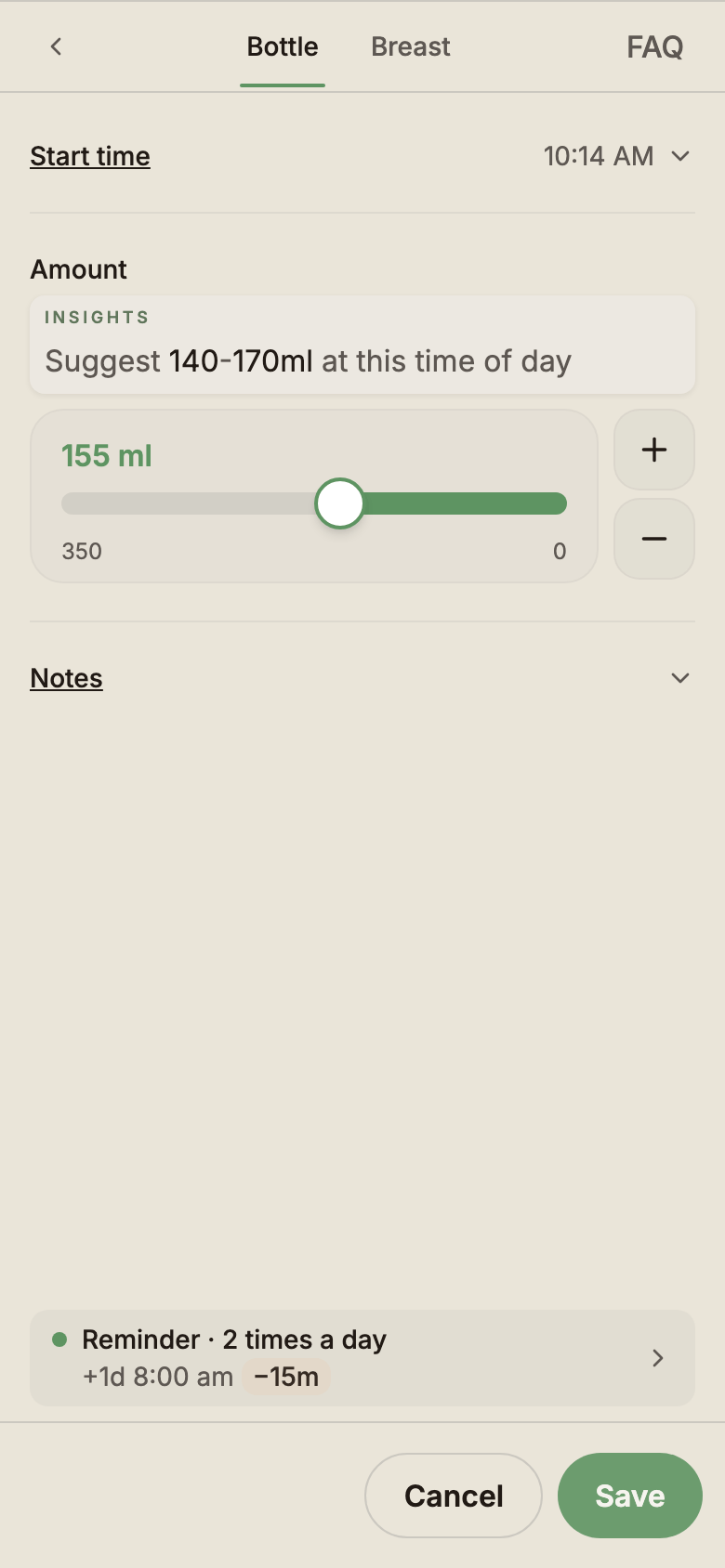
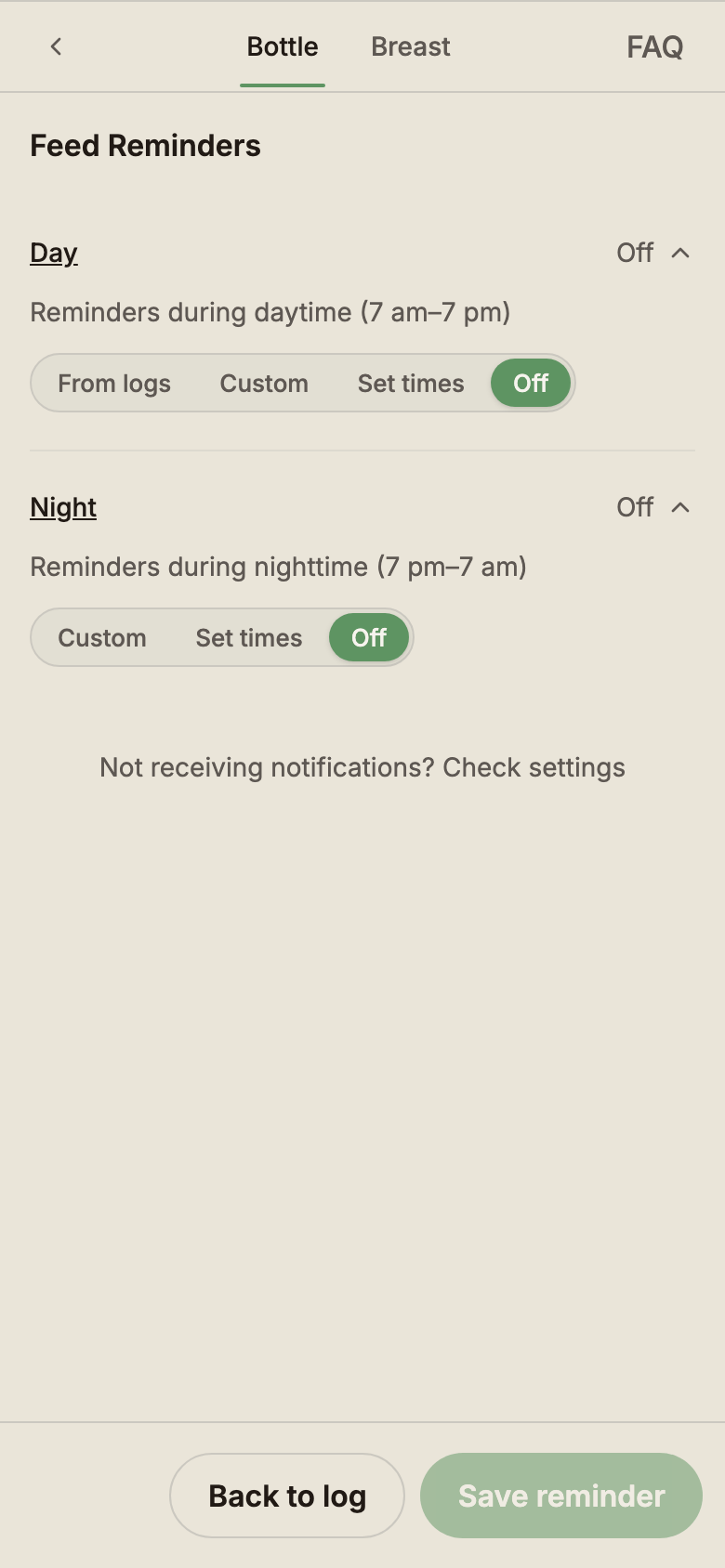
Saving the log also saves any reminder changes you made. Closing the form without saving discards them.
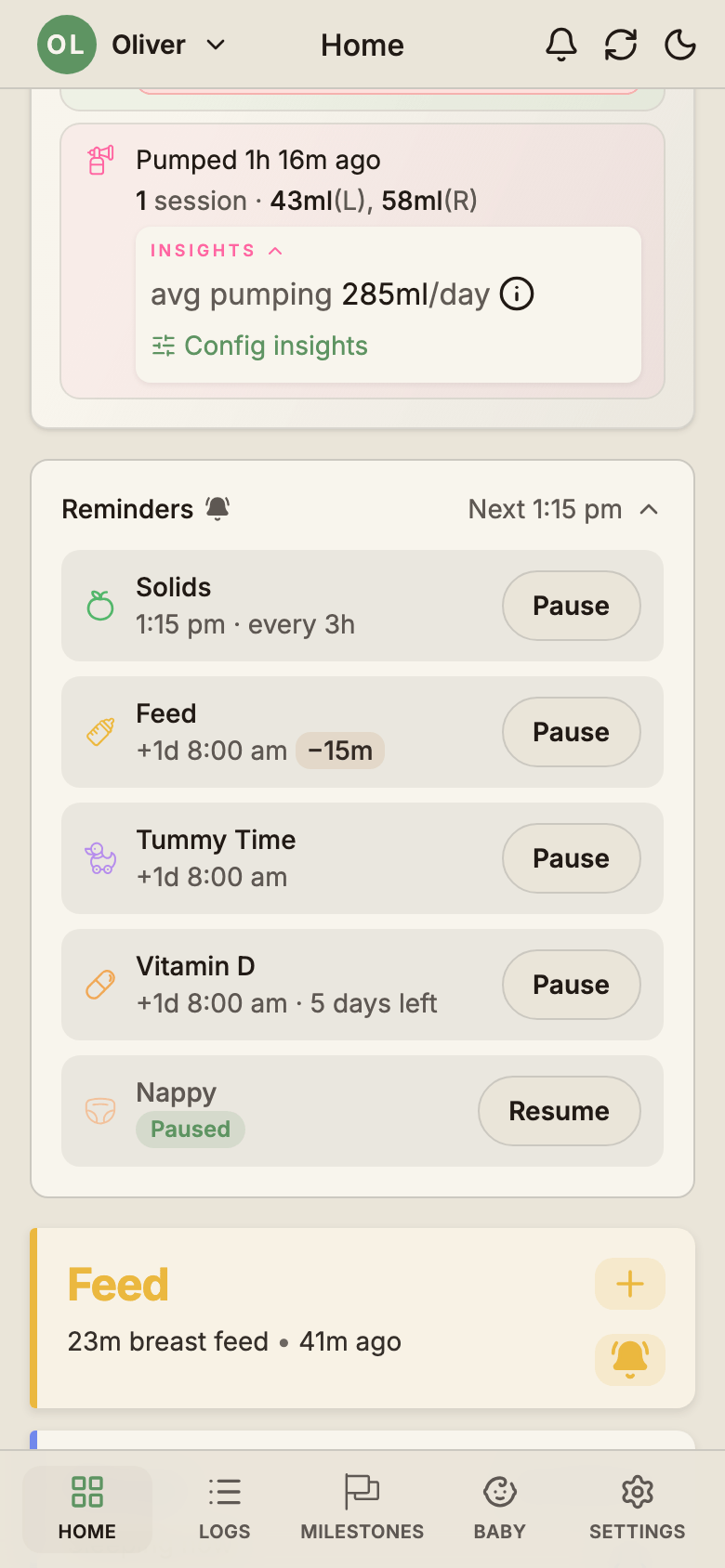
Two other places open the same reminder view. The bell on a Home tile is filled while one of that tile's reminders is on. The Reminders block on Home lists every reminder you have set, and tapping one opens it. Opened from either place, Save reminder saves and closes the form.
Which logs have reminders
Ten log types have reminders: Feed, Sleep, Pumping, Nappy, Solids, Play, Bath, Growth, Temperature and Medication. Symptoms and Notes have none.
- One Feed reminder covers bottle and breast feeds.
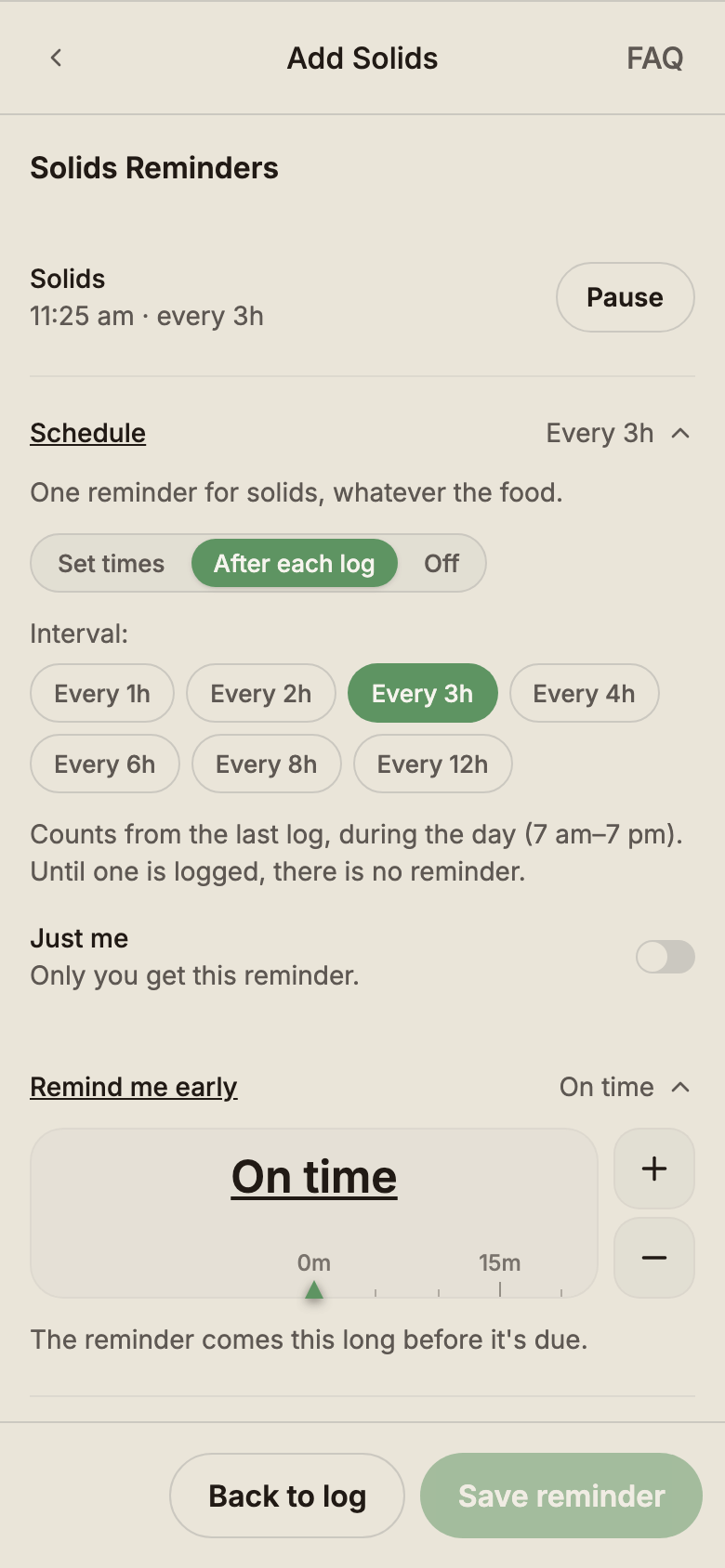
- One Solids reminder covers every food.
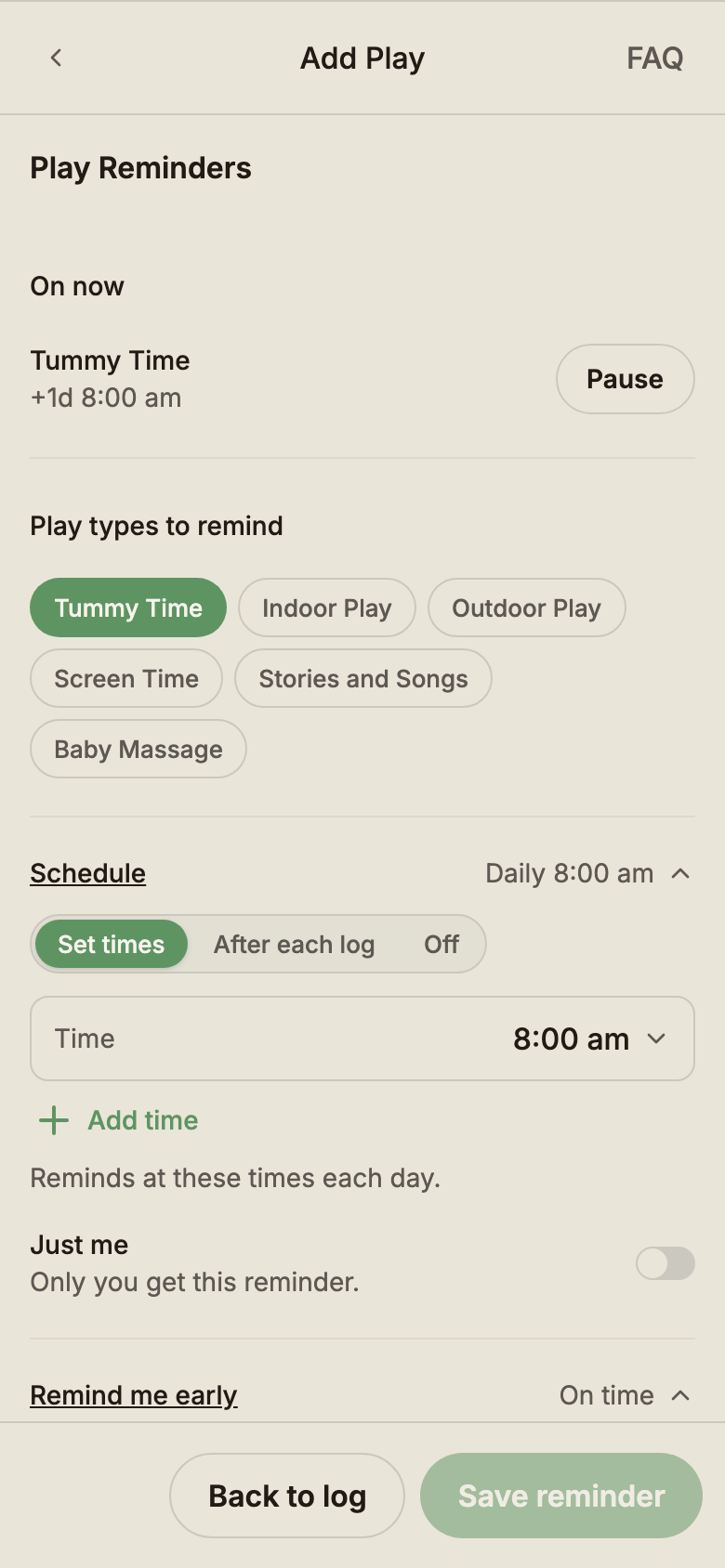
- Each play type has its own reminder.
- Each medicine has its own reminder.
Pick how each reminder runs
Each log type offers the modes that suit it. Feed, Sleep, Pumping and Nappy have a Day and a Night setting, split at your baby's day and night hours.
| Log type | Modes |
|---|---|
| Feed, Sleep, Pumping, Nappy (Day) | From logs · Custom · Set times · Off |
| Feed, Sleep, Pumping, Nappy (Night) | Custom · Set times · Off |
| Medication, each medicine | Set times · After each dose · Off |
| Solids, and each play type | Set times · After each log · Off |
| Bath, Growth | Custom · Off |
| Temperature | A follow-up switch |
- From logs learns the gap from your baby's own recent logs. Until there are enough logs, it uses BabyLog starting values for your baby's age.
- Custom reminds after a gap you choose, counted from the last log (for naps, from when the last sleep ended).
- Set times reminds at clock times you pick, the same each day.
- After each dose counts a gap from the last logged dose. After each log counts from the last log, during the day. Either gap is 1, 2, 3, 4, 6, 8 or 12 hours, and until a dose or log is saved, there is no reminder.
- Bath reminds every 1 to 10 days and Growth every 1 to 6 days or 1 to 12 weeks, at a specific time if you choose one.
- Temperature sends one follow-up 15, 30, 60 or 90 minutes after a reading of 38.0 °C or above, or below 36.0 °C.
Set times
Set times reminds you at up to 6 clock times a day. Tap Add time for another one. If you log that activity up to 2 hours before a set time, BabyLog skips that set time, so a feed or dose you have just logged does not bring a reminder a moment later. When set times are less than 4 hours apart, the window is half the gap between them.
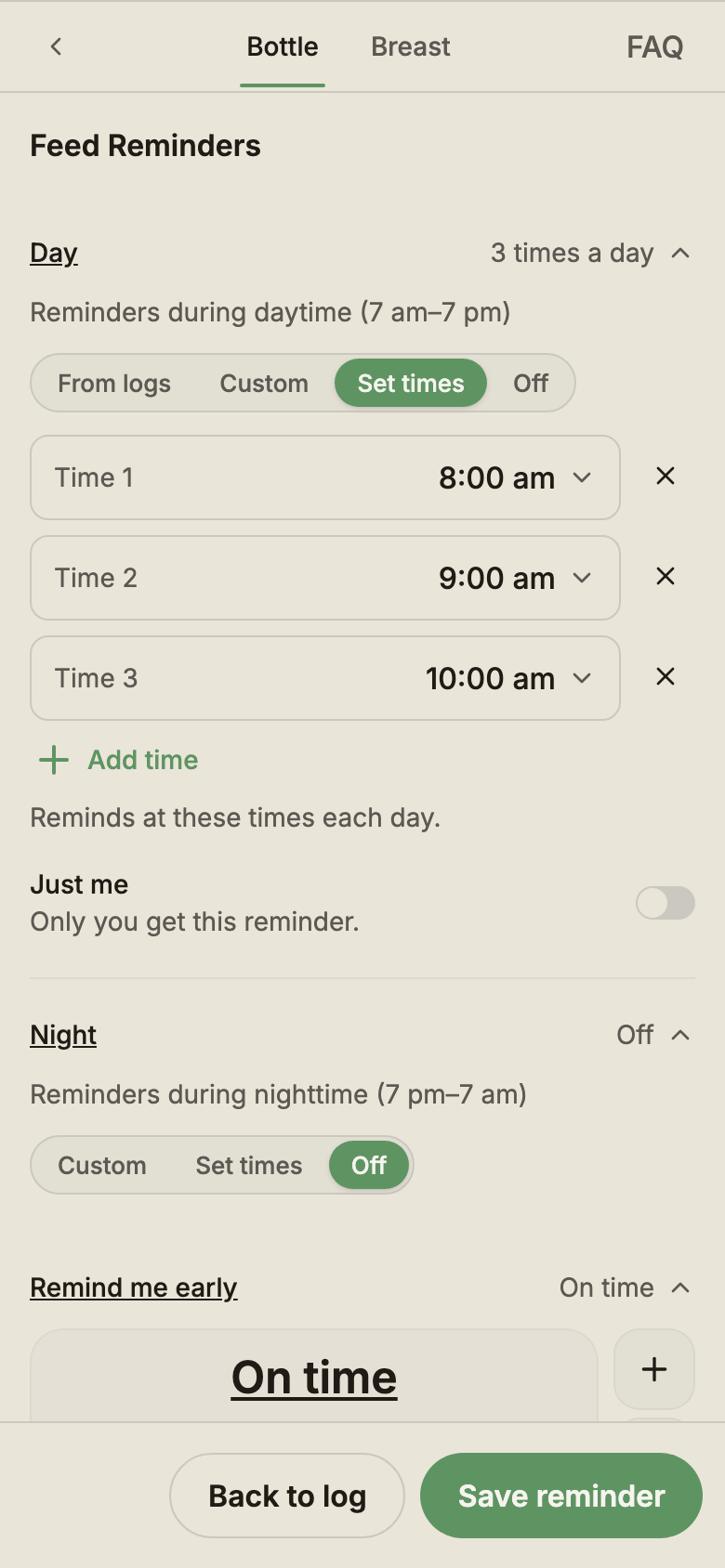
Remind me early
Remind me early sends a reminder before it's due, from On time up to 2 hours ahead, in 5-minute steps. The early notice always stays shorter than the gap between reminders. Temperature follow-ups have no early notice.
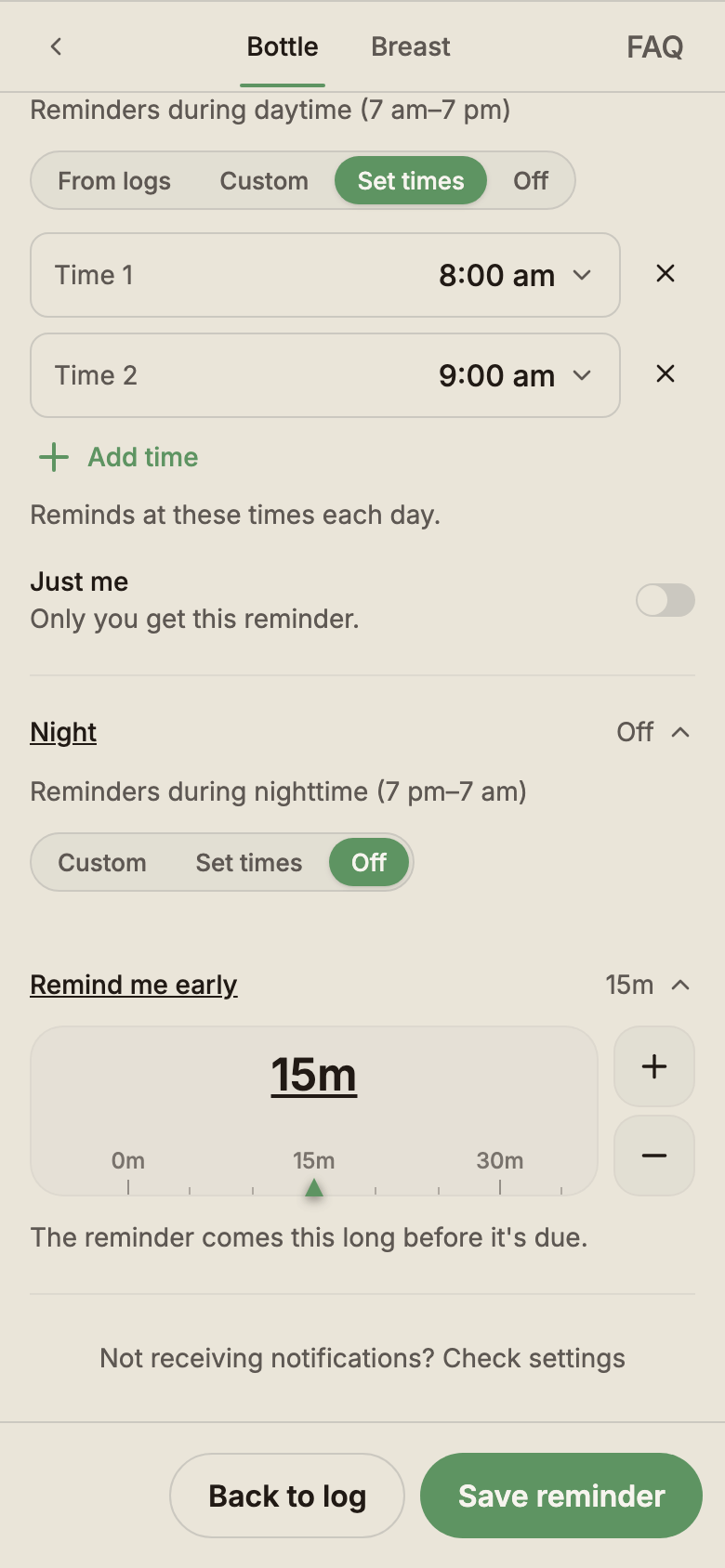
Pause and resume
Tap Pause to stop a reminder, day and night, until you tap Resume. Its settings stay as they were, and both buttons act at once with no Save. You can pause a whole log type, one medicine or one play type. Pause and Resume sit on each reminder in the Home Reminders block and at the top of the reminder view.
Medicine reminders
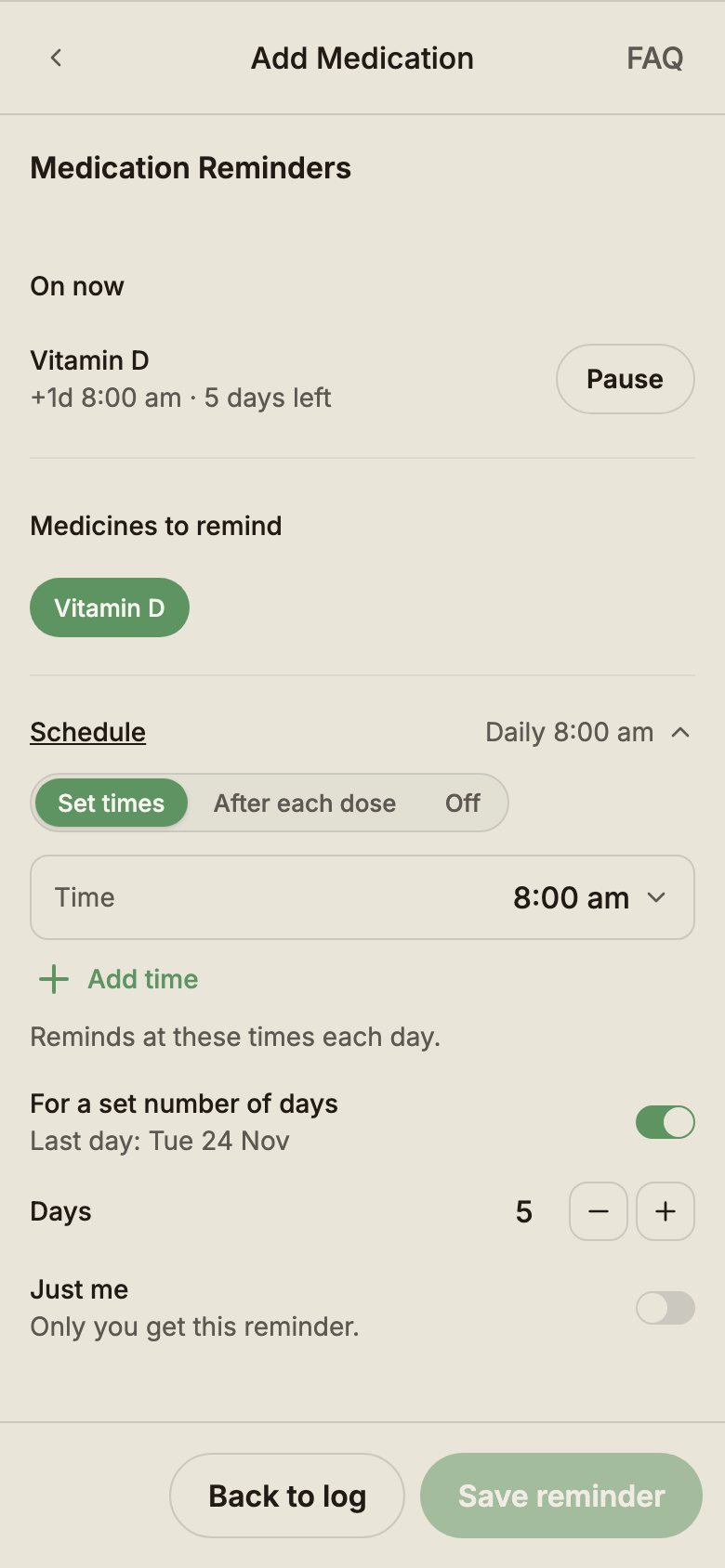
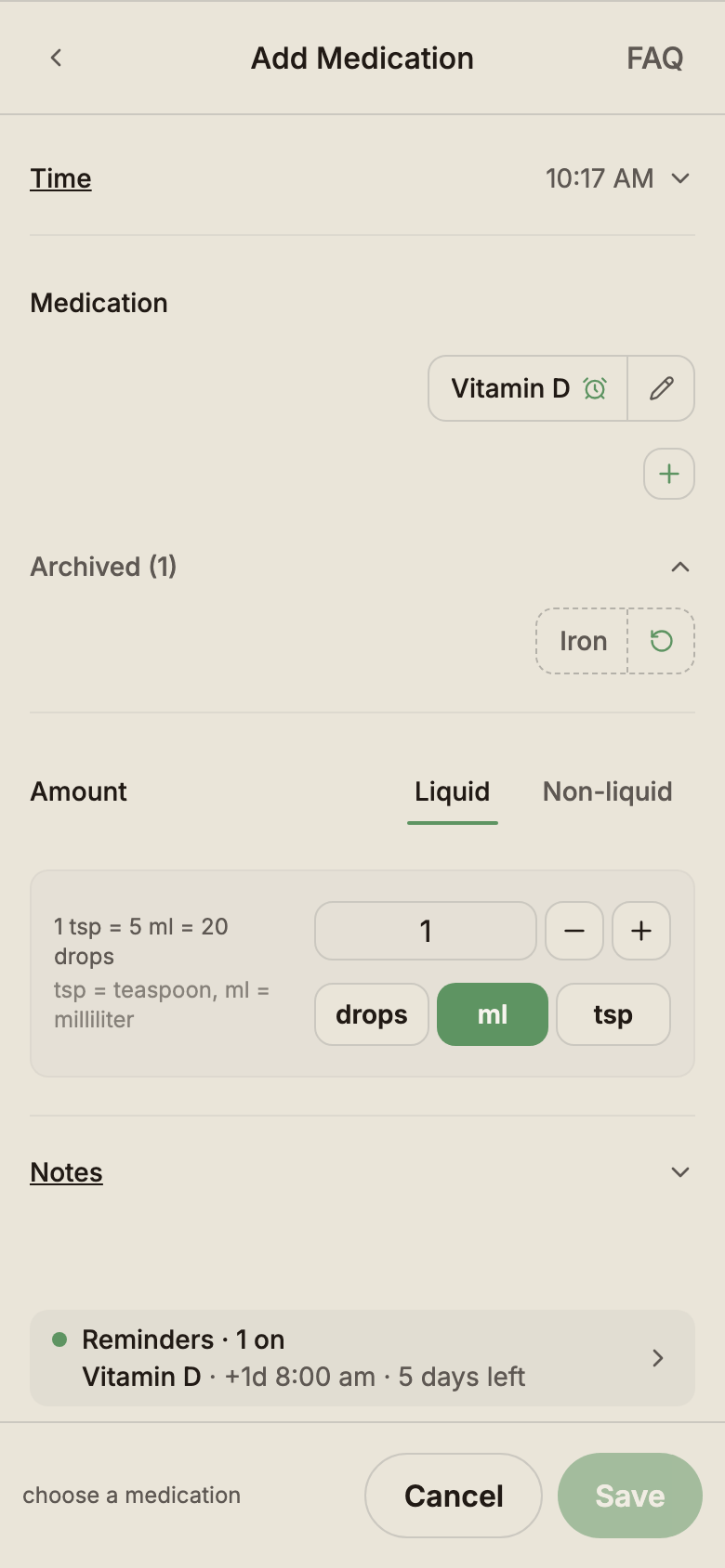
Each medicine has its own reminder. In the Medication form's reminder view, pick a medicine under Medicines to remind, then choose Set times or After each dose. A medicine reminder only tells you the time you chose has come. It never sets or suggests a dose.
- For a set number of days turns a reminder into a course. The reminder shows the days left, stops on its own after the last day and then reads Course finished.
- The On now list shows each medicine with a reminder on or paused, with Pause or Resume beside it.
- Archiving a medicine turns its reminders off for everyone caring for the baby. Restoring the medicine brings it back with its reminder off, ready to turn on again.
Share reminders with caregivers
Each reminder goes to Just me or Notify all caregivers. With Notify all caregivers, every other owner and editor of this baby gets the reminder too. Viewers don't get reminders.
Each caregiver can stop receiving those reminders with the Shared reminders switch in Settings → Notifications. A reminder type a caregiver has turned off or paused themselves stays off for them. Settings → Notifications also holds the device setup, Send a test reminder and caregiver activity alerts. Reminders themselves are set from the log forms.
When reminders wait
- While a feed, sleep or pumping timer runs, that activity's reminders wait.
- From logs feed reminders start at 5 days old, and From logs nap reminders start at 3 months. Until then the reminder shows when it starts.
- From logs feed and nappy reminders wait while your baby is asleep.
- From logs feed and nap reminders step back for 24 hours after a symptom or a fever reading.
- Custom and Set times reminders work from day one, whatever your baby's age.
BabyLog never stops a reminder because the app has stayed closed. Set times reminders come every day, and a gap reminder comes once after each log.
See every reminder on Home
Once you have a reminder on or paused, Home shows a Reminders block. Closed, it shows when the next reminder comes, or how many reminders are on or paused. Open it to see each reminder with Pause or Resume, and tap a reminder to change it. The block lists three reminders at first, with a button that shows the rest.
Reminders are part of Pro
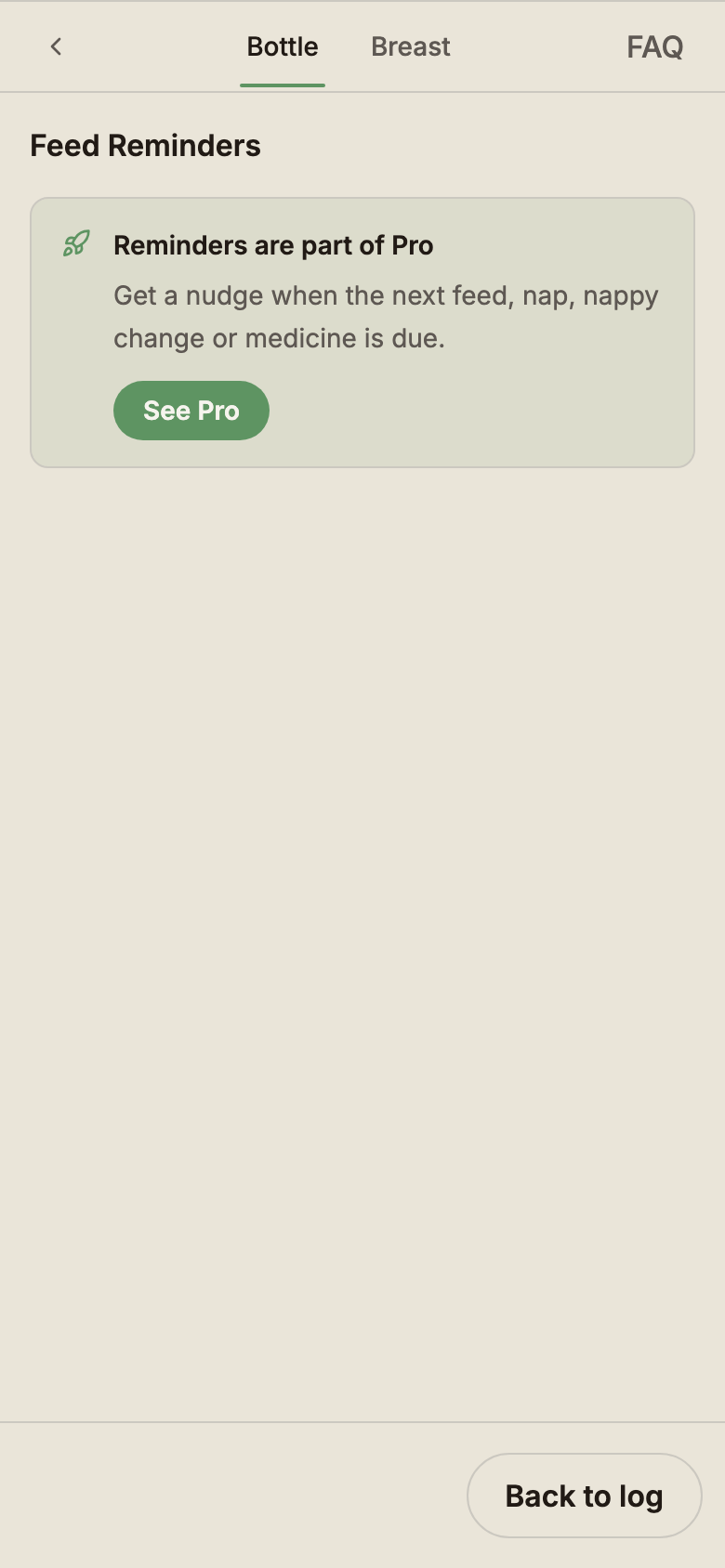
Every reminder is a Pro feature. Logging stays free, medication logging included. Without Pro, each log form shows Set a reminder with a Pro pill, and tapping it shows Reminders are part of Pro with See Pro.
Free
- All 12 log types, medication included
- Sharing and logging with caregivers
ProPro
- Reminders for 10 log types
- From logs, Custom and Set times
- Remind me early, pause and resume
- A reminder per medicine, with courses
Not getting reminders?
Check that notifications are allowed for BabyLog in your phone's settings. Then open Settings → Notifications and tap Send a test reminder. Reminders can take up to a minute to arrive.